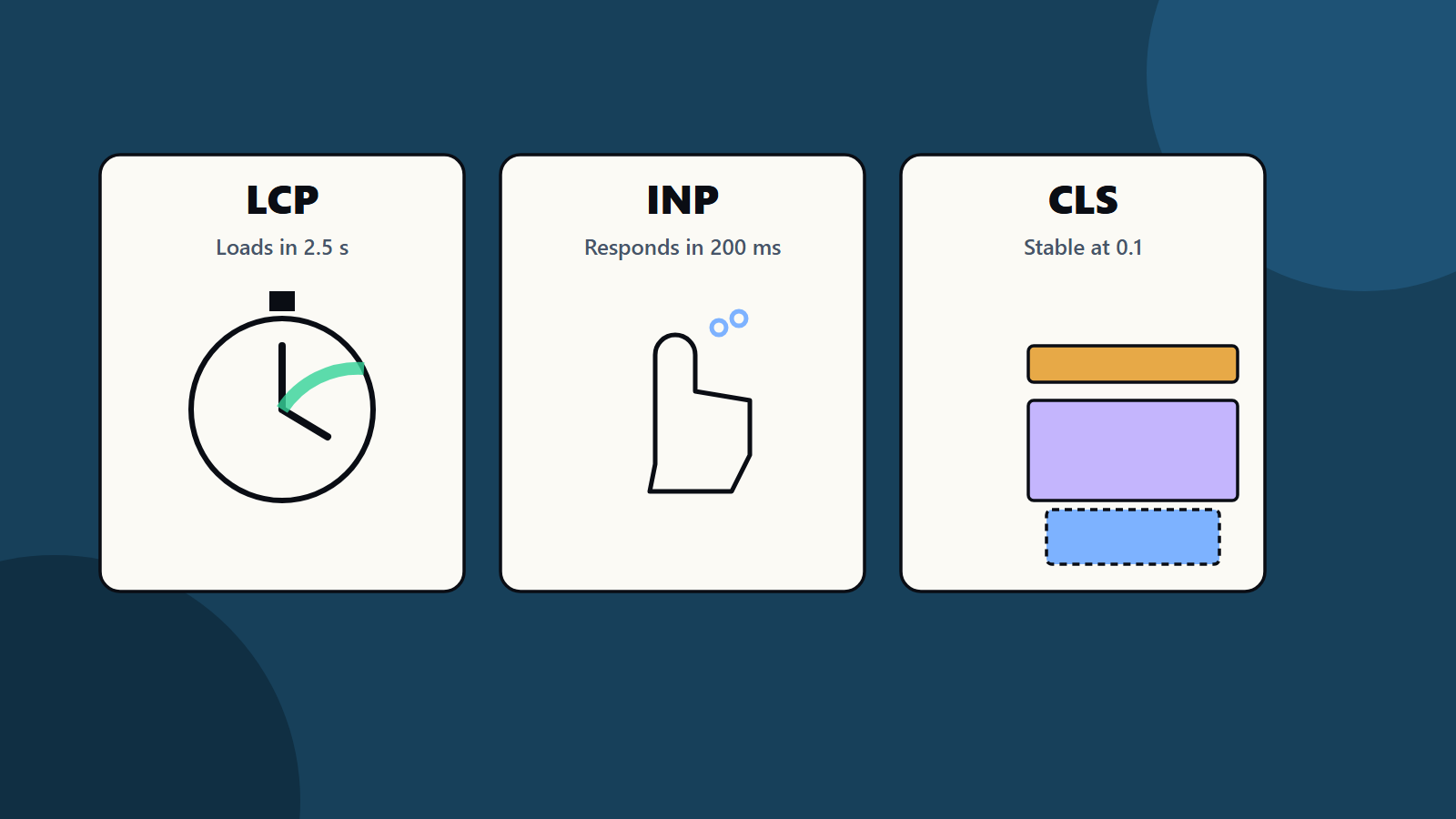
Short on time? Core Web Vitals measure three things people notice: how fast the main content loads (LCP), how quickly the page reacts to taps and clicks (INP) and how stable the layout stays (CLS). Aim for 2.5 seconds or less, 200 milliseconds or less and 0.1 or less, measured at the 75th percentile of real visits on mobile and desktop.
Everyone has used a page that loads slowly, freezes when you tap a button or jumps just as you press a link. Search engines and site owners care about these moments because they drive people away. Core Web Vitals are Google’s set of measures for them, and they sit inside a broader idea called page experience.
This guide explains each vital in plain language, how to measure it, the usual causes of poor scores and a practical order of fixes. It helps a small business owner with a brochure site and an engineering team running a large web application.
Key takeaways
- The three Core Web Vitals are Largest Contentful Paint, Interaction to Next Paint and Cumulative Layout Shift.
- Good scores are 2.5 seconds or less, 200 milliseconds or less and 0.1 or less, judged at the 75th percentile of real page loads.
- Field data from real users matters most. Lab tests help you find and fix causes.
- Images, scripts, fonts and third-party tags cause most problems.
- Speed supports users and conversions. It is one of many factors in search ranking and does not replace good content.
The three measures
According to Google’s guide to Core Web Vitals, the metrics and their targets for a good experience are:
Largest Contentful Paint (LCP) tracks loading performance, or how quickly the main content of a page becomes visible. A good score is 2.5 seconds or less after the page starts loading. The main content is often a large image, a heading block or a video poster.
Interaction to Next Paint (INP) tracks responsiveness, or how quickly the page reacts to user input such as taps, clicks and key presses. A good score is 200 milliseconds or less. INP replaced an earlier measure called First Input Delay, and looks at interactions across the whole visit.
Cumulative Layout Shift (CLS) tracks visual stability, or how much content moves unexpectedly while the page loads. A good score is 0.1 or less.
Google recommends measuring at the 75th percentile of page loads, segmented by mobile and desktop. That means at least three quarters of visits should meet the target.
Field data and lab data
Field data comes from real users. Search Console reports Core Web Vitals for groups of pages, and public datasets and monitoring tools provide real-user measurements. This is what counts for assessment.
Lab data comes from simulated tests in tools such as Lighthouse and PageSpeed Insights. It is repeatable and ideal for debugging, though it cannot capture every real device and network.
Use field data to decide where the problems are, and lab data to find and test fixes.
What slows LCP
- Slow server response. Poor hosting, no caching or heavy back-end work delays everything.
- Large images. Oversized files, old formats and hero images loaded late.
- Render-blocking resources. Large CSS and scripts that must load before anything shows.
- Client-side rendering. Pages that build content in the browser after a long script download.
- Slow fonts and late discovery of the key image.
Fixes:
- Improve server speed, use caching and a content delivery network.
- Compress images, serve modern formats and size them for the screen.
- Preload the main image and avoid lazy loading it.
- Reduce and defer non-critical CSS and scripts.
- Render important content on the server where possible.
- Optimise font loading.
What hurts INP
- Long tasks that block the main thread, often from heavy JavaScript.
- Large, complex pages with many elements.
- Third-party scripts such as chat widgets, tag managers, ads and analytics.
- Slow event handlers, where a click triggers a lot of work before the screen updates.
- Frequent re-rendering in front-end frameworks.
Fixes:
- Break long tasks into smaller pieces.
- Remove or delay scripts you do not need.
- Load third-party tags after interaction or only on pages that need them.
- Keep event handlers light, and show visual feedback right away.
- Reduce page size and the number of elements.
- Use efficient patterns in your framework, such as avoiding needless updates.
What causes CLS
- Images and videos with no set width and height.
- Ads, banners and embeds that load late and push content.
- Fonts that swap and change text size.
- Content inserted above existing content, such as cookie notices or promotions.
- Animations that move elements in ways that affect layout.
Fixes:
- Set dimensions or aspect ratios for images, videos and embeds.
- Reserve space for ads and dynamic content.
- Use font loading strategies that avoid large size changes.
- Place banners in reserved space, or overlay them without moving content.
- Animate with transforms, which leave layout untouched.
Measuring and monitoring
- Check Search Console for the Core Web Vitals report and note groups of pages that need work.
- Test key templates with PageSpeed Insights, which shows field data where available and lab diagnostics.
- Add real-user monitoring to your own analytics for ongoing visibility by page, device and country.
- Set budgets: maximum page weight, script size and LCP image size.
- Test in your release process, so regressions are caught before launch.
- Review monthly, and after redesigns, plug-in changes or new tracking tags.
Priorities
Start where the largest number of visitors or valuable pages suffer. A typical order:
- Fix server speed and caching.
- Optimise the main image and critical resources on key templates.
- Remove unneeded scripts and third-party tags.
- Fix layout shifts caused by images, ads and banners.
- Improve interaction handling on pages with forms, filters and carts.
Mobile and global audiences
Many visitors use mid-range phones on slower networks, and conditions vary by country. Test on realistic devices and throttled connections. For international sites, host content close to users through a content delivery network, and check field data by region. Our guide to international SEO and hreflang covers multi-region site structure.
How much do they matter for search?
Google uses page experience signals among many in ranking, and great scores do not rescue weak content. The stronger case for speed is human: faster, steadier pages keep people reading and buying. Treat Core Web Vitals as quality measures for your visitors, and as part of a sound technical SEO checklist.
Common mistakes
- Chasing a perfect lab score and ignoring field data.
- Lazy loading the main image.
- Adding tracking and chat tools without checking their cost.
- Fixing the home page only.
- Forgetting to retest after changes.
How SoftSapien improves site performance
SoftSapien’s engineers and SEO specialists audit performance, fix root causes in code and infrastructure and set up monitoring, so improvements last. See our web application development and search engine and AI services.
For a performance review, use the contact page to chat with our team, send a message or schedule a free consultation call.
Frequently asked questions
What are Core Web Vitals?
They are three measures of page experience: Largest Contentful Paint for loading, Interaction to Next Paint for responsiveness and Cumulative Layout Shift for visual stability.
What are the good thresholds?
LCP of 2.5 seconds or less, INP of 200 milliseconds or less and CLS of 0.1 or less, measured at the 75th percentile of page loads on mobile and desktop.
What is the difference between field and lab data?
Field data comes from real users and is what counts for assessment. Lab data comes from simulated tests and is best for finding and testing fixes.
What usually causes poor scores?
Slow servers, oversized images, render-blocking code, heavy JavaScript, third-party scripts and elements that load without reserved space.
Can SoftSapien improve my site performance?
Yes, from audit to code fixes and monitoring. Contact SoftSapien through the contact page to chat with our team, send a message or schedule a free consultation call.