Short on time? A voice assistant earns trust by being quick, clear and honest about what it can do. Keep prompts short, confirm what you heard before acting, handle interruptions and silence, offer a person at any time and test with real callers in noisy conditions. Measure resolution and caller satisfaction, not just call deflection.
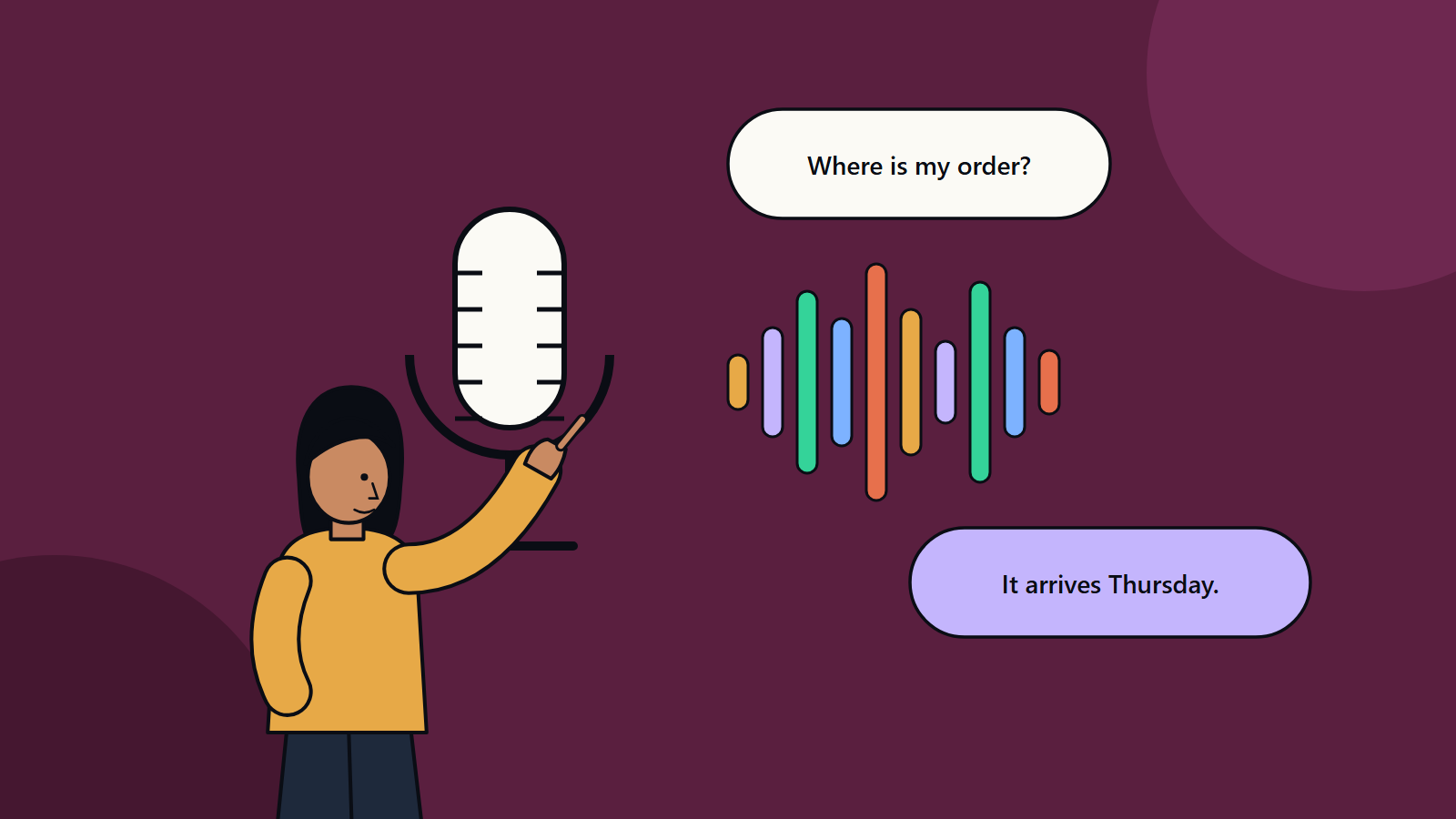
Most people have met a phone menu that said “press one for sales” and then misheard everything. Modern voice AI is far better. It can understand natural speech, hold a short conversation and complete tasks such as checking an order, rebooking an appointment or resetting a password. It can also frustrate callers badly when it is poorly designed.
Voice is a demanding channel. People cannot skim, scroll back or see options. They talk over the system, cough, change their mind and call from cars and kitchens. This guide sets out design rules that work, for a clinic answering appointment calls and for a bank with a large contact centre.
Key takeaways
- Start with a narrow set of high-volume tasks and do them well.
- Design for speech: short sentences, one question at a time and clear confirmation.
- Handle errors gracefully, with reprompts, alternatives and a quick route to a person.
- Respect privacy, consent and security, especially when callers share personal details by voice.
- Test with real callers, accents and background noise, and track resolution and satisfaction.
How a voice assistant works
A typical system chains several parts:
- Telephony or app audio brings in the call.
- Speech recognition turns audio into text.
- Language understanding works out what the caller wants and any details, such as dates or order numbers.
- Dialogue logic decides the next step and calls systems, for example an order database or booking calendar.
- Response generation creates the reply.
- Speech synthesis turns text into spoken audio.
- Handover and logging connect to agents and record outcomes.
Some newer systems combine several steps in one model that handles speech directly. The design rules below hold for both.
Choose the right tasks
Good first candidates are frequent, rule-based and low-risk:
- Order and delivery status.
- Opening hours and locations.
- Appointment booking, changes and reminders.
- Balance and payment status after secure verification.
- Password and access resets.
- Simple triage that routes callers to the right team.
Leave complex, emotional or high-stakes calls, such as complaints, bereavement, medical emergencies and fraud, to people, with quick routing.
Design rules
Open with clarity
Say who is speaking, that it is an automated assistant and what it can help with. For example: “You have reached the service line for the company. I’m an automated assistant. I can check orders and change appointments. What do you need?” Keep greetings short, since callers want to get on with it.
One question at a time
Ask a single question and wait. Avoid long lists of options. Offer no more than three choices, and put the most common first. Allow free speech in place of rigid menus, but give examples when callers seem stuck.
Keep sentences short and natural
Write for the ear. Avoid jargon, long numbers read as one chunk and complicated sentences. Break numbers into groups, and repeat important details.
Confirm before acting
Repeat key information and ask for a yes or no before taking action: “You’d like to move your appointment to Thursday at ten. Is that right?” Confirm destructive or costly actions twice.
Let callers interrupt
People talk over prompts. Support barge-in, so the assistant stops speaking when the caller starts. Keep prompts short to reduce the need.
Handle silence and misunderstanding
- After a pause, reprompt briefly with help.
- After one failed attempt, rephrase.
- After two, offer another path, such as keypad entry or a person.
- Never loop forever.
Make the human option easy
Offer transfer when asked, after repeated failure, when the caller sounds distressed and for sensitive topics. Pass the conversation summary to the agent, so the caller does not repeat everything. Tell callers about waiting times, and offer a callback if queues are long.
Be honest
Do not pretend to be human. Say what you cannot do. Do not claim certainty when the system is unsure.
Use a consistent voice
Choose a voice and style that match your brand and audience: calm, friendly and clear. Test pace and tone with real listeners. Provide options for languages that your callers speak, and test each properly.
Accessibility and inclusion
- Support different accents, speech patterns and speech impairments through testing and tuning.
- Give extra time for those who need it.
- Offer alternatives such as text chat, call back or keypad entry.
- Follow accessibility standards for related web and app channels, such as the Web Content Accessibility Guidelines.
Security and privacy
- Verify identity before sharing account details. Use methods that suit the risk, such as one-time codes sent to a registered phone, and avoid asking callers to say full card numbers aloud if you can switch to keypad entry.
- Consent and recording: tell callers when calls are recorded or analysed, and follow local rules, which differ by country and sometimes by state.
- Minimise data: collect only what the task needs, and set retention limits.
- Redact sensitive information from transcripts and logs.
- Voice spoofing risk: do not treat a voice alone as proof of identity, since synthetic voices can imitate people.
- Protect against manipulation: callers may try to talk the assistant into disclosing data or taking unauthorised actions, so enforce permissions in back-end systems and not in the conversation.
Our article on AI agent governance describes controls for assistants that take actions.
Test thoroughly
- Start with scripts that cover each task and common variations.
- Test with real callers: different ages, accents, devices and environments, from quiet rooms to busy streets.
- Test failure paths, such as system outages, wrong inputs and callers who change topic.
- Run load tests for peak periods.
- Listen to recordings, with consent and privacy controls, and fix recurring problems.
Measure what matters
- Task completion and first-call resolution.
- Containment, read together with satisfaction, since a bot that blocks callers from help inflates it.
- Handover rate and reasons.
- Average handling time for automated and human-handled calls.
- Caller satisfaction after the call.
- Recognition accuracy by task and by caller group.
- Cost per call.
Review weekly at first. Add new tasks only when existing ones perform well.
Common mistakes
- Trying to automate every type of call at launch.
- Long greetings and menus.
- No easy way to reach a person.
- Ignoring noise and accents in testing.
- Forgetting to update content when policies change.
- Treating deflection as the goal.
Linking voice and chat
Many organisations run voice, chat and messaging assistants from the same knowledge and logic, which keeps answers consistent. Our guide to enterprise AI chatbots covers content readiness and rollout steps that apply to voice as well.
How SoftSapien builds voice assistants
SoftSapien designs, builds and monitors voice and chat assistants that connect to your booking, order and customer systems, with security and human handover built in. See our conversational AI and chatbot services.
To discuss a voice project, use the contact page to chat with our team, send a message or schedule a free consultation call.
Frequently asked questions
What calls suit a voice assistant?
Frequent, rule-based and low-risk tasks such as order status, opening hours, appointment changes and password resets. Keep complex or high-stakes calls with people.
How should a voice assistant handle misunderstandings?
Reprompt briefly, rephrase after one failure, offer another path such as keypad entry or a person after two, and never loop forever.
Should callers know they are speaking to AI?
Yes. Say it is an automated assistant, be clear about what it can do and make a human option easy to reach.
How do I secure voice interactions?
Verify identity with methods suited to the risk, do not rely on voice alone, redact sensitive data from logs, follow local recording rules and enforce permissions in back-end systems.
Can SoftSapien build a voice assistant?
Yes, with handover and security included. Contact SoftSapien through the contact page to chat with our team, send a message or schedule a free consultation call.