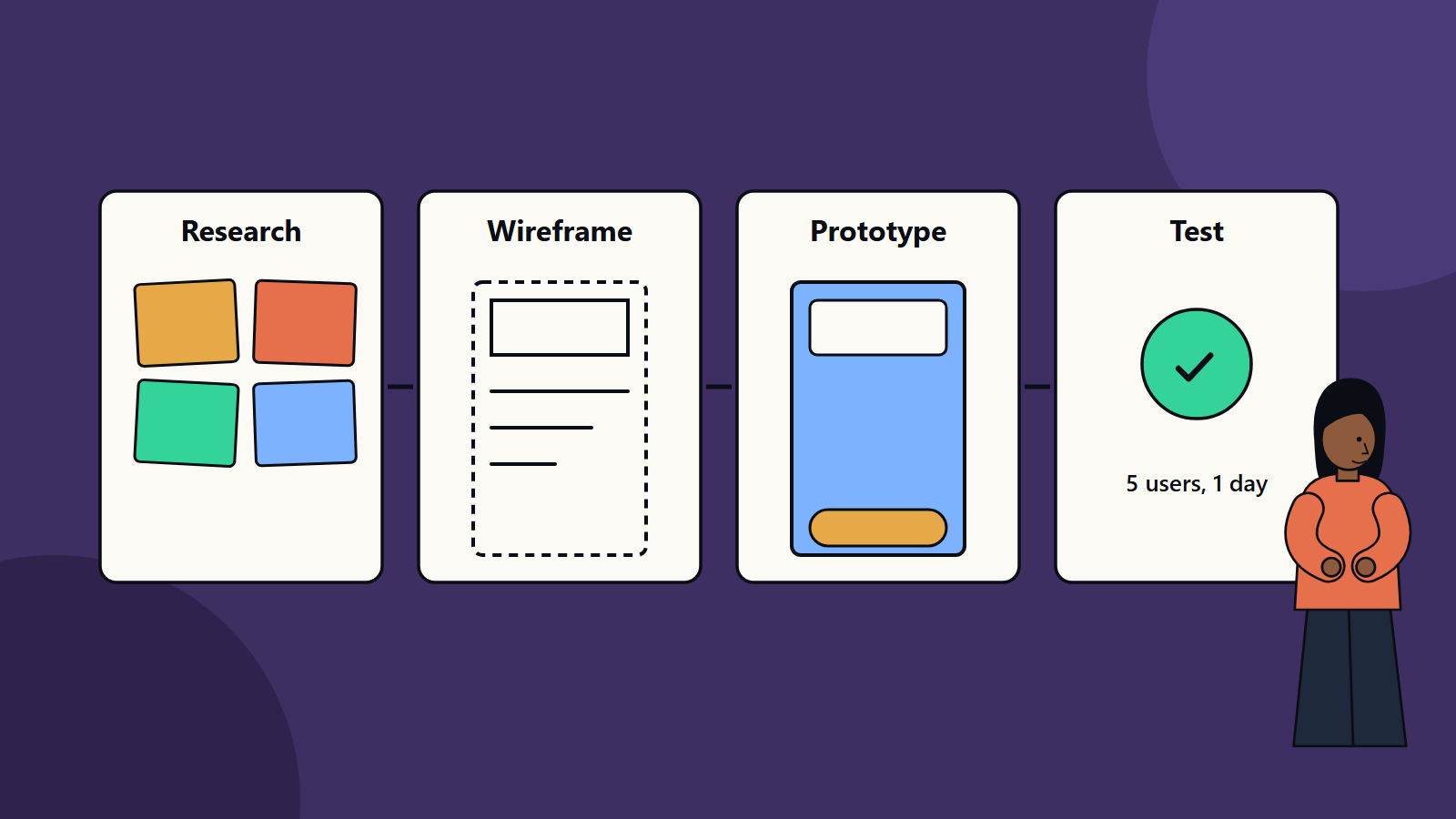
Short on time? A sound UX process moves from understanding users to testing real designs: research, define the problem, explore ideas, wireframe, prototype, test with five or more users, refine and hand over with clear specifications. Test early with cheap prototypes, since changes are far cheaper before code exists.
A good interface feels obvious. People find what they need, complete tasks without help and rarely make errors. That ease is rarely an accident. It comes from a process that puts real users and real tasks at the centre and checks ideas before they are built.
This guide walks through the stages of a practical user experience design process, from first research to developer handover. It suits a founder commissioning a first product design as well as an enterprise team running a design programme across many applications.
Key takeaways
- UX design starts with understanding users and their tasks, long before screens are drawn.
- Cheap, early prototypes expose problems when they are inexpensive to fix.
- Testing with a small group of real users finds most major issues.
- Established heuristics and accessibility standards give a reliable baseline.
- Handover is part of design. Clear specifications and design systems keep the result faithful.
Stage 1: Discover
Goal: understand the people, the context and the problem.
- Stakeholder interviews reveal business goals, constraints and assumptions.
- User research: interviews, observation, surveys and review of support tickets and analytics show how people work today and where they struggle.
- Competitor and market review: see what others do well and poorly.
- Existing product audit, if you are redesigning: where do users drop out, and what do they complain about?
Outputs: research summary, user needs and a list of questions to answer.
Stage 2: Define
Goal: turn findings into a clear problem and a shared view of users.
- Personas or user profiles: short descriptions of typical users, based on research and not on guesses.
- Jobs and scenarios: the tasks users want to achieve and the situations they are in.
- Journey maps: steps, thoughts, feelings and pain points across a task.
- Problem statements and success measures: for example, “new users can create an invoice in under three minutes without help”.
- Priorities: which problems matter most.
Outputs: problem statement, personas, journey maps and measurable goals.
Stage 3: Ideate
Goal: explore many possible solutions before choosing one.
- Workshops with design, product, engineering and business staff.
- Sketching and quick concept comparison.
- Information architecture: how content and functions are grouped and labelled. Card sorting with users helps.
- User flows that show the path through the product for key tasks.
Resist the first idea. Comparing several options improves the final choice.
Stage 4: Wireframe
Goal: lay out screens and flows without visual polish.
Wireframes show structure: what appears where, how users move between screens and what each screen needs to do. Low-fidelity sketches or simple digital boxes let stakeholders focus on function. Review with the team and refine.
Stage 5: Prototype
Goal: create something users can try.
- Clickable prototypes in design tools simulate the experience without code.
- Fidelity can match the question: low for flow, high for visual and interaction detail.
- Include realistic content, since placeholder text hides problems with length, labels and tone.
Stage 6: Test
Goal: learn what works and what does not.
- Usability testing: give users realistic tasks and watch silently. Note where they hesitate, misread or fail. Five users per round often reveal most major problems, and more rounds with different groups cover more ground.
- Remote or in-person, moderated or unmoderated. Choose by budget and the depth you need.
- Measure: task success, time on task, errors and satisfaction.
- A heuristic review: experts check the design against recognised principles. The Nielsen Norman Group’s ten usability heuristics are widely used, and include visibility of system status, match with the real world, user control and freedom, consistency, error prevention, recognition over recall, flexibility and efficiency, minimalist design, help with errors, and help and documentation.
- Accessibility checks against standards. Our guide to WCAG accessibility explains how.
Record findings, rank them by severity and fix the worst first.
Stage 7: Visual and interaction design
Goal: give the product a clear, consistent and on-brand look.
- Typography, colour, spacing, icons and imagery.
- Interaction details: states for hover, focus, loading, empty and error conditions, plus transitions where they help understanding.
- A design system of reusable components and rules, which keeps screens consistent and speeds up work. Our article on design systems covers how to build one.
- Responsive layouts for phones, tablets and desktops.
- Content design: clear labels, microcopy and error messages in plain language, localised for each market.
Stage 8: Handover and build
- Provide specifications, assets and component documentation.
- Hold working sessions with developers to talk through behaviour and edge cases.
- Review builds against the design, and test on real devices.
- Agree how to handle trade-offs when technical limits appear.
Stage 9: Measure and improve
Launch is a learning point. Track:
- Task completion and error rates.
- Conversion and drop-off in key flows.
- Support requests and common complaints.
- Satisfaction scores.
- Usage patterns from analytics.
Run further tests and make small improvements regularly. Pair numbers with conversations with users.
Fitting design into agile delivery
Design and engineering can work in parallel. Designers explore one or two sprints ahead, test with prototypes and refine as developers build. Keep a shared backlog, short feedback cycles and a common design system.
Team and roles
A UX team may include researchers, interaction and visual designers, content designers and accessibility specialists. In a small company one person may cover several roles. What matters is that someone speaks for users in every decision.
Common mistakes
- Skipping research and relying on opinions.
- Designing for the average of everyone and no one in particular.
- Testing only at the end.
- Copying a competitor without knowing whether it works.
- Ignoring accessibility until late.
- Handing over static pictures with no behaviour description.
- Treating design as decoration.
A lightweight process for small projects
- Spend a week talking to five users.
- Sketch flows and wireframes in a day or two.
- Build a clickable prototype and test it with five people.
- Fix the main issues, and test again.
- Hand over to developers with simple specifications.
How SoftSapien supports UX projects
SoftSapien’s designers work with product and engineering teams from research through handover and measurement, for web, mobile and enterprise applications. Learn about our UI and UX design services and how they connect with web application development.
To discuss a design project, use the contact page to chat with our team, send a message or schedule a free consultation call.
Frequently asked questions
What are the stages of the UX design process?
Discover, define, ideate, wireframe, prototype, test, visual and interaction design, handover and build, then measure and improve.
How many users do I need for usability testing?
Five users per round often reveal most major problems. Run more rounds with different groups to cover more ground.
Why prototype before building?
Prototypes let you test ideas cheaply and fix problems before code exists, when changes cost far less.
What are usability heuristics?
They are widely used principles for reviewing designs, such as visibility of system status, consistency, error prevention and help with errors.
Can SoftSapien run a UX project?
Yes, from research to handover. Contact SoftSapien through the contact page to chat with our team, send a message or schedule a free consultation call.