Short on time? Build accessibility in from the start. Follow WCAG 2.2 at level AA as a practical target: give text alternatives, ensure enough contrast, make everything work with a keyboard, label controls and errors clearly, avoid content that flashes or traps focus and test with assistive technology and real users. Fixing issues late costs far more than designing for them early.
The World Health Organization estimates that around one in six people worldwide lives with a significant disability, and many more have temporary or situational limits: a broken arm, bright sunlight, a noisy train or a slow connection. An interface that works for the widest range of people reaches more customers, reduces legal risk and tends to be better for everybody.
The standard reference is the Web Content Accessibility Guidelines, known as WCAG. This guide explains what it asks of product teams, how to apply it to websites and mobile apps and how to make accessibility part of daily work. It suits a small team building a first site and an enterprise managing a large portfolio.
Key takeaways
- WCAG 2.2 is the current version. Content that meets it also meets WCAG 2.1 and 2.0.
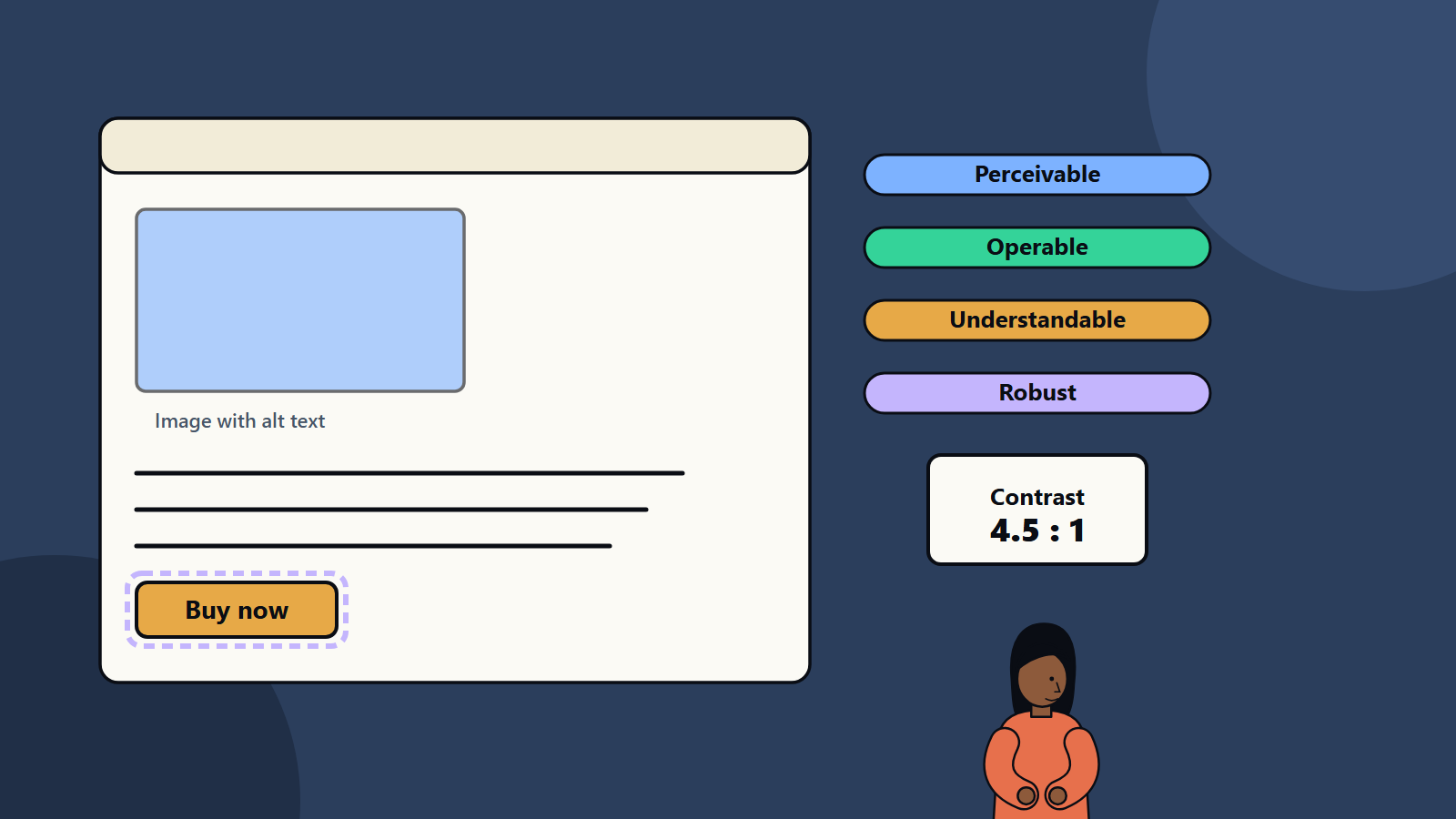
- It is organised around four principles: perceivable, operable, understandable and robust.
- Level AA is the usual target in laws, contracts and procurement, though requirements vary by country.
- Automated tools catch a share of problems. Manual checks and user testing find the rest.
- Accessibility belongs in design, development, content and quality assurance from the first sprint.
What WCAG is
According to the W3C Web Accessibility Initiative, WCAG is a global technical standard for making online content usable by people with disabilities. WCAG 2.2 is the latest version, published in October 2023 and updated in December 2024. Earlier versions 2.0 and 2.1 remain valid, and content that meets 2.2 also meets them. WCAG 3 is an early draft. Success criteria are grouped into three conformance levels: A, AA and AAA.
Many laws and policies point to WCAG. Examples include public sector rules and accessibility legislation in various regions. Because requirements and deadlines differ by country and sector, take legal advice on what applies to you.
The four principles
Perceivable
Users must be able to perceive the content with at least one sense.
- Text alternatives for images, icons and charts that convey meaning. Decorative images get empty alternatives.
- Captions and transcripts for audio and video, and audio descriptions where visuals carry information.
- Adaptable structure: headings, lists, tables and landmarks coded properly, so assistive technology can present content in different ways.
- Colour and contrast: text needs enough contrast against its background. At level AA the usual minimum is 4.5 to 1 for normal text and 3 to 1 for large text, and interface components need adequate contrast too. Do not rely on colour alone to convey meaning.
- Resizable text and reflow: content works when zoomed and on small screens without horizontal scrolling for most content.
Operable
Users must be able to operate the interface.
- Keyboard access: every function works without a mouse, in a logical order, with no keyboard traps.
- Visible focus: users can see where they are. WCAG 2.2 strengthens requirements for focus visibility, so it is not hidden behind other content.
- Enough time: let users extend or turn off time limits, and avoid auto-updating content that cannot be paused.
- No seizure triggers: avoid flashing content.
- Navigation: skip links, clear page titles, descriptive link text and multiple ways to find pages.
- Pointer and touch: targets large enough to tap, alternatives to complex gestures such as dragging, and no accidental activation. WCAG 2.2 added criteria on target size and dragging movements.
Understandable
Content and operation must be clear.
- Readable language, with the page language declared and plain wording.
- Predictable behaviour: navigation and components behave consistently, and changes do not occur without warning.
- Input assistance: labels and instructions for form fields, error messages that identify the problem and suggest a fix and confirmation for important actions. WCAG 2.2 also asks that users do not have to re-enter information they already provided in the same process, and that authentication does not depend on solving cognitive tests alone.
Robust
Content must work with current and future technologies.
- Valid, well-structured code that assistive technology can interpret.
- Names, roles and values exposed for custom controls, using native elements where possible and ARIA attributes carefully when needed.
- Status messages announced to screen readers without moving focus.
Websites and mobile apps
The same principles apply to native mobile apps, though the techniques differ. Platforms provide accessibility features: screen readers, text scaling, voice control, switch access and reduced motion settings. Build with native components, set labels and traits, support dynamic text sizes, respect system settings and test with the platform’s screen reader. The WCAG success criteria are written for web content, and guidance exists on applying them to mobile.
Building accessibility into the process
In design
- Use accessible colour palettes, and check contrast in design tools.
- Design clear focus states, error states and large touch targets.
- Plan the reading order and heading structure.
- Use patterns that are known to work, and be careful with custom widgets. A good design system with accessible components saves repeated effort.
- Include people with disabilities in research.
In development
- Use semantic HTML before ARIA. A real button beats a styled div with extra attributes.
- Manage focus in dialogs, menus and single-page applications.
- Provide text alternatives, labels and error messages in code.
- Include automated accessibility checks in the build pipeline.
- Test with a keyboard, a screen reader and zoom.
In content
- Write plain, clear text and descriptive links, such as “Read the pricing guide”, and avoid vague text like “Click here”.
- Structure pages with headings.
- Provide captions, transcripts and alt text for media.
- Avoid text in images.
In quality assurance
- Include accessibility criteria in the definition of done.
- Run automated scans, which find issues such as missing alternatives and low contrast, though they cover only part of the criteria.
- Run manual audits with checklists.
- Test with assistive technology and, ideally, people who use it daily.
- Track issues by severity, and fix blockers first.
Statements and governance
- Publish an accessibility statement that describes your standard, known issues, plans and a way to give feedback.
- Assign ownership, with training for designers, developers, content authors and testers.
- Include accessibility in procurement, and ask suppliers for conformance reports.
- Review regularly, and after major changes. Our guide to the UI and UX design process shows where accessibility fits in each stage.
Typical issues
- Missing or poor alternatives for images.
- Low contrast text and controls.
- Controls that cannot be reached by keyboard.
- Unlabelled form fields and vague errors.
- Focus lost or hidden after dialogs and page updates.
- Videos with no captions.
- Auto-playing media.
- Documents such as PDFs that are not tagged.
Business benefits
- A larger audience, including older customers and people with disabilities.
- Reduced legal and reputational risk.
- Better usability and search visibility for all, since structure, text alternatives and clear content help both people and search engines.
- Higher quality code and fewer defects.
A starting plan
- Run an automated scan and a manual check of your most important journeys.
- Fix critical barriers, such as keyboard traps, missing labels and low contrast.
- Update design components and templates.
- Train the team.
- Add checks to your pipeline.
- Publish a statement, and keep improving.
How SoftSapien supports accessible products
SoftSapien’s designers and engineers audit sites and apps against WCAG, fix issues in code and build accessible components and processes into new projects. Learn about our UI and UX design, web application development and mobile app development services.
To review your product, go to the contact page and chat with us, send a message or schedule a free consultation call.
Frequently asked questions
What is WCAG?
The Web Content Accessibility Guidelines are a global technical standard for making online content usable by people with disabilities. WCAG 2.2 is the current version.
Which conformance level should I aim for?
Level AA is the usual target in laws, contracts and procurement, though requirements vary by country and you should take legal advice.
What are the four WCAG principles?
Perceivable, operable, understandable and robust.
Can automated tools find all accessibility issues?
No. They catch a share of problems such as missing alternatives and low contrast. Manual checks and testing with assistive technology find the rest.
Can SoftSapien audit our product?
Yes, and fix issues in code. Contact SoftSapien through the contact page to chat with our team, send a message or schedule a free consultation call.