Short on time? Choose native when you need the best performance, deep device features or a platform-specific feel. Choose cross-platform when you want one team and one codebase to reach iOS and Android quickly with common features. If most of your users are on one platform, start there and expand later.
Every mobile project meets this fork early. Build separate apps for iPhone and Android using each platform’s own tools, or build once with a framework that produces both. The answer affects budget, timeline, hiring, user experience and long-term maintenance.
This guide sets out the trade-offs plainly so founders, product owners and technology leaders can decide with confidence. It applies to a first product from a small team and to an enterprise app portfolio.
Key takeaways
- Native apps use each platform’s own languages and tools. They give the strongest access to device features and the best polish.
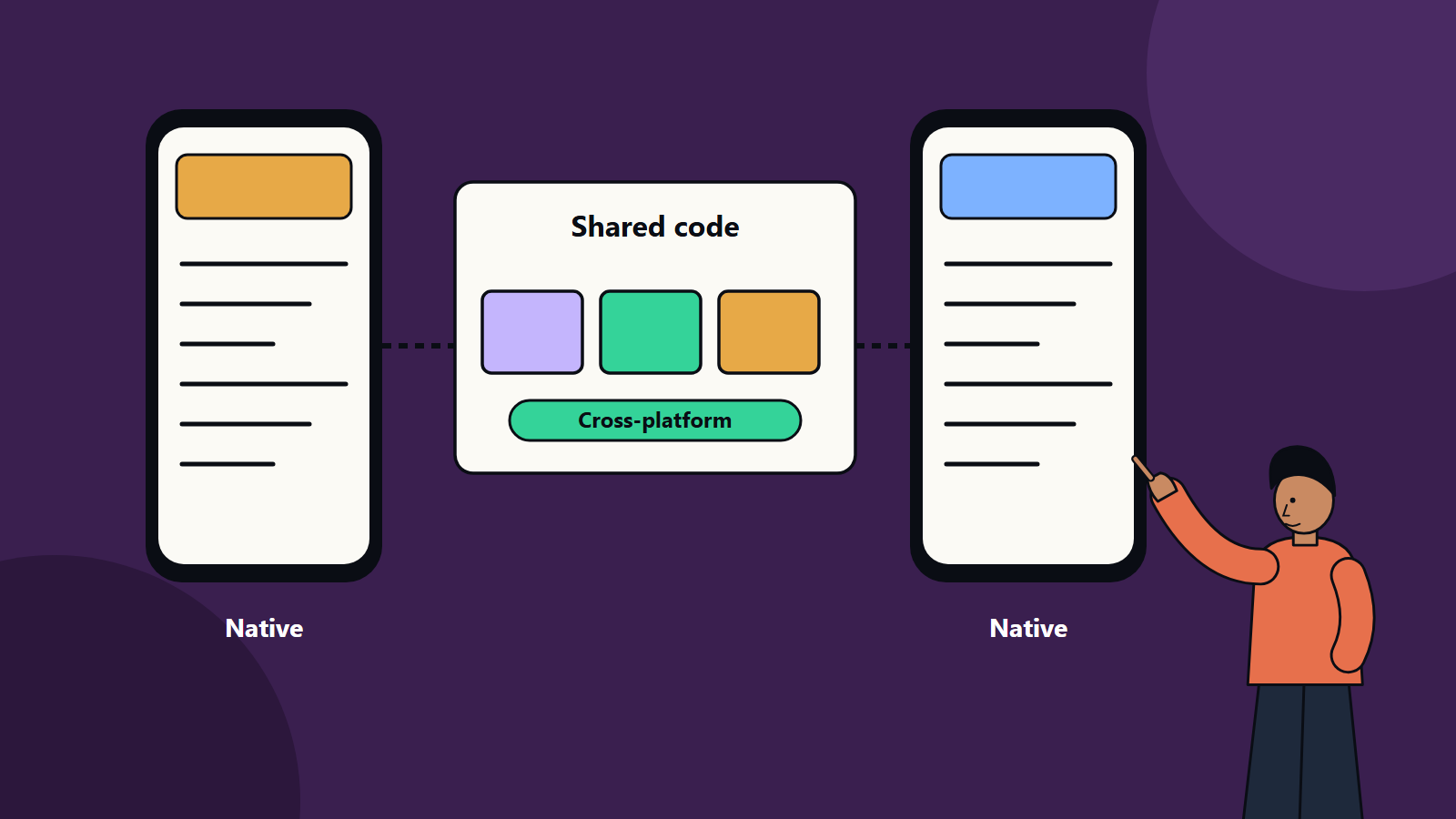
- Cross-platform frameworks share most code between platforms, which can lower cost and speed up delivery.
- Performance gaps have narrowed, though demanding graphics, heavy real-time processing and new platform features still favour native.
- The decision depends on features, audience, team skills, budget and plans for the product.
- Progressive web apps and hybrid approaches are further options.
What each approach means
Native development. Developers write one app for iOS and another for Android, each in the platform’s recommended languages and using its design guidelines and tools. The two apps can look and behave exactly as each platform’s users expect.
Cross-platform development. Developers write most of the app once with a framework such as Flutter or React Native, and the framework produces apps for both platforms. Parts that need platform-specific behaviour can still be written natively and connected.
Web-based options. A progressive web app runs in the browser and can be added to the home screen. A hybrid app wraps web technology in a native shell. Both reach many devices with one codebase but have limits on device access and performance. Our guide to progressive web apps explains when they fit.
Where native wins
- Performance-critical apps: games, augmented reality, video editing, complex animation and heavy real-time processing.
- Deep device integration: advanced camera features, sensors, Bluetooth, background processing, health data and wearables.
- Platform look and feel: apps that must follow each platform’s design conventions closely.
- Early access to new platform features: native tools support new operating system features first.
- Long-lived products with large, specialised teams.
Where cross-platform wins
- Speed to market: one team builds features for both platforms in a single pass.
- Cost: shared code and a shared backlog lower build and maintenance effort.
- Consistency: the same features and behaviour on both platforms.
- Smaller teams: one skill set covers both platforms.
- Common app types: business apps, content and e-commerce apps, booking, forms, dashboards and many customer portals.
A practical comparison
- Cost and time: cross-platform usually needs less effort for apps with common features. The saving shrinks when many screens need platform-specific work.
- Quality of experience: well-built cross-platform apps are hard to tell from native ones for typical business use. Poorly built ones feel off on either approach.
- Performance: good for most apps. Test early on lower-end devices if your audience uses them.
- Maintenance: one codebase is simpler to update. Framework upgrades and dependency changes still need attention.
- Hiring: native skills are plentiful but must be doubled. Cross-platform skills are narrower but cover both.
- Risk: framework roadmaps and third-party plugins affect cross-platform projects. Native projects carry the risk of two codebases drifting apart.
Decision questions
- Which platforms do our users use? Check analytics, market data for your countries and the needs of key customers. Platform share differs a lot between regions.
- What must the app do? List the features, and identify any that need advanced device access or top performance.
- What is our budget and timeline?
- What skills do we have or can we hire?
- How long will the product live, and how will it grow?
- How important is a platform-specific feel?
- Do we need to share code with a web app?
Common strategies
- Start cross-platform, add native where needed. Build the main app in a framework and write native modules for demanding features.
- Start with one platform. Launch on the platform where most users are, learn and expand.
- Native for flagship, cross-platform for secondary apps. Large organisations often mix.
- Web first. Prove the idea with a responsive web app or progressive web app before investing in store apps.
Testing and quality
Whichever route you choose, test on real devices across screen sizes and operating system versions, check accessibility, measure start-up time and battery use, and test poor network conditions. Include security testing for data storage, communication and authentication.
Common mistakes
- Choosing a framework because it is fashionable.
- Assuming cross-platform means no platform-specific work.
- Skipping real-device testing.
- Ignoring store rules and review timelines.
- Neglecting upgrade plans when platforms or frameworks change.
How SoftSapien helps you choose and build
SoftSapien develops native and cross-platform apps, and our team recommends the approach after reviewing your features, users and budget. Delivery includes design, development, testing and store release. See our mobile app development and web application development services. For budget planning, read our guide to what drives mobile app development cost.
Reach out through the contact page to chat with our team, send a message or schedule a free consultation call about your app.
Frequently asked questions
Is cross-platform cheaper than native?
Usually less effort for apps with common features, because code and teams are shared. The saving shrinks when many screens need platform-specific work.
When is native the better choice?
For performance-critical apps, deep device integration, a strict platform look and feel and early access to new platform features.
Which platform should I build first?
Check analytics and market data for your audience and start where most users are, then expand.
What is a progressive web app?
A progressive web app runs in the browser and can be added to the home screen. It reaches many devices with one codebase but has limits on device access and performance.
Can SoftSapien build both types?
Yes, and we recommend an approach after reviewing your needs. Contact SoftSapien through the contact page to chat with our team, send a message or schedule a free consultation call.