Short on time? Automate the tests that are repeated often, stable, fast and valuable first: unit tests for logic, API tests for services and a small number of end-to-end tests for critical journeys. Run them on every change, keep them reliable, and leave exploratory and one-off checks to people.
Manual testing finds problems that automated tests miss, yet it cannot keep pace with weekly or daily releases. Automation lets teams check the same behaviour hundreds of times without fatigue, which is what makes frequent, safe releases possible. Poorly planned automation, however, produces slow, flaky suites that people ignore.
This guide covers how to decide what to automate, how to structure a suite and how to keep it healthy. It suits a start-up with one product and an enterprise with many teams and platforms.
Key takeaways
- Automate checks that run often, give clear answers and protect important behaviour.
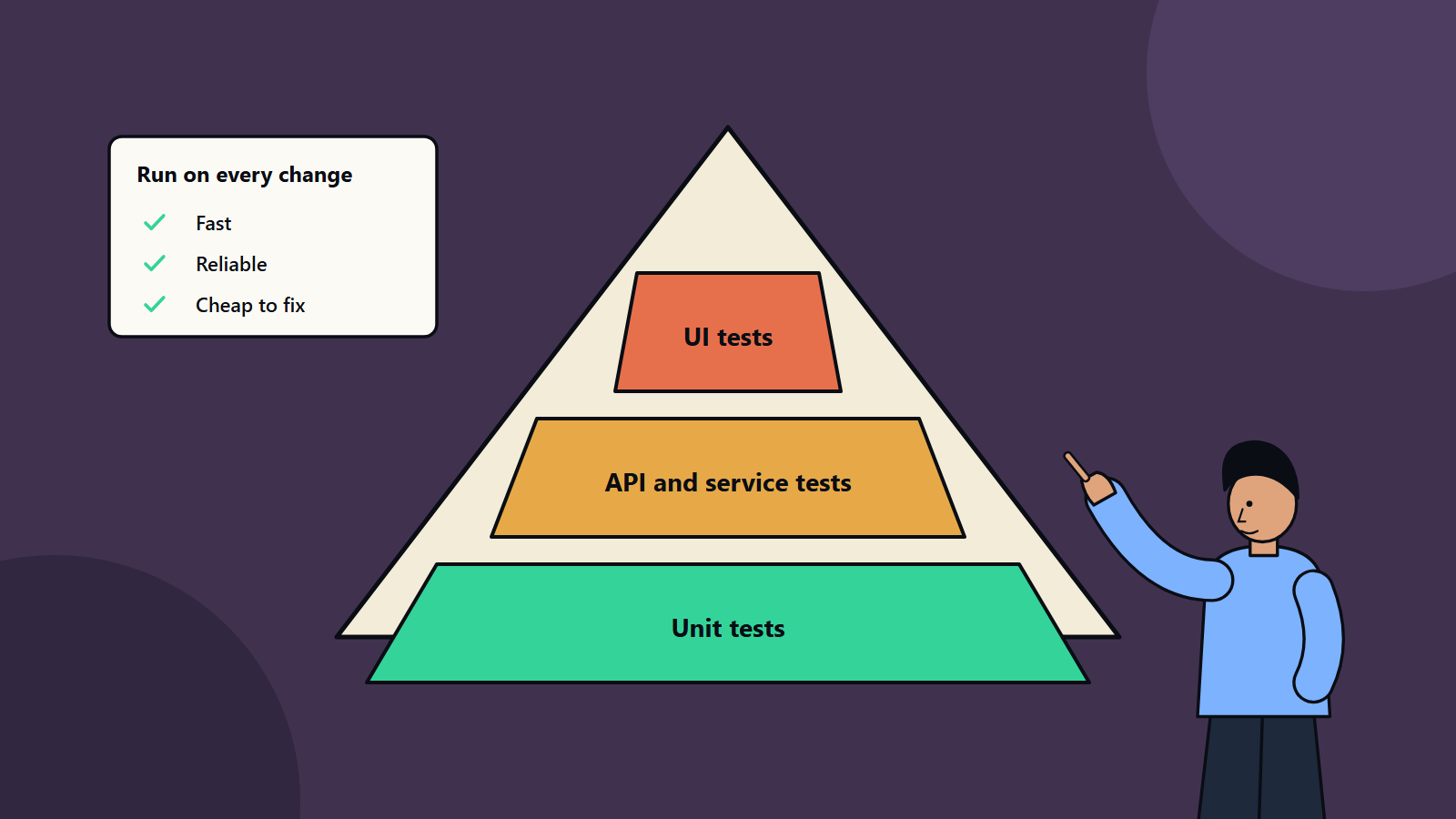
- Use a pyramid: many fast unit tests, a moderate number of API tests and few end-to-end UI tests.
- Run tests in a pipeline on every change, and fix flaky tests quickly.
- Keep exploratory testing by people for new features, usability and unexpected problems.
- Measure the value of the suite by defects caught, speed of feedback and confidence to release.
Why a strategy helps
Teams often begin by recording browser clicks and end with a thousand brittle tests that fail for no clear reason. A strategy sets out what to test at which level, who owns it, how it runs and how you will know it works. It also stops effort being spent on tests that cost more to maintain than the risk they cover.
The test pyramid
Martin Fowler’s description of the test pyramid recommends many more low-level unit tests than high-level tests that run through a graphical interface. User interface tests are slow, costly to write and brittle, which makes them a weak foundation for a suite. It suggests a middle layer of tests that exercise the application through its service or API layer, with high-level tests acting as a second line of defence.
In practice:
- Unit tests: check small pieces of logic in isolation. They run in milliseconds, so thousands can run on every change.
- Integration and API tests: check that components and services work together, including databases, queues and external interfaces, often with test doubles for outside systems.
- End-to-end tests: drive the whole system as a user would, covering the most critical journeys such as sign-up, checkout or payment.
Some teams use other shapes, such as a trophy with more integration tests. The principle holds: put most checks where they are fast and reliable.
What to automate first
Score each candidate on:
- Frequency: how often does the test need to run?
- Business risk: what is the impact if this breaks?
- Stability: is the feature settled enough that the test will not need constant rewriting?
- Effort: how hard is it to automate?
- Repeatability: can it give the same answer each time?
Good first targets:
- Core business rules and calculations.
- Login, registration and payment paths.
- Regression checks for bugs that have occurred before.
- Data validation and API contracts.
- Smoke tests that confirm a deployment is alive.
- Cross-browser and device checks of critical pages, using cloud device services.
What to leave to people
- Exploratory testing, where testers use judgement to find surprises.
- New features still changing rapidly.
- Usability, look and feel and accessibility judgement.
- One-off checks.
- Scenarios that are too costly to automate for the risk involved.
Combine both: automation for the known and repeatable, people for the unknown.
Design the suite
Structure
- Organise tests by feature and level, with clear names that describe behaviour.
- Keep tests independent, so they can run in any order and in parallel.
- Use fixtures and factories to create test data, and clean it up afterwards.
- Avoid dependence on shared environments that other people change.
Maintainability
- Apply design patterns such as page objects to isolate interface details.
- Prefer stable identifiers, such as test-specific attributes, over fragile selectors.
- Treat test code like production code: review it, refactor it and remove duplication.
- Delete tests that no longer protect anything.
Speed
- Run fast tests first and fail early.
- Parallelise across machines or containers.
- Mock slow or unreliable external services in lower-level tests.
- Keep the full end-to-end suite small. Run it on a schedule or before release when it is long.
Fit tests into the pipeline
- On commit: unit tests, linting and quick checks.
- On pull request: integration and API tests, security scans.
- After merge to main: deploy to a test environment and run smoke and key end-to-end tests.
- Before release: broader regression, performance and security checks.
- After release: monitoring and synthetic checks in production.
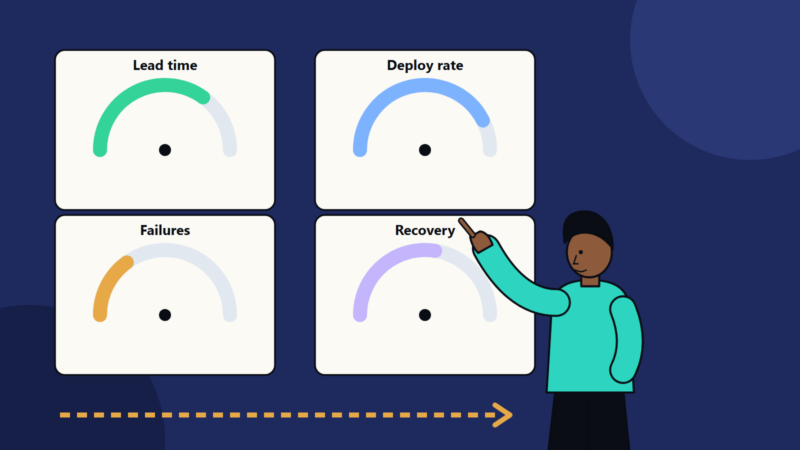
Our guide to DevOps delivery metrics explains why fast, reliable feedback improves release frequency and recovery.
Handle flaky tests
A flaky test passes and fails without code changes. It destroys trust, since people start to ignore failures. Deal with them firmly:
- Track failures and flag tests that fail intermittently.
- Quarantine flaky tests so they do not block the pipeline, and fix or delete them within a set time.
- Find root causes: timing, shared data, unstable environments and reliance on external services.
- Use explicit waits that watch for a condition, and avoid fixed delays.
Non-functional testing
- Performance: load, stress and endurance tests before major releases and after significant changes.
- Security: static analysis, dependency scanning and dynamic tests in the pipeline.
- Accessibility: automated checks catch a share of issues, with manual review for the rest.
- Compatibility: supported browsers, devices and operating systems.
- Reliability and recovery: tests that simulate failure.
Test data and environments
- Use realistic but anonymised data. Do not copy production personal data into test systems without proper controls.
- Create environments from code so they are consistent and disposable.
- Keep configuration for each environment separate and visible.
Measure results
- Defect escape rate: bugs found in production versus before release.
- Time to feedback: how long a developer waits for test results.
- Flakiness rate.
- Coverage of requirements and risks. Code coverage is a guide for finding untested areas and does not prove quality.
- Maintenance effort: time spent fixing tests.
- Release confidence: do teams trust the suite enough to deploy often?
Common mistakes
- Automating through the interface what could be tested lower down.
- Starting with huge end-to-end suites.
- Ignoring failures until nobody trusts the results.
- Treating automation as the testers’ job alone when it works best as a whole-team practice.
- Measuring by number of tests.
- Forgetting maintenance time in the plan.
A starting plan
- Pick one product and list its critical journeys and risks.
- Add unit tests for core logic and an API test for each key service.
- Automate two or three end-to-end journeys.
- Run everything in the pipeline, and set a rule that failing tests block merges.
- Review flaky tests weekly.
- Expand based on defects found in production.
How SoftSapien supports quality engineering
SoftSapien builds test automation frameworks, integrates them into delivery pipelines and trains teams in good practice, covering web, mobile and API testing. Learn about our QA and testing and DevOps services.
To plan your own strategy, visit the contact page to chat with our team, send a message or schedule a free consultation call.
Frequently asked questions
What should I automate first?
Frequent, stable and valuable checks: core business rules, login and payment paths, regression tests for past bugs, API contracts and smoke tests after deployment.
What is the test pyramid?
A model with many fast unit tests, a moderate number of API or service tests and few end-to-end interface tests, since interface tests are slow and brittle.
How do I deal with flaky tests?
Track and quarantine them, find root causes such as timing or shared data, use explicit waits and fix or delete them within a set time.
Should I automate everything?
No. Keep exploratory testing, usability judgement, rapidly changing features and one-off checks with people.
Can SoftSapien build our test automation?
Yes, integrated with your pipeline. Contact SoftSapien through the contact page to chat with our team, send a message or schedule a free consultation call.