Short on time? Pick an AI use case that is frequent, painful, measurable and low risk, with data you already have and an owner who wants it. Score a long list of ideas on value and ease, start with a quick win and write down the result you expect before you begin.
Almost every organisation has more AI ideas than it can fund. Staff suggest chatbots, forecasting, document summaries, automated emails and more. The first choice matters, because a successful first project builds skills and support, while a failed one makes people sceptical of the next.
This guide gives a simple method for choosing, which works for a sole proprietor deciding how to use an assistant, as well as for a large organisation ranking dozens of ideas across departments.
Key takeaways
- Start from business problems and bring in technology second.
- Score ideas on value, feasibility, data readiness, risk and ownership.
- Favour use cases that repeat often, have a clear measure and sit close to the people who will use them.
- Choose a first project that can show results within weeks.
- Write down success measures and a stop rule before building.
Step 1: Collect ideas from the work itself
Ask teams where time and money go. Good prompts include:
- What do you do every day that feels repetitive?
- Where do people copy data between systems?
- Which questions do customers ask again and again?
- Where do errors or delays cost us money?
- Which decisions rely on patterns people find hard to see?
Also look at support tickets, call logs and process maps. Write each idea as a problem statement, such as “Support agents spend two hours a day searching for policy answers”, and leave solutions like “we need a chatbot” for later.
Step 2: Remove what should not be first
Drop or defer ideas that:
- Involve decisions about people’s rights, health, credit or employment, which need extra care and oversight.
- Depend on data you do not have or cannot legally use.
- Have no owner willing to change the process.
- Would need many systems to be connected before any value appears.
Step 3: Score the rest
Rate each remaining idea from 1 to 5 on these factors:
- Value. How much time or money does it save, or how much revenue does it add?
- Frequency. How often does the task occur? Daily tasks repay effort faster.
- Feasibility. Can current AI methods do this reliably? Have others done something similar?
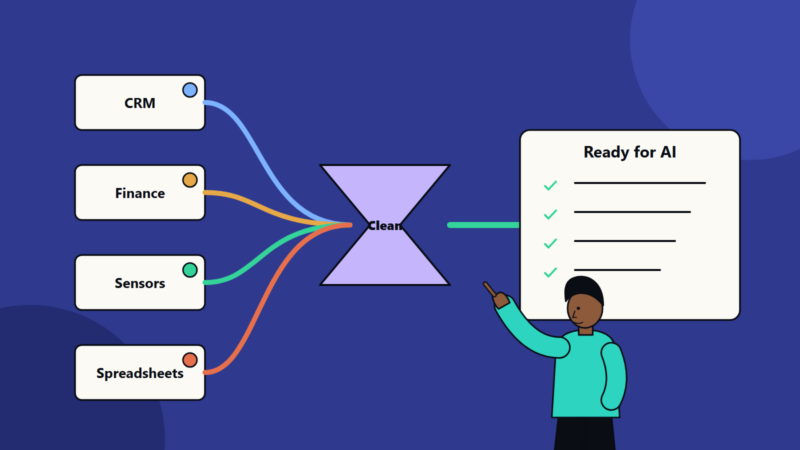
- Data readiness. Is the data available, accurate, accessible and permitted for this use?
- Integration effort. How many systems and teams does it touch?
- Risk. What happens if the AI is wrong? Can a person check the output?
- Ownership and adoption. Is there a sponsor, and will users want it?
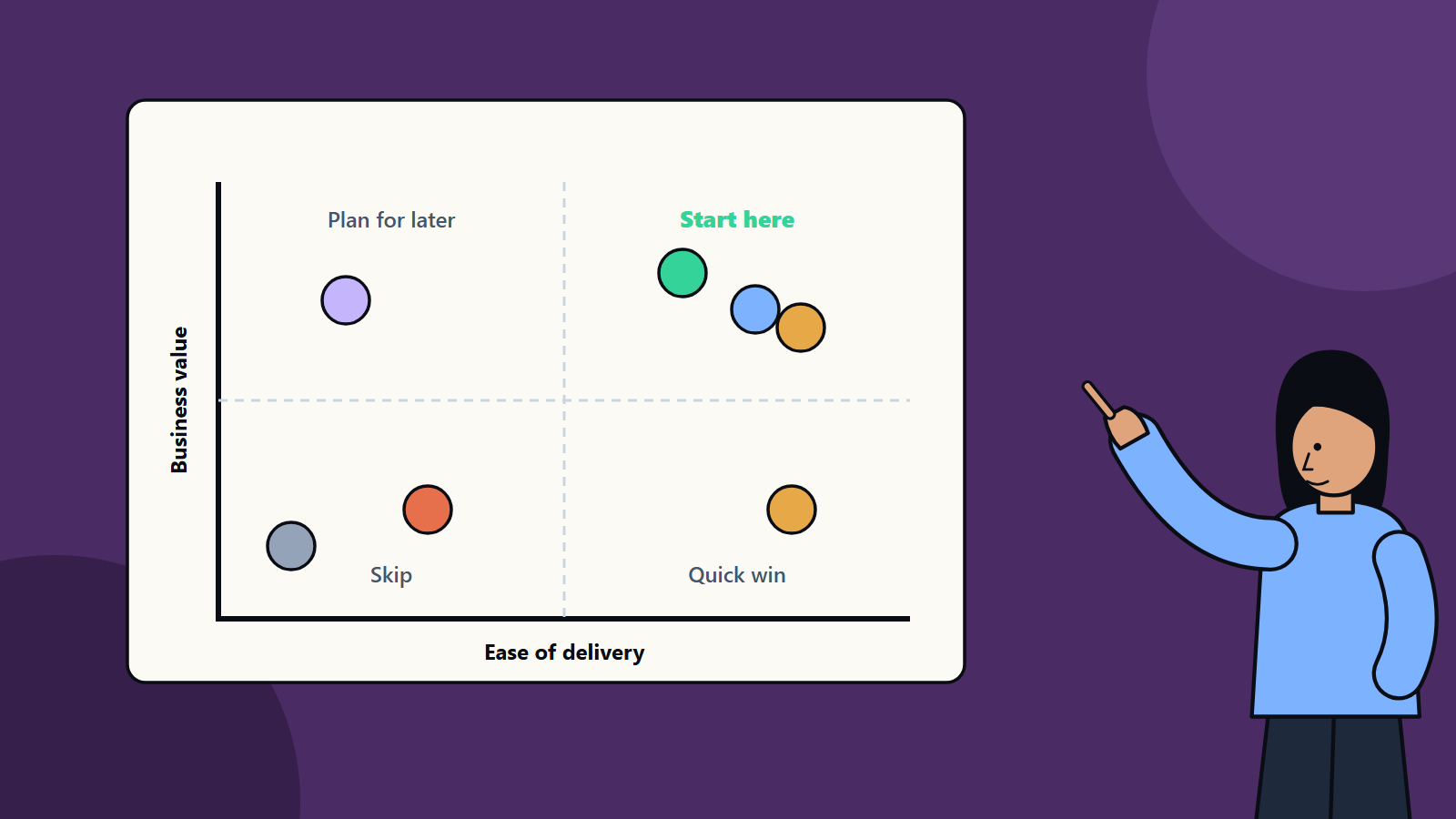
Weigh the factors to suit your priorities. Then plot each idea on a grid of value against ease. Ideas that are high in value and easy to deliver are your candidates.
Step 4: Look at typical first projects
Examples that often score well:
- Knowledge assistant for staff, answering questions from internal documents.
- Support reply drafting, where agents review suggestions before sending.
- Meeting and call summaries with action lists.
- Document extraction, such as pulling fields from invoices or forms for review.
- Lead scoring or enrichment that sales staff check.
- Demand or inventory forecasting using existing history.
- Content drafting for product descriptions, proposals and reports, with human editing.
Each keeps a person in control, uses data the business already holds and has an easy-to-measure outcome.
Step 5: Define success before you build
For the chosen idea, write:
- The baseline: how long the task takes now, what it costs, how often errors occur.
- The target: for example, cut handling time by 30 percent, or raise first-contact resolution by 10 points.
- Quality bar: the accuracy needed for the output to be useful.
- Time box: how long the pilot runs.
- Decision rule: what result means “expand”, “adjust” or “stop”.
Step 6: Plan the pilot
- Choose a small group of willing users.
- Assemble a test set of real examples with correct answers.
- Decide how users will give feedback.
- Set up logging, so you can see what the system did.
- Agree who approves outputs where risk is higher.
- Check privacy, security and any contract limits on using the data.
Step 7: Decide on build or buy
For common functions such as meeting summaries or email drafting, a ready product may do the job. For tasks tied to your data and processes, a custom build or a configured platform may fit better. Compare cost, control, security and time to value, as you would for any software choice.
Step 8: Prepare people
Explain what the tool does and what it does not. Train users on writing good requests and checking results. Name a point of contact for problems. Capture stories of time saved, because they build interest in the next use case.
Common mistakes
- Choosing the most exciting idea over the most useful one.
- Starting with a problem that needs perfect accuracy.
- Skipping the baseline, which makes the benefit impossible to prove.
- Letting a pilot drift with no end date.
- Forgetting the users, who may resist a tool they were not consulted about.
After the first project
Review what you learned about data, skills and governance. Reuse the components, such as document indexes and approval workflows, for the next case. Keep a ranked backlog and revisit scores every quarter as tools improve and costs change.
Working with SoftSapien to find the right start
SoftSapien helps organisations list, score and prioritise AI opportunities, then build the first project with clear measures. Our consultants look at your processes and data as well as the technology. Learn about our AI development work and our business advisory consulting.
To discuss your own shortlist, open the contact page, where you can chat with us, send a message or schedule a free consultation call.
Frequently asked questions
How do I choose an AI use case?
Collect problems from daily work, remove ideas that are too risky or lack data, score the rest on value, frequency, feasibility, data readiness, integration effort, risk and ownership, and start with a high-value, easy one.
What makes a good first AI project?
It repeats often, has a clear measure, uses data you already hold, keeps a person in control and can show results within weeks.
Which AI projects often work first?
Knowledge assistants for staff, drafting support replies, meeting summaries, document extraction, lead enrichment and demand forecasting.
What should I define before building?
The baseline, the target, the quality bar, the time box and a decision rule for expanding, adjusting or stopping.
Can SoftSapien help prioritise AI ideas?
Yes, from scoring to a first build. Contact SoftSapien through the contact page to chat with our team, send a message or schedule a free consultation call.