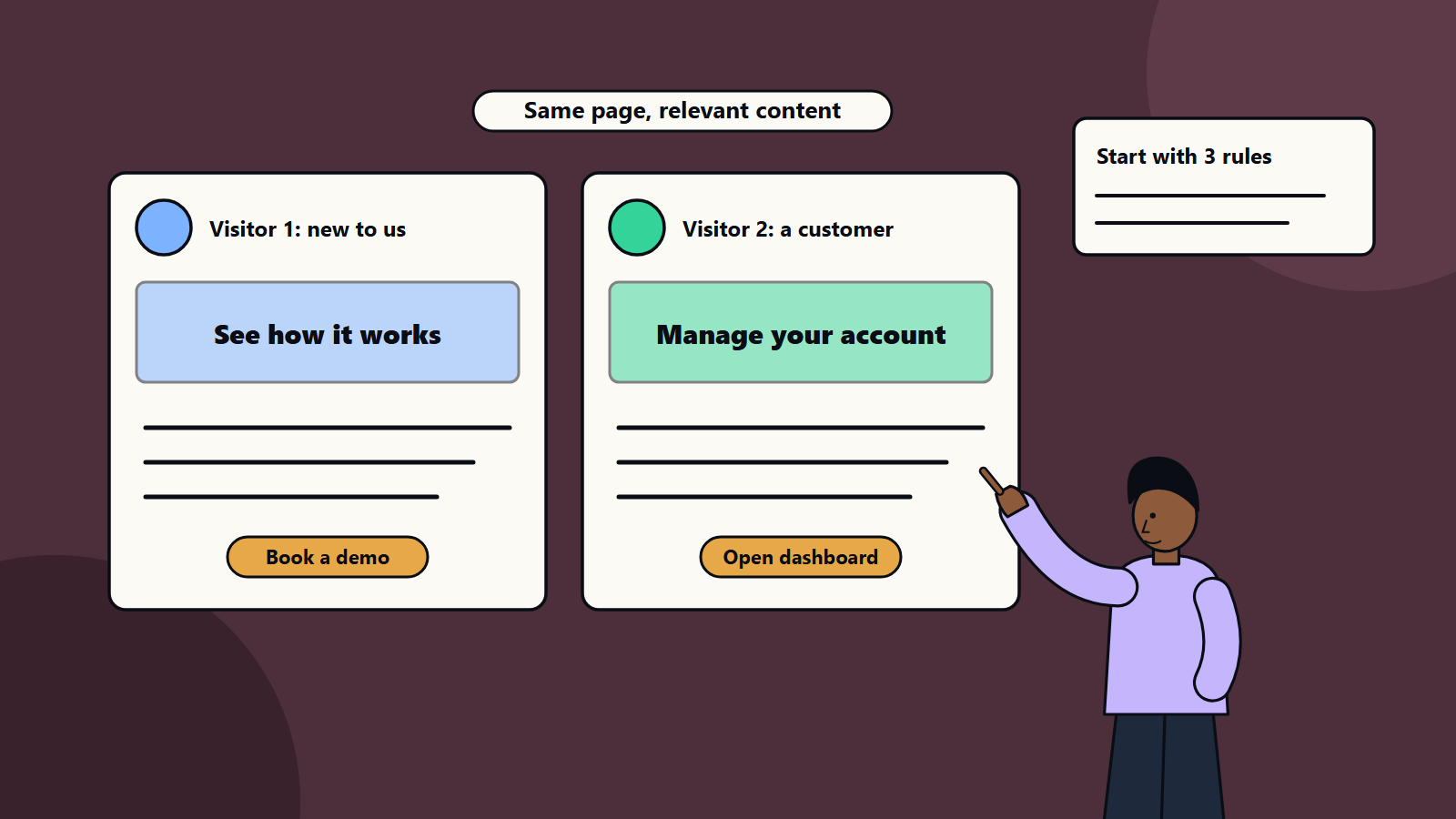
Short on time? Start personalisation with a few clear segments and simple rules, such as new visitor or returning customer, industry or location, and change only the elements that matter: headline, offer, call to action and recommended content. Use first-party data you have consent for, test every change and add complexity only when results justify it.
Walk into a good shop and the person behind the counter greets regulars by name and points new visitors to the basics. Websites and apps can do something similar. Personalisation adjusts content, offers and journeys to the person using them, based on who they are or what they have done.
Done well it makes things easier to find and raises conversion. Done badly it feels intrusive or simply wrong. This guide explains how to begin with small, sensible steps, whether you run a small online shop, a business-to-business site or a large digital platform. It also covers privacy, because personalisation depends on trust.
Key takeaways
- Begin with one journey and two or three segments, and add an engine later.
- Use data you hold with consent: behaviour on your site, account details, purchase history and stated preferences.
- Change what matters most: the headline, offer, recommendations and next step.
- Test against a control, and measure outcomes that count, such as leads and revenue.
- Respect privacy laws and customer expectations. Be transparent, and give control.
What personalisation means
Personalisation exists on a spectrum:
- Segmentation-based: groups of people see different content, for example visitors from a particular industry, or customers versus prospects.
- Rule-based: if a person meets a condition, they see a given experience, such as a returning visitor who viewed pricing last week.
- Behavioural and contextual: content responds to what someone is doing now: the page they are on, the device, the time and the location.
- Recommendation-driven: algorithms suggest products or content based on similar users and past behaviour.
- Individual, one-to-one: each person receives a unique experience driven by machine learning.
Most organisations get strong results from the first three levels long before they need the last.
Why start small
- You learn what your audience responds to with limited risk.
- Simple rules are easy to understand, explain and debug.
- Data needs are modest, and privacy risk is lower.
- Early wins build support and budget.
- Teams develop the habits of testing and learning that larger programmes need.
Step 1: Choose a journey and a goal
Pick one journey where a better match could matter: the home page, a product category, the pricing page, sign-up, onboarding or email nurture. Set a goal with a baseline, such as demo requests from the home page, add-to-basket rate or activation of new users.
Step 2: Define a few segments
Segments should be easy to identify and meaningfully different. Examples:
- New versus returning visitors.
- Prospect versus customer, based on login or a cookie set by your own system with consent.
- Industry or company size, from forms, account data or inferred from the visitor’s company where lawful and accurate.
- Role or interest: developer, buyer or executive, based on content viewed or a stated choice.
- Location or language: show local contact details, currency and shipping options.
- Traffic source or campaign: match the landing page to the ad’s promise.
- Lifecycle stage: trial, onboarding, active or at risk.
Start with two or three. Make sure each is large enough to test.
Step 3: Decide what to change
Do not personalise everything. Focus on elements that influence decisions:
- Headline and sub-headline that speak to the segment’s problem.
- Call to action: “Book a demo” for a new prospect, “Open your dashboard” for a customer.
- Proof: case studies and logos from the visitor’s industry.
- Offers and pricing information.
- Recommended content or products.
- Navigation shortcuts to the most likely next step.
- Messages and tips inside an app, based on what a user has done.
Keep the layout consistent, so the experience feels coherent.
Step 4: Use the right data
Data you can use
- First-party behavioural data: pages viewed, searches, items added, features used.
- Account and profile data: industry, role, plan and preferences the customer gave you.
- Transaction history.
- Context: device, time, referrer and location at a level you are allowed to use.
- Declared preferences, such as choosing a topic or a role in a short question. Asking directly is often the most reliable and respectful method.
Data to handle with care
Sensitive categories, such as health, religion, financial hardship or children’s data, carry special legal protections in many places. Avoid inferring them. Be cautious about combining data from many sources in ways customers would not expect.
Privacy and consent
Laws such as the GDPR, the CCPA and many others set rules on consent, transparency and customer rights, and they differ by country. Follow them:
- Tell people what you collect and why, in plain language.
- Obtain consent where required for cookies and tracking.
- Provide easy controls to change preferences and opt out.
- Keep data secure, and keep only what you need.
- Do not use personalisation to exploit vulnerabilities or to discriminate.
Personalisation that feels “creepy” loses trust. A useful test is whether a customer would be comfortable if they saw exactly how you chose what to show them.
Step 5: Build and test
- Implement with your content management or experience platform, a testing tool or simple conditional logic in code.
- Keep a default experience for visitors with no data.
- Run controlled tests: show the personalised version to part of the segment and the default to the rest, then compare. Our guide to conversion rate optimisation describes how to design tests and what to do with low traffic.
- Check each variant for accuracy, tone and accessibility.
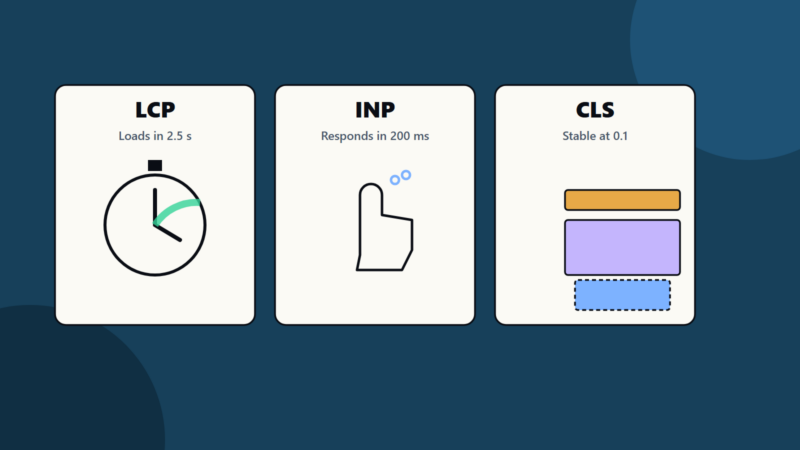
- Watch performance. Personalisation scripts that slow the page cost more than they gain. See our article on Core Web Vitals.
- Document the rules, so anyone can see why a visitor saw what they saw.
Step 6: Measure and learn
- Primary measure for the journey, such as conversion rate or revenue per visitor.
- Segment-level results, since a change that helps one group may hurt another.
- Lead or customer quality as well as volume.
- Engagement and satisfaction.
- Long-term effects such as retention.
Keep a log of tests and findings. Retire rules that do not help, and extend those that do.
Examples of small first steps
- B2B software site: a home page that shows industry-specific headlines and case studies after a visitor chooses an industry, or when a campaign link specifies one.
- Online shop: returning visitors see recently viewed items and a reminder of basket contents. New visitors see bestsellers and delivery information.
- Professional services firm: location-based contact details and local case studies.
- SaaS product: onboarding tips that change based on features a user has tried.
- Email: content blocks that vary by customer interest, and send times that suit time zones.
Scaling up
Once basics work, consider:
- A customer data platform to unify profiles, with strong governance.
- Real-time decision engines and recommendation models.
- Cross-channel personalisation across web, app, email and support.
- Experimentation platforms that handle many tests safely.
- Machine learning for predicted interests, with transparency and checks for bias. Our guide to data analytics maturity can help judge readiness.
Common mistakes
- Personalising before the basic experience is good.
- Too many segments with too little traffic.
- Wrong assumptions, such as guessing a visitor’s role incorrectly.
- Ignoring consent and transparency.
- No control group, so results cannot be trusted.
- Slow pages from heavy scripts.
- Treating it as a one-off project.
How SoftSapien supports digital experience
SoftSapien’s strategists, designers and engineers plan, build and test personalised journeys with privacy and performance in mind, across websites, apps and email. See our digital experience and UI and UX design services.
To plan your first steps, visit the contact page and chat with our team, send a message or schedule a free consultation call.
Frequently asked questions
Where should personalisation start?
With one journey and two or three segments, changing the headline, offer, call to action or recommendations that matter most, and testing against a control.
What data can I use?
First-party behaviour, account and profile data, transaction history, context and declared preferences, collected with the consent and transparency that applicable laws require.
How do I avoid creepy personalisation?
Be transparent, give controls, avoid sensitive inferences and ask whether a customer would be comfortable seeing exactly how you chose what to show.
How do I measure success?
Use the primary measure for the journey, results by segment, lead or customer quality, engagement and long-term effects such as retention.
Can SoftSapien plan and build personalised journeys?
Yes, with privacy and performance in mind. Contact SoftSapien through the contact page to chat with our team, send a message or schedule a free consultation call.