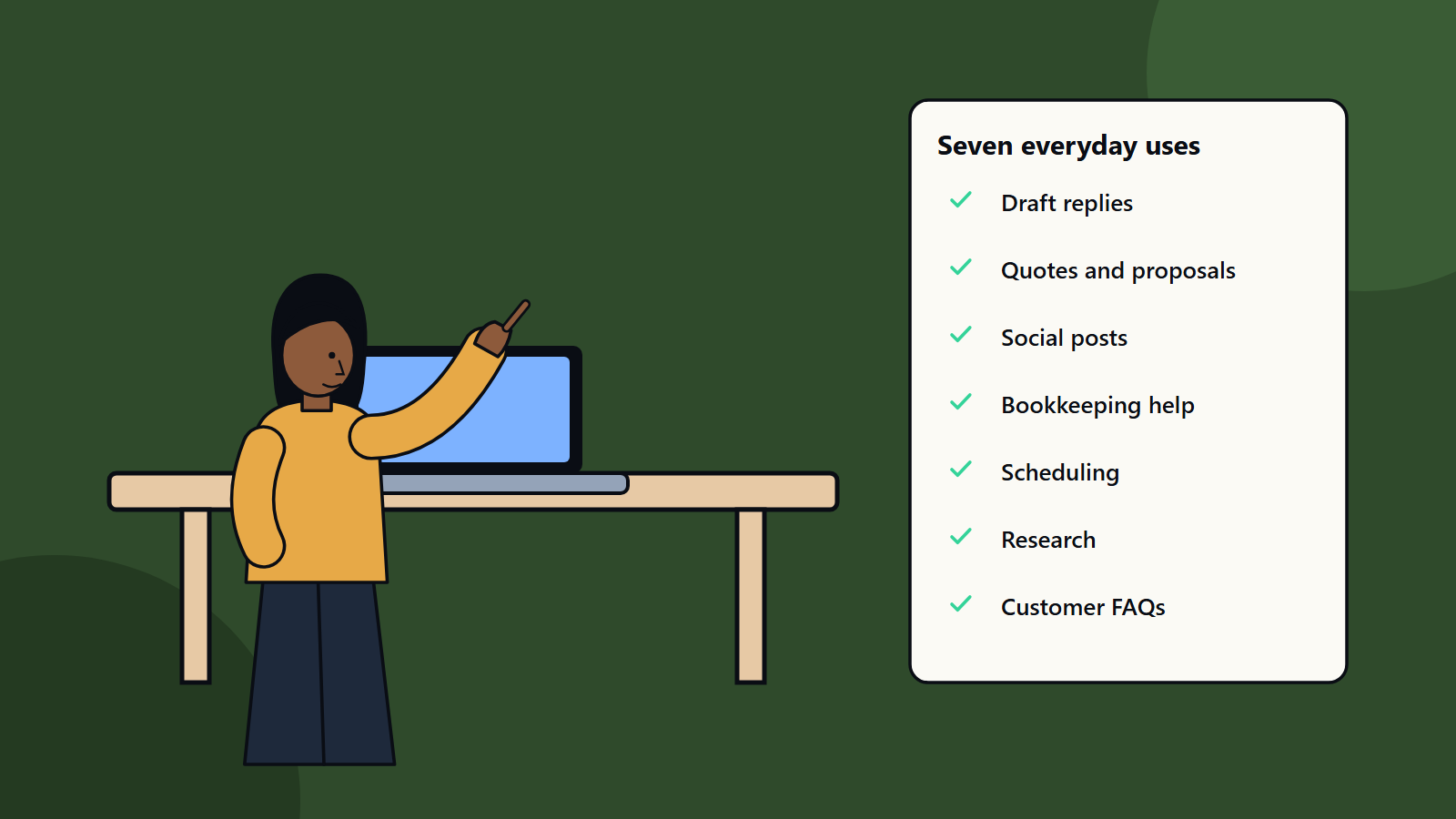
Short on time? A sole proprietor can use AI today for seven everyday jobs: drafting replies, preparing quotes and proposals, writing social posts, tidying bookkeeping tasks, scheduling, quick research and answering common customer questions. Start with one task that eats your time, keep customer data out of free tools, check everything before it goes out and track the hours you save.
If you run a business alone, or with a handful of people, you are the sales team, the accounts department and the person who answers the phone. Time is your scarcest resource. AI tools will not run your business, yet they can take the first pass at many routine jobs and give you hours back each week.
This guide describes seven practical uses, how to start safely with little or no budget and what to watch out for. It uses plain language, and any background will do. It suits freelancers, consultants, tradespeople, shop owners, therapists and anyone running a small firm.
Key takeaways
- AI is most useful for first drafts, summaries, sorting and quick answers. You stay in charge of decisions and the final text.
- Start with one repetitive task, and measure the time saved.
- Protect customer and business data. Check each tool’s terms before pasting anything sensitive.
- Always review AI output. It can be fluent and wrong.
- Write a short rule sheet for yourself and anyone who works with you.
Use 1: Draft emails and replies
Writing the same kinds of messages many times a day eats hours. Give an assistant the situation, the tone you want and the key facts, and ask for a draft. Examples: answering an enquiry, chasing an unpaid invoice politely, confirming an appointment or explaining a delay.
Tips:
- Keep a few example replies in your own voice and ask the assistant to match them.
- Read and edit before sending. Check names, dates and amounts.
- Do not paste private customer details into free tools. Use placeholders, such as “Customer A”.
Use 2: Quotes and proposals
Describe the job, your usual terms and prices, and ask for a clear quote or proposal layout. The assistant can structure sections: scope, timeline, price, assumptions and next steps. Add a standard terms paragraph that your adviser has approved.
Tips: the numbers and promises are yours. Do the calculations yourself, or check them with a spreadsheet. Have important contracts reviewed by a professional.
Use 3: Social posts and marketing text
AI can suggest post ideas, turn a project into a short story, draft a newsletter or rewrite a web page for clarity. It is useful for overcoming a blank page.
Tips:
- Give it real details: what you did, for whom (with permission), what happened.
- Do not invent testimonials, results or credentials.
- Keep your own voice, since generic text sounds the same as everyone else’s.
- Check image rights if you use generated pictures, and follow platform rules about labelling.
Use 4: Bookkeeping and admin help
Some accounting tools include AI features that suggest categories for expenses, read receipts and match bank lines. General assistants can explain a term, draft a letter to the tax office or build a checklist for year-end.
Tips:
- Treat AI suggestions as proposals. You, or your accountant, confirm them.
- Tax and legal rules differ by country. Ask a qualified adviser for anything that matters.
- Be careful with financial data in tools that are not designed for it.
Use 5: Scheduling and reminders
Scheduling tools let customers book times, send reminders and reduce no-shows. Assistants can also turn a messy list of tasks into a weekly plan, or draft a polite message to reschedule.
Tips: connect only the calendars and accounts you need, and review permissions.
Use 6: Quick research and summaries
Use an assistant to summarise a long document, compare product options, explain a regulation in plain language or prepare questions before a client meeting.
Tips:
- Ask for sources, and check them. Assistants sometimes invent references.
- For facts that matter, such as prices, laws and health or safety, verify with an official source.
- Do not upload confidential client documents to tools that may store or learn from them. Check the terms.
Use 7: Customer questions
A website chat assistant or an automatic reply can answer common questions such as opening hours, prices, delivery areas and how to book, and pass the rest to you. Our guide to enterprise AI chatbots explains the principles, which also apply at small scale.
Tips:
- Give it only accurate, up-to-date information that you control.
- Say clearly that it is an automated assistant.
- Offer an easy way to reach you.
- Check the conversations regularly.
Getting started safely
Choose tools wisely
- Start with the AI features in software you already use, such as email, accounting or website tools, and a reputable general assistant.
- Compare free and paid plans. Paid business plans often include stronger privacy terms.
- Read what the provider says about storing your data and whether it is used to train models.
- Use strong, unique passwords and multi-factor authentication. Our guide to small business cybersecurity lists ten protective steps.
Protect data
- Do not enter passwords, payment details, health information or confidential client material into tools that are not approved for it.
- Remove names and identifying details when you can.
- Follow the privacy rules where your customers live.
Keep control
- Review every output before it reaches a customer.
- Keep a record of important prompts and results if they inform a decision.
- Be honest with customers when they are dealing with automated tools.
Write a short rule sheet
Even for a business of one, a few lines help: which tools you use, what data never goes in, what you always check and who approves customer-facing text if you have helpers. Our guide to a responsible AI policy for small and medium businesses gives a template outline.
Measure the benefit
Pick one task and time it for two weeks before and after you use AI. Count hours saved, errors and customer response times. If the saving is small, stop. If it is large, move to the next task.
What AI is not good at
- Knowing your local market, your customers’ feelings and your reputation.
- Making ethical or legal judgements.
- Producing guaranteed facts.
- Replacing your relationships and craft.
Common mistakes
- Sending output without reading it.
- Pasting sensitive data into free tools.
- Using AI to invent reviews or credentials.
- Trying too many tools at once.
- Expecting perfect answers on the first try. Better instructions give better results, so say who the audience is, what you want and what to avoid.
When to ask for help
If you want an assistant connected to your booking system, a chatbot trained on your price list or automation between your tools, a developer can set it up safely. Start small, and grow.
How SoftSapien helps smaller businesses
SoftSapien works with sole proprietors, small firms and growing companies, from choosing sensible AI tools to building custom assistants and automations. Learn about our AI development and conversational AI and chatbot services.
If you would like advice for your own business, use the contact page to chat with our team, send a message or schedule a free consultation call.
Frequently asked questions
How can a sole proprietor use AI?
For drafting emails, preparing quotes, writing social posts, bookkeeping help, scheduling, quick research and answering common customer questions.
Is it safe to paste customer details into AI tools?
Avoid it in free tools. Check each provider's terms on storing data and training, use placeholders for names and keep sensitive material out.
Do I need to check AI output?
Always. AI can be fluent and wrong, so check names, dates, amounts and facts before anything reaches a customer.
How do I know whether AI is worth it?
Time one task for two weeks before and after, and count hours saved, errors and response times.
Can SoftSapien set up AI for a small business?
Yes, from tool choice to custom assistants. Contact SoftSapien through the contact page to chat with our team, send a message or schedule a free consultation call.