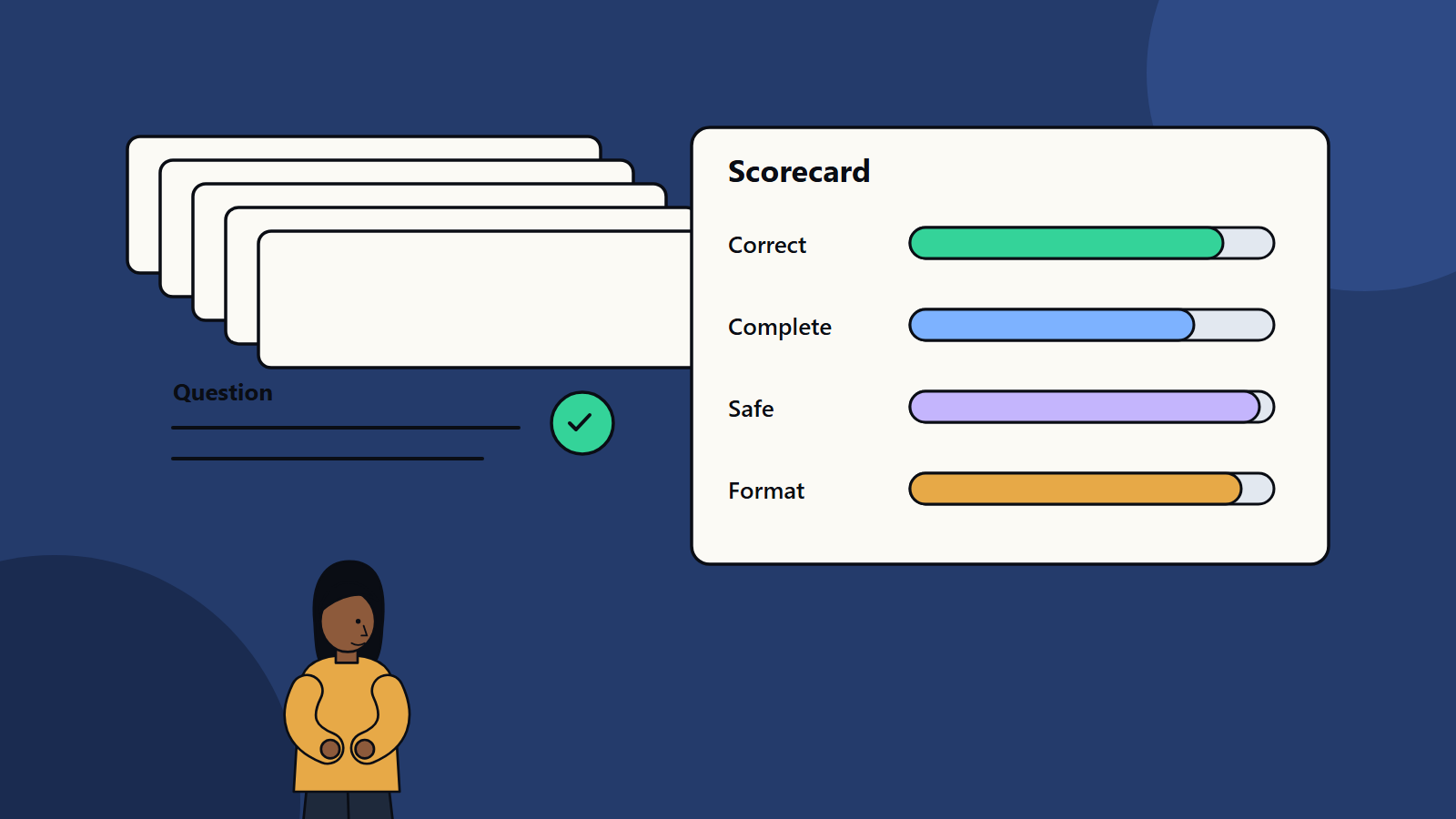
Short on time? Build a test set from real tasks, with approved answers or clear scoring rules, and run it every time you change the model, the prompt, the data or the settings. Score accuracy, completeness, safety and format, review a sample by hand and track results over time. A few dozen well-chosen cases beat thousands of random ones.
Language model output looks fluent whether it is right or wrong. A demo with five hand-picked questions proves little, and yet many teams launch on that basis. When quality problems appear, nobody knows whether last week’s change made things better or worse.
An evaluation set fixes this. It is a collection of realistic inputs with expected results, and a method to score the model’s answers against them. This guide explains how to build one that you can trust, for a small team testing a support assistant and for an enterprise running dozens of AI applications.
Key takeaways
- A test set turns “seems fine” into numbers you can track and compare.
- Draw cases from real usage, cover the awkward ones and keep a set that the team never trains on.
- Combine automated scoring, model-based grading and human review, since each has blind spots.
- Re-run the set after every change and keep a history.
- Evaluation continues in production through sampling and user feedback.
What to measure
Define quality for your use case before you build the set. Typical dimensions:
- Correctness: is the answer factually right?
- Completeness: does it cover what the user needs?
- Groundedness: is it supported by the source documents, with no invented claims?
- Relevance: does it answer the question asked?
- Format: does it follow the required structure, length and tone?
- Safety and policy: does it avoid harmful, private or off-limits content?
- Refusal quality: does it decline and escalate when it should, and avoid refusing when it should help?
- Consistency: does it give similar answers to similar questions?
- Latency and cost: is it fast and affordable enough?
Pick the few that matter most and set a pass mark for each.
Build the test set
Source real cases
Use historical support tickets, search logs, emails, forms or documents that reflect what users actually do. Remove or mask personal data. If you have no history, run a short pilot or write cases with the people who do the work today.
Cover the range
Include:
- Typical cases that make up most of the traffic.
- Hard cases: ambiguous wording, several questions in one message, long inputs, typos, slang and other languages.
- Edge cases: missing information, conflicting sources, out-of-date documents.
- Adversarial cases: attempts to extract confidential data, change the assistant’s rules or make it produce disallowed content. The OWASP project on LLM application risks lists common attack types worth testing.
- Out-of-scope questions that should be declined or redirected.
Write the expected result
For factual tasks, record the reference answer and the source passage. For open tasks, write a scoring guide, a rubric that describes what a good, acceptable and poor answer looks like. Have two reviewers label a sample independently and compare, to check that the rubric is clear.
Size and balance
Start with fifty to a hundred cases for one application and grow as you learn. Make sure important categories each have enough cases to show a trend. Tag each case by topic, difficulty and risk, so you can see where the system is weak.
Keep a holdout
Reserve some cases that nobody uses while tuning prompts or settings. Use them only for final checks, to avoid fitting the system to the test.
Scoring methods
Exact and rule-based checks
Where answers are structured, such as extracted fields, categories or numbers, compare automatically. Check formats with simple rules, for example valid JSON, required headings or maximum length.
Reference-based comparison
For text answers, check whether key facts appear, whether prohibited claims are absent and whether cited sources match the reference. Simple overlap metrics are weak for meaning, so use them with care.
Model-based grading
A second model can score answers against a rubric. It scales well and finds many issues. Guard against its weaknesses: it may prefer longer answers, favour its own style or miss subtle errors. Calibrate by comparing its scores with human scores on a sample, and revisit the calibration when you change the grader.
Human review
People remain the standard for judgement. Use trained reviewers with a clear rubric, review a random sample plus all failures flagged by automation, and track agreement between reviewers. Subject experts should review high-risk areas.
Retrieval checks
If the system uses retrieval, test it separately: does the right passage appear in the top results? Many wrong answers come from missing or poor context, and a separate score shows where to fix. Our guide to retrieval-augmented generation covers this.
Run the evaluation
- Freeze the setup: model version, prompt, settings, data index.
- Run all cases, and record outputs, scores, latency and cost.
- Analyse by category to find patterns, not just the overall average.
- Read the failures. Group them by cause: missing knowledge, poor retrieval, unclear prompt, model weakness, bad reference.
- Change one thing at a time, and re-run to see the effect.
- Save the results with the configuration used, so you can compare later.
Run the set automatically in your build pipeline where you can, and block releases that drop below the agreed thresholds.
Evaluation in production
- Sample live conversations each week for review.
- Collect thumbs up and down, with short comments.
- Track escalations, repeat questions and abandoned chats.
- Add new failure cases to the test set.
- Watch for drift when documents, user behaviour or the underlying model change.
Pitfalls to avoid
- A set built only from easy, clean questions.
- Reference answers that are wrong or out of date.
- Tuning the system until it passes the set, then reporting that score as real-world quality.
- Relying only on automated scores.
- Forgetting to update the set as the product grows.
- Averaging away serious errors. Track the rate of high-severity failures separately.
Governance link
Evaluation evidence supports risk management. The NIST AI Risk Management Framework includes measuring and tracking AI risks as a core function, and a documented test set with results gives you records to show how you did that.
How SoftSapien supports AI quality
SoftSapien helps teams design evaluation sets, automate scoring and build monitoring for live AI systems, as part of delivery or as a standalone review. Learn about our AI development and QA and testing services.
To discuss your own evaluation approach, use the contact page to chat with our team, send a message or schedule a free consultation call.
Frequently asked questions
What is an LLM evaluation set?
It is a collection of realistic inputs with expected results or scoring rules, used to measure the quality of a language model application and to compare changes.
How big should a test set be?
Start with fifty to a hundred well-chosen cases for one application, tag them by topic and risk, and grow the set as you learn from failures.
Can another model grade the answers?
Yes, with a clear rubric, but check it against human scores because graders can favour long answers or miss subtle errors.
When should I re-run the evaluation?
After every change to the model, prompt, data or settings, and on a schedule, because providers update models and content changes.
Can SoftSapien help build an evaluation process?
Yes, including automated scoring and monitoring. Contact SoftSapien through the contact page to chat with our team, send a message or schedule a free consultation call.