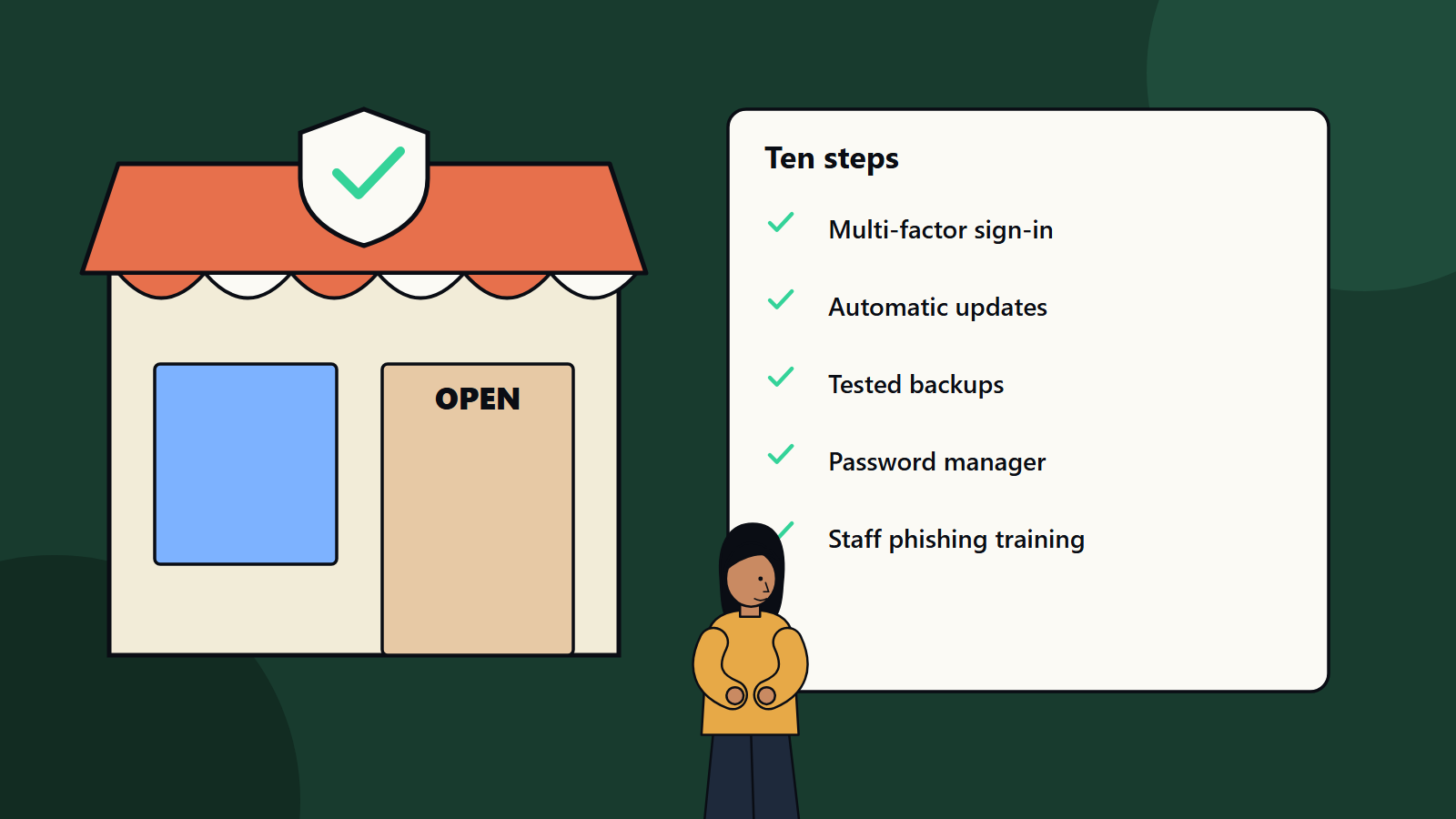
Short on time? Ten steps cut most small business risk: multi-factor sign-in everywhere, automatic updates, tested backups, a password manager, phishing awareness training, limited admin rights, encrypted devices, secured email and cloud accounts, a written incident plan and a short list of trusted contacts. Start with the first three this week.
Many owners of small businesses assume attackers go after large companies. In practice, criminals use automated tools to find any weak account or unpatched system, and small firms often have fewer defences. A stolen email account, a ransomware infection or a fake invoice can halt operations and damage customer trust.
The good news is that a small set of habits blocks a large share of attacks, and none needs a security department. This guide offers ten practical steps for companies of any size with limited time and budget. It draws on common guidance from bodies such as CISA, which publishes cybersecurity guidance for small businesses that stresses multi-factor authentication, prompt patching, tested backups, an incident response plan and leadership involvement.
Key takeaways
- Most successful attacks use stolen passwords, phishing, unpatched software and weak backups.
- Multi-factor authentication, updates and tested backups give the largest return on effort.
- Security is a business habit, and leaders set the tone.
- Write down who does what when something goes wrong.
- Review the basics every quarter.
Step 1: Turn on multi-factor authentication
Multi-factor authentication asks for a second proof of identity, such as a code from an app or a security key, in addition to the password. Enable it for email, banking, cloud storage, accounting, social media, website admin and every service that offers it. Start with administrator accounts and email, since attackers who control email can reset other passwords. Where available, use phishing-resistant methods such as security keys or passkeys.
Step 2: Keep everything updated
Updates fix known weaknesses that attackers actively use. Switch on automatic updates for operating systems, browsers, office software, phones, routers and website platforms. Remove software you no longer use. Replace products that no longer receive updates.
Step 3: Back up and test restores
Ransomware encrypts files and demands payment. Reliable backups let you restore without paying. Keep at least one copy that is offline or immutable, so attackers cannot delete it. Back up laptops, servers, cloud data and your website. Test a restore every quarter by recovering a few files and a full system, and note how long it takes. A backup you have never restored is unproven.
Step 4: Use a password manager
People reuse weak passwords because they cannot remember many strong ones. A password manager creates and stores long, unique passwords and fills them in. Use a strong master passphrase protected by multi-factor authentication. Stop sharing passwords by message or spreadsheet. Use the manager’s sharing feature or separate accounts.
Step 5: Train people to spot scams
Phishing emails, text messages and calls trick staff into giving away passwords or paying fake invoices. Short, regular training helps. Teach staff to:
- Check the sender and links before clicking.
- Be suspicious of urgency and unusual payment requests.
- Confirm bank detail changes by calling a known number.
- Report suspicious messages without fear of blame.
Run simple simulated phishing tests and discuss results as learning moments.
Step 6: Limit access and admin rights
Give each person only the access they need. Use separate admin accounts for administration, and everyday accounts for normal work. Remove access promptly when people leave or change roles. Review who has access to key systems each quarter, including former contractors.
Step 7: Protect devices
- Encrypt laptops and phones so lost devices do not expose data.
- Require screen locks and strong sign-in.
- Install reputable security software where your platform needs it.
- Enable remote lock and wipe.
- Keep business and personal use separate where you can, and set rules for personal devices.
Step 8: Secure email, website and cloud accounts
- Turn on spam and malware filtering, and configure SPF, DKIM and DMARC records to reduce spoofing of your domain.
- Use secure, updated website software with limited plug-ins and strong admin controls.
- Review sharing settings in cloud storage, and avoid public links for sensitive files.
- Use secure Wi-Fi with a strong password, and separate guest access.
Step 9: Write a simple incident plan
On one or two pages, record:
- Who to call first, with phone numbers kept offline.
- How to isolate an affected device.
- Where backups are and how to restore.
- Who talks to customers, insurers, regulators and police.
- Contacts for your IT provider and bank.
- Where to find passwords and recovery codes in an emergency.
Practise it once a year with a short scenario. Our guide to incident response planning offers a template for teams without a security department.
Step 10: Know your data and your suppliers
List the personal and business-critical data you hold, where it lives and who can reach it. Keep only what you need. Check what your software suppliers and IT providers do to protect data, and what the contract says about breaches. Understand the privacy and breach notification rules that apply in the countries where your customers live, since they vary.
Make it routine
- Monthly: check updates, review alerts and share a security tip with staff.
- Quarterly: test a restore, review user access and rehearse part of the incident plan.
- Yearly: review insurance, policies and the plan.
Appoint one person as the security lead, even if it is a part-time role. Leaders should join training and use the same protections as everyone else.
Common mistakes
- Relying on antivirus alone.
- Using shared logins.
- Leaving old accounts active.
- Keeping backups on the same network without protection.
- Waiting for an incident before writing a plan.
What to do after a suspected breach
Disconnect affected devices from the network, change passwords from a clean device, contact your IT provider or a specialist, preserve evidence, restore from clean backups and notify those who must be told. Do not pay a ransom without taking advice, since payment does not guarantee recovery.
How SoftSapien supports small and growing businesses
SoftSapien offers practical security reviews, setup support and ongoing monitoring that fit smaller budgets, as well as programmes for large organisations. Learn about our cybersecurity consulting and managed services.
To review your own setup, use the contact page and chat with our team, send a message or schedule a free consultation call.
Frequently asked questions
What are the most important cybersecurity steps for a small business?
Turn on multi-factor authentication, keep software updated automatically and keep backups that you test. These three give the largest return on effort.
Do small businesses really get attacked?
Yes. Criminals use automated tools to find weak accounts and unpatched systems, and small firms often have fewer defences.
How should I protect against ransomware?
Keep at least one backup offline or immutable, test restores regularly, update systems, train staff on phishing and limit admin rights.
Should I pay a ransom?
Take advice before paying. Payment does not guarantee recovery, and reliable tested backups reduce the need.
Can SoftSapien review our security?
Yes, with practical reviews and support that fit smaller budgets. Contact SoftSapien through the contact page to chat with our team, send a message or schedule a free consultation call.