Short on time? Retrieval-augmented generation, or RAG, lets an AI model look up your own documents before it answers. The model then writes a reply based on what it found and can point to the source. It keeps answers current without retraining the model, and it works best when your documents are clean, owned and well organised.
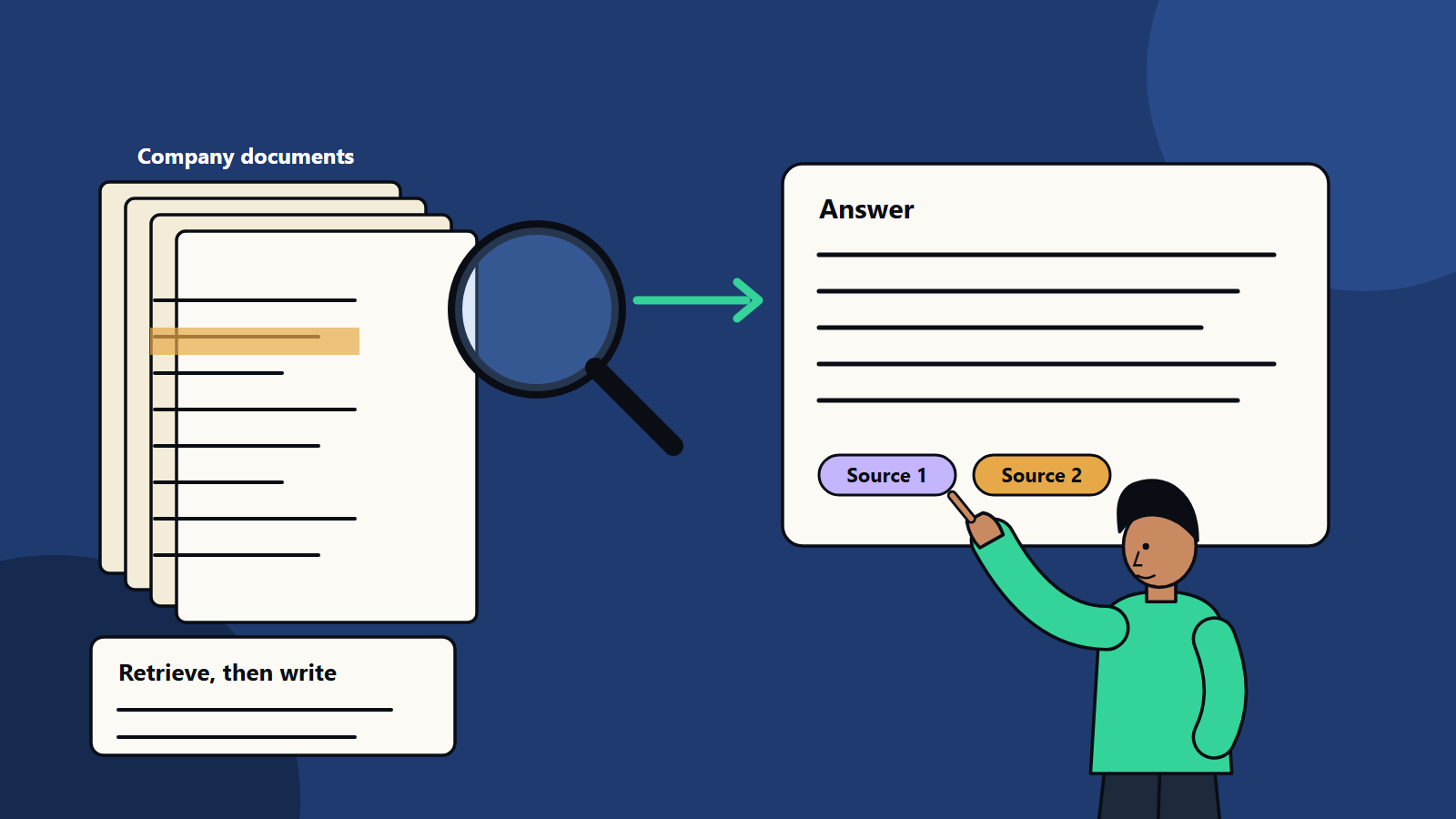
Language models know a lot, but they do not know your price list, your contracts or last week’s policy change. Ask a general model about them and it may guess. RAG solves this by adding a lookup step. When someone asks a question, the system first searches your approved content, then gives the best passages to the model along with the question, and the model writes an answer grounded in them.
The idea comes from research published in 2020 under the title Retrieval-Augmented Generation for Knowledge-Intensive NLP Tasks, which paired a language model with a searchable index of documents. Today it sits behind many company assistants, help centres and internal search tools. This guide explains how it works in plain terms and what a business should consider before building one.
Key takeaways
- RAG retrieves relevant passages from your content and uses them to ground the model’s answer.
- It suits questions about changing, private or specialised information.
- Answer quality depends on content quality, how documents are split, and how well search finds the right passages.
- Access rules must apply at retrieval time so people only see what they are allowed to see.
- RAG is often cheaper and quicker than fine-tuning for knowledge tasks, and the two can be combined.
How RAG works, step by step
- Collect content. Gather approved documents such as manuals, policies, product sheets, tickets and web pages.
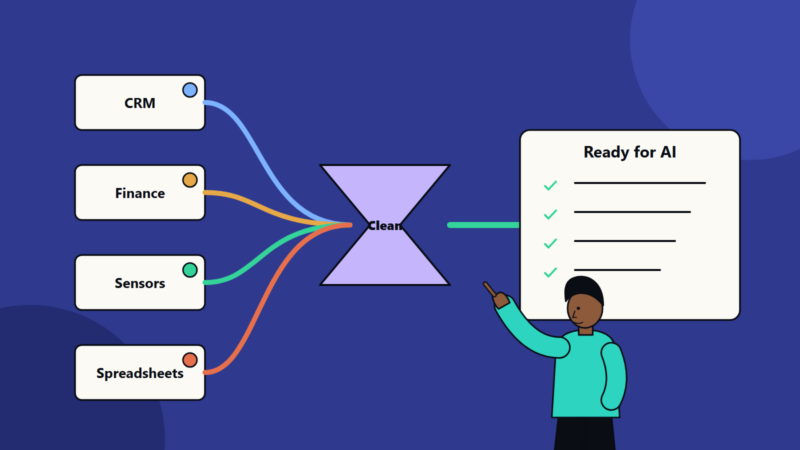
- Prepare it. Convert files to clean text, remove duplicates and outdated versions, and split the text into passages, often called chunks.
- Index it. Store the passages in a search system. Many setups store a numeric representation of each passage, called an embedding, so the system can find passages with similar meaning even when the words differ. Some also keep a keyword index.
- Retrieve. When a question arrives, the system finds the most relevant passages, usually the top handful.
- Generate. The model receives the question and those passages with instructions to answer only from them.
- Show sources. The reply includes links or references so the reader can check.
Why companies use it
- Fresh answers. Update a document, update the index, and the assistant reflects the change. No model retraining is needed.
- Fewer invented facts. Grounding in retrieved text reduces guessing, though it does not remove errors.
- Private knowledge. Your content stays in your systems and is shared with the model only for the question being answered.
- Traceability. Answers can cite sources, which supports review and trust.
- Lower cost for knowledge tasks. Maintaining an index is usually simpler than training a model.
Where RAG fits and where it does not
RAG fits well for:
- Customer support and help centre assistants.
- Internal helpdesks for HR, IT and finance questions.
- Sales and product knowledge for staff.
- Search across contracts, reports and research.
- Compliance and policy lookups.
It fits less well for:
- Tasks that need a different style or behaviour from the model, where fine-tuning or better prompting may help.
- Questions that need calculation over large data tables, where a database query or analytics tool is the right instrument.
- Content that is badly organised or contradictory, where cleaning must come first.
What makes answers good
Content quality. Contradictory or out-of-date documents produce contradictory answers. Name an owner for each source and remove retired material.
Chunking. Passages should be big enough to contain an answer and small enough to stay focused. Keep headings with their text, and keep tables and lists intact.
Retrieval quality. Combining keyword and meaning-based search often finds more of the right passages. A second step that re-ranks the results can raise precision.
Prompt design. Tell the model to answer from the supplied passages, to say when they do not contain the answer and to cite sources.
Metadata. Store document type, date, product, region and language, then use them to filter. A question about a UK policy should not retrieve the US version.
Security and privacy
- Respect permissions. Apply the user’s access rights when retrieving, so a junior employee does not see board papers through the assistant.
- Protect against hostile content. Text inside documents can contain instructions aimed at the model. Treat retrieved content as data, limit what the model can do with tools and review the OWASP list of LLM application risks.
- Handle personal data carefully. Mask or exclude it where you can, and match retention to the privacy rules of the countries where your users live.
- Log queries and sources for review and audit.
Measuring quality
Build a test set of real questions with approved answers and the documents that should be found. Track:
- Retrieval hit rate: how often the right passage appears in the top results.
- Answer correctness and completeness, scored by reviewers.
- Citation accuracy: whether the cited source supports the claim.
- Refusal quality: whether the system says so when it does not know.
- Latency and cost per question.
Run the set after every change to content, chunking, search settings or models.
RAG compared with fine-tuning
Fine-tuning adjusts a model’s behaviour using examples. It helps with tone, format and specialised tasks. It is a poor way to store facts that change, because updating requires retraining. RAG supplies facts at question time. Many production systems use RAG for knowledge and light fine-tuning, or careful prompting, for style.
Common mistakes
- Indexing everything without cleaning.
- Ignoring document ownership and updates.
- Testing with a handful of easy questions.
- Letting the model answer when retrieval finds nothing.
- Forgetting access control until late in the project.
A simple starting plan
- Choose one use case and one trusted content set.
- Clean and tag the content.
- Build a prototype with a small test set.
- Review failures weekly and fix content, search or prompts.
- Add security, logging and monitoring before wider release.
How SoftSapien builds knowledge assistants
SoftSapien designs and builds RAG-based assistants for customer service, internal teams and product support, from content preparation to secure deployment and monitoring. Our AI development teams work closely with your content owners, and our conversational AI and chatbot practice handles the user-facing side.
If you want to test an idea on your own documents, visit the contact page to chat with us, send a message or schedule a free consultation call.
Frequently asked questions
What is retrieval-augmented generation?
RAG is a method where a system first searches a set of approved documents for relevant passages, then gives them to a language model so the answer is grounded in your content and can cite sources.
Does RAG remove AI errors?
It reduces guessing by grounding answers in retrieved text, but errors still happen. Good content, strong retrieval, clear prompts and regular testing keep them low.
Is RAG better than fine-tuning?
They solve different problems. RAG supplies up-to-date facts at question time, while fine-tuning adjusts model behaviour such as tone or format. Many systems use RAG for knowledge and prompting or light tuning for style.
How do I keep RAG answers secure?
Apply the user's access rights at retrieval time, treat retrieved text as data, mask personal information where possible, and log queries and sources for review.
What do I need to start?
A trusted set of documents with owners, a small test set of real questions and a clear use case. Contact SoftSapien through the contact page to chat with our team, send a message or schedule a free consultation call.