Short on time? Zero trust means no user, device or application is trusted because of where it sits on the network. Every request is checked for identity, device health and permission before access is given, and access is limited to what the task needs. Start with strong sign-in, device checks and a short list of your most important data.
For years, company security looked like a castle. A strong wall and gate kept outsiders away, and anyone inside was treated as a friend. That model strains under today’s conditions. Staff work from homes and cafés, applications run in several clouds, partners connect through shared tools and attackers who steal a single password can walk through the front gate.
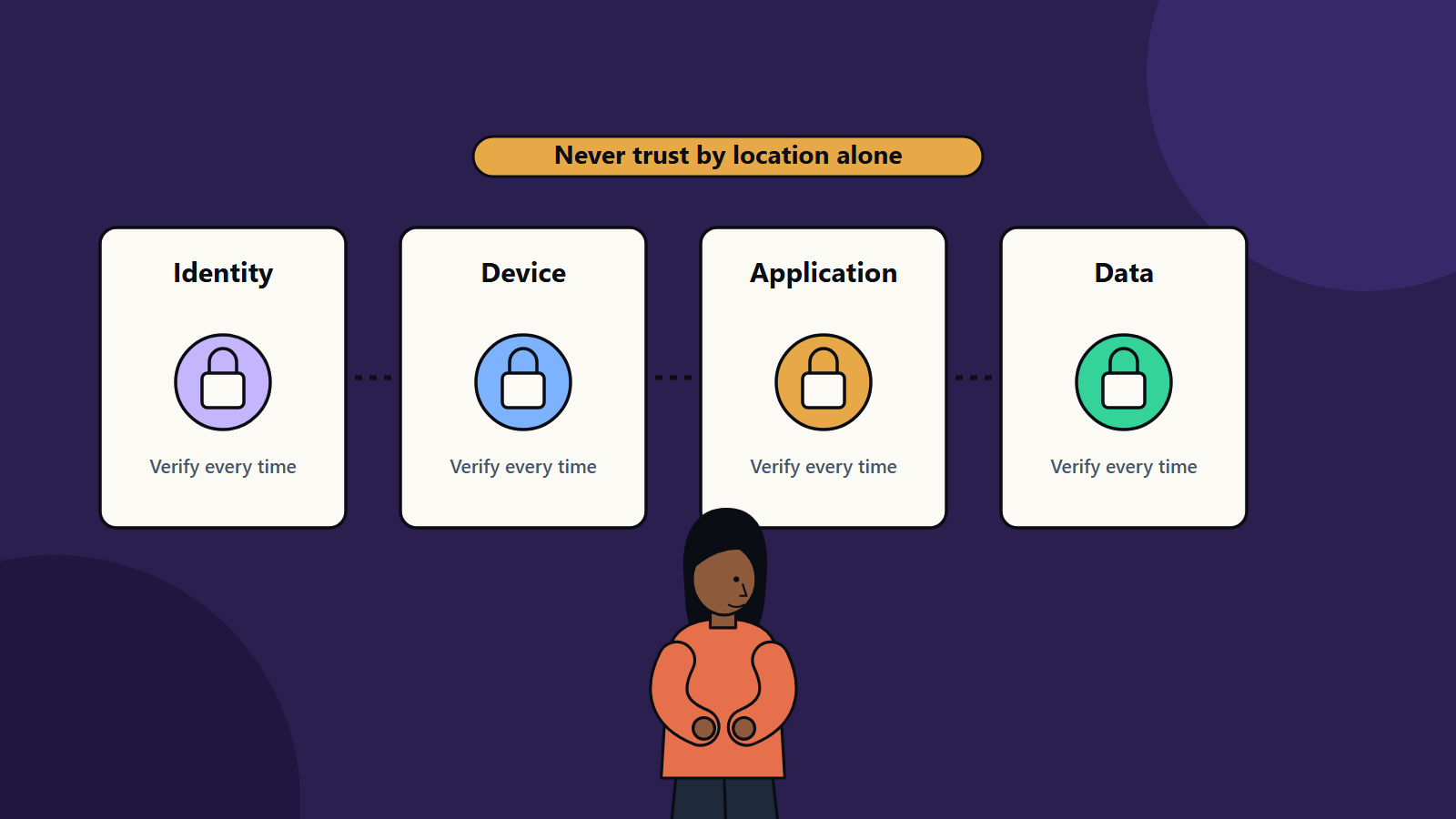
Zero trust is a response. The NIST publication SP 800-207, Zero Trust Architecture, describes it as an evolving set of cybersecurity paradigms that move defences from static, network-based perimeters toward users, assets and resources. It states that no implicit trust is granted to assets or accounts based only on location or ownership, and that authentication and authorisation happen before a session to a resource is established. This guide turns those ideas into practical steps for organisations of every size.
Key takeaways
- Zero trust is a way of working that combines identity, device, network, application and data controls. No single product delivers it.
- Verify explicitly, grant least privilege and assume breach are the guiding principles.
- Start with identity and the most valuable data, then expand in stages.
- Small businesses can apply the approach with multi-factor sign-in, managed devices and clear access groups.
- Monitoring and fast response matter as much as prevention.
The core principles
Verify explicitly. Check who or what is asking, using every signal available: user identity, device health, location, time and the sensitivity of the resource.
Use least privilege. Give each person and system only the access needed for the task, for the time needed. Review access regularly.
Assume breach. Design as if an attacker is already present. Limit movement between systems, encrypt data and keep detailed logs so problems are found quickly.
The building blocks
Identity
Identity is the new perimeter. Use a central identity system, require multi-factor authentication for all users and stronger methods for administrators, and remove shared accounts. Treat service accounts and application keys as identities too, with owners, rotation and limits.
Devices
Know what connects. Keep an inventory, require updates and disk encryption, and check device health at sign-in. Personal devices can be allowed with narrower access, such as a browser session without file downloads.
Network
Segment the network so that a compromised machine cannot reach everything. Use micro-segmentation in data centres and cloud, and give applications access through secure gateways in place of broad network connections.
Applications and workloads
Authenticate every call between services. Use short-lived credentials, secrets management and secure software supply chain practices. Scan for vulnerabilities and patch quickly.
Data
Classify data by sensitivity, encrypt it at rest and in transit and control sharing. Data loss prevention rules can block risky transfers.
Visibility and response
Collect logs from identity, devices, networks and applications. Detect unusual behaviour such as impossible travel or a sudden download of many files, and automate the first response, for example by requiring re-authentication or blocking a session.
Moving from perimeter to zero trust
- Define the protect surface. List the most critical data, applications, assets and services. A short list is easier to defend than the whole estate.
- Map the flows. Learn who and what accesses these resources and how.
- Design policies. Write rules such as “finance staff on managed devices can open the ledger application with multi-factor sign-in”.
- Enforce. Roll out policies through identity providers, device management, gateways and cloud controls.
- Monitor and tune. Review logs, adjust rules and handle exceptions.
- Expand. Add the next set of resources.
A staged plan
First 90 days
- Turn on multi-factor authentication everywhere.
- Retire shared and unused accounts.
- Inventory devices and enforce basic health checks.
- Protect email and remote access.
- Back up critical data and test recovery.
Months 4 to 9
- Introduce role-based access to key applications.
- Segment critical systems.
- Centralise logging and alerting.
- Replace broad VPN access for sensitive systems with application-level access.
Beyond
- Extend to cloud workloads and third parties.
- Automate responses.
- Review policies each quarter and after incidents.
Zero trust for small businesses
A company of ten does not need a large programme. A practical version is: multi-factor sign-in for every account, a password manager, automatic updates on all devices, separate admin accounts, least-privilege sharing in cloud storage, and regular backups kept offline or immutable. Each step shrinks the damage a stolen password can do.
Common challenges
- User friction. Frequent prompts annoy staff. Use risk-based rules that ask for more proof only when signals look unusual.
- Legacy systems. Older applications may not support modern sign-in. Place them behind gateways and plan their replacement.
- Unclear ownership. Assign owners for identity, devices, data and monitoring.
- Tool sprawl. Prefer integrated tools and agree a target design before buying.
- Treating it as a project. Zero trust is an ongoing practice that changes with your estate.
Measures of progress
- Share of accounts with multi-factor authentication.
- Share of devices that meet the health standard.
- Number of standing admin accounts.
- Time to detect and contain incidents.
- Share of critical applications covered by policy.
How SoftSapien helps
SoftSapien’s security specialists assess your current controls, design a staged zero trust roadmap that fits your size and regulations, and support delivery and monitoring. Our cybersecurity consulting team also works with managed services colleagues to keep controls running after rollout.
Reach out through the contact page to chat with our team, send a message or schedule a free consultation call about your security priorities.
Frequently asked questions
What is zero trust security?
Zero trust is an approach where no user, device or application is trusted because of where it sits on the network. Each request is verified and access is limited to what the task needs.
Is zero trust a product I can buy?
No single product delivers it. It combines identity, device, network, application and data controls with monitoring and response.
Where should I start?
Start with multi-factor authentication for all accounts, device health checks, removal of shared accounts and protection of your most valuable data, then expand in stages.
Does a small business need zero trust?
A lighter version helps. Multi-factor sign-in, a password manager, automatic updates, separate admin accounts and protected backups shrink the damage a stolen password can cause.
Can SoftSapien help plan a zero trust roadmap?
Yes, from assessment through delivery and monitoring. Contact SoftSapien through the contact page to chat with our team, send a message or schedule a free consultation call.