Short on time? Game physics simulates movement and contact well enough to feel right, and perfect realism is rarely the goal. Step the simulation at a fixed rate, separate it from rendering, use simple collision shapes, tune mass and friction for feel, prevent fast objects tunnelling through thin walls and test on slow and fast devices. Determinism and stability matter most for multiplayer and replays.
A ball bounces off a wall. A crate slides down a ramp and stops against a door. A character lands on moving ground without sinking into it. Players barely notice good game physics, and they notice bad physics at once: objects that jitter, pass through floors or fly off into space.
Physics in games is a craft of approximation. The aim is believable, stable and fun behaviour at a cost the hardware can afford. This guide explains the main ideas for designers, producers and engineers, from a small mobile puzzle game to a large console title. It avoids heavy mathematics and focuses on choices that affect quality and schedule.
Key takeaways
- Physics engines simulate motion and collisions in small time steps. Fixed steps give stable, repeatable results.
- Collision detection uses simple shapes, spatial structures and a broad and narrow phase to stay fast.
- Rigid bodies, character controllers, ragdolls, vehicles, cloth and fluids each need different techniques.
- Tuning for feel often means bending realism. Players judge responsiveness over accuracy.
- Test across frame rates, devices and edge cases, and keep determinism in mind for multiplayer.
What a physics engine does
A physics engine repeatedly does three things:
- Integrate motion: use forces such as gravity, player input and springs to update velocities and positions over a small slice of time.
- Detect collisions: find pairs of objects that touch or overlap.
- Resolve collisions and constraints: push objects apart, apply bounce and friction and enforce joints and limits.
Most engines work on rigid bodies, objects that do not deform. Specialised systems handle soft bodies, cloth, particles and fluids.
Games often use a physics library inside the engine, or a separate one, and many mobile and two-dimensional games rely on simple custom code. Whichever route you take, the same principles apply. Our guide to choosing a game engine covers how physics fits into that decision.
Time steps: the foundation of stability
If physics advances by whatever time the last frame took, results change with frame rate. Game developer Glenn Fiedler’s well-known article Fix Your Timestep explains why this is a problem. With a variable time step, simulation behaviour depends on the delta time passed in. Large steps can make springs explode, let fast objects tunnel through walls or let players fall through floors.
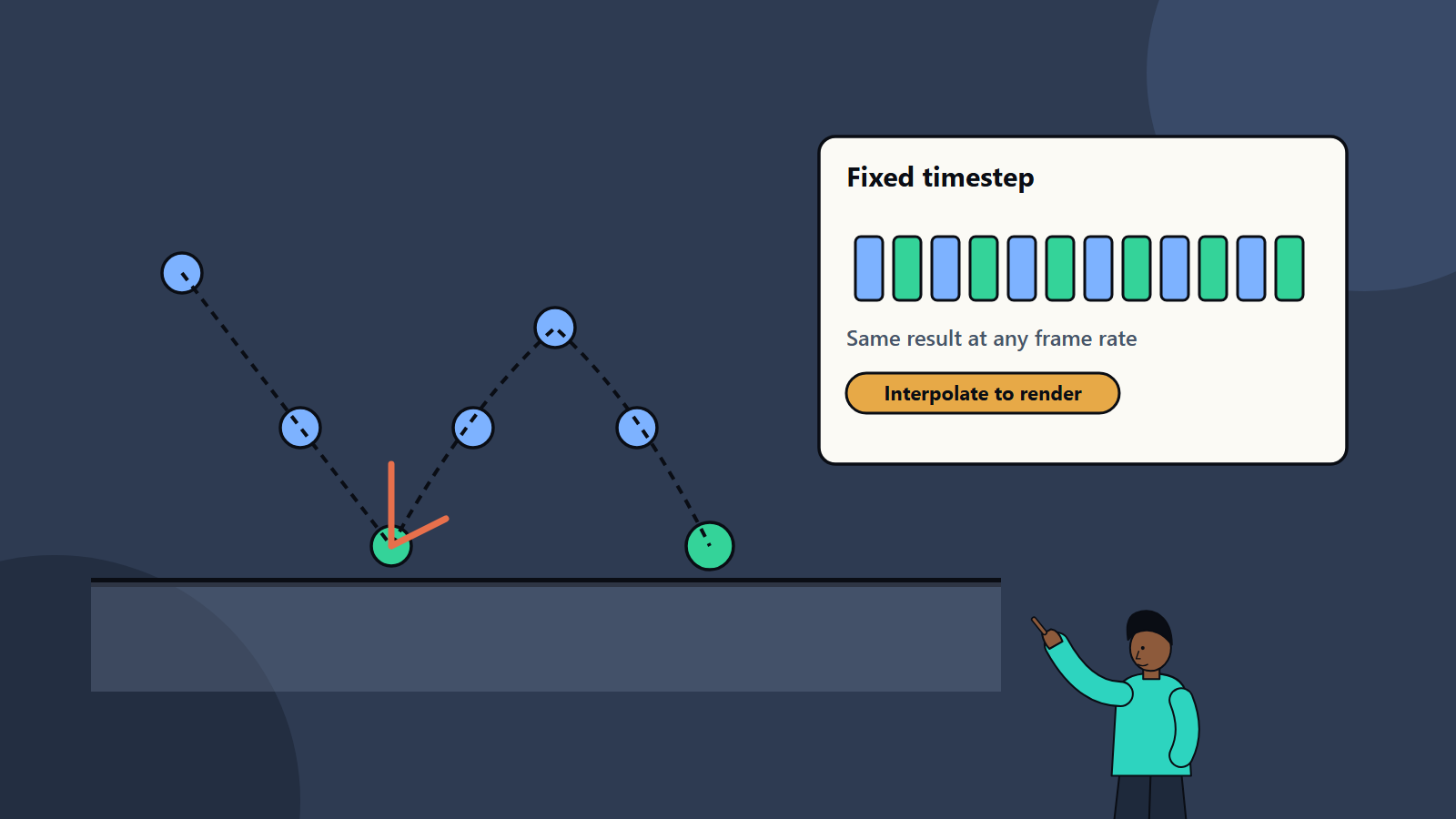
The recommended approach is a fixed time step with an accumulator. Frame time is added to an accumulator, and the simulation consumes it in constant-sized steps, with leftover time carried to the next frame. The simulation then gives reproducible results regardless of rendering frame rate. To avoid visible stutter when a render falls between two physics steps, blend between the previous and current physics states using the leftover fraction, and draw the blended state. This interpolation works for positions and, with the right method, for orientations.
Practical points:
- Pick a physics rate such as 60 or 120 steps per second and keep it constant.
- Limit the number of steps per frame, so a slow frame does not trigger an endless catch-up spiral.
- Leave performance headroom, since a simulation that cannot keep up falls further behind.
- Run rendering and physics on clearly defined rates, and document them for the team.
Collision detection
Checking every object against every other is too slow. Engines use stages:
- Broad phase: quickly find pairs that might collide, using grids, trees or sweep-and-prune methods, based on simple bounding boxes.
- Narrow phase: test the candidate pairs precisely, finding contact points, depth and normals.
- Filtering: layers and masks decide which categories may collide, such as players with walls but not with their own bullets.
Collision shapes
Use the simplest shape that works:
- Primitives: spheres, boxes and capsules are fast and robust.
- Convex hulls: wrap an object more closely.
- Compound shapes: several primitives forming one body.
- Meshes: accurate but costly, and best for static environments.
- Height fields: terrain.
Collision shapes need not match the visible mesh. Characters often use capsules, and complex props use a few boxes. Poorly fitted shapes cause snagging and odd behaviour.
Fast objects and tunnelling
A bullet moving many metres per step can jump over a thin wall. Remedies:
- Continuous collision detection, which sweeps objects along their path.
- Ray or shape casts for projectiles, with no physical body.
- Thicker walls and limits on speed.
- Smaller time steps for specific objects.
Rigid bodies and materials
- Mass and inertia: heavier objects resist push more. Unrealistic mass ratios, such as a feather resting on a boulder, make simulations unstable.
- Friction: controls sliding. Players feel it in surfaces such as ice or mud.
- Restitution: controls bounce. Zero is a thud, and one is a perfectly elastic bounce.
- Damping: reduces motion over time, avoiding endless drifting.
- Sleeping: bodies at rest are paused to save time and wake when disturbed.
- Joints and constraints: hinges, springs and limits connect bodies.
Stacks of objects, chains and ragdolls are classic tests of stability. Tune solver iterations and masses to keep them calm.
Character movement
Most games do not drive player characters with pure physics. A character controller blends physics queries with custom rules for responsive control:
- Capsule collision with step-up for stairs and slope limits.
- Coyote time, which lets players jump just after leaving a ledge, and jump buffering that remembers a jump pressed slightly early.
- Variable jump height by how long the button is held.
- Moving platform handling.
- Ground detection with care on edges.
Players value control feel more than physical accuracy. Many acclaimed platformers use rules that break real physics to feel good.
Other systems
- Ragdolls: physics-driven bodies for knockouts and falls, often blended with animation.
- Vehicles: wheel colliders, suspension and tyre models, tuned for fun as much as realism.
- Destruction: pre-fractured pieces, particle debris and effects, balancing look and cost.
- Cloth, hair and soft bodies: often limited to characters and a few objects, due to cost.
- Fluids and smoke: often simulated in simple ways or with effects systems.
- Particles: many small objects with light physics, often on the graphics processor.
- Triggers and sensors: volumes that detect entry without causing collisions.
Performance
- Budget physics time per frame, and measure it.
- Limit active bodies and use sleeping.
- Use simpler shapes and fewer contacts.
- Spread work across frames where the game allows.
- Use multithreading if the physics library supports it, with care for determinism.
- Profile on target devices. Mobile and console budgets differ from high-end PCs. Our guide to PC game optimisation explains profiling habits.
- Level of detail for physics: distant objects may use cheaper simulation or none.
Determinism and multiplayer
Deterministic simulation gives the same result from the same inputs, which enables replays, lockstep multiplayer and easier debugging. Floating point maths, different processors, compilers and thread ordering can break determinism. Options include fixed-point maths, careful library choice and tolerating small differences with corrections. Online games often run physics on a server and send results to clients, with prediction on the client to hide delay. Our guide to multiplayer netcode explains these trade-offs.
Design and tuning
- Prototype early with simple shapes, and play it. Feel is hard to judge on paper.
- Expose parameters to designers: gravity, friction, bounce, mass and speed limits.
- Use cheats where they help: extra gravity when falling, forgiving hit boxes, snapping to ledges.
- Be consistent: similar objects should behave alike, or players lose their sense of the rules.
- Design levels with physics in mind: avoid thin geometry, tight gaps and tiny steps that cause snagging.
- Communicate: sounds, effects and animation sell impact and weight.
Testing and quality assurance
- Test at low and high frame rates, and with frame spikes.
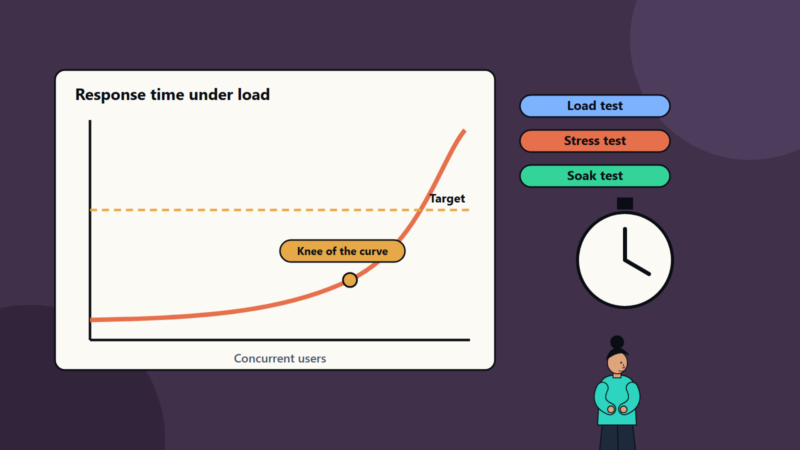
- Stress test with many bodies and rapid inputs.
- Try edge cases: wedging objects into corners, stacking, pushing against moving platforms and loading near boundaries.
- Record and replay inputs to reproduce bugs.
- Check behaviour after saving and loading.
- Include physics checks in automated and manual test plans. Our guide to game testing and QA covers test planning.
Common mistakes
- Variable time steps.
- Using detailed meshes for dynamic collision.
- Extreme mass ratios.
- Ignoring tunnelling.
- Tuning only at one frame rate.
- Treating realism as the goal.
- No performance budget.
- Late physics changes that break levels.
How SoftSapien supports physics and gameplay engineering
SoftSapien’s engineers build and tune physics, character controllers and gameplay systems for mobile, PC and console games, with performance and testing built in. See our game development and QA and testing services.
To discuss your game, visit the contact page and chat with our team, send a message or schedule a free consultation call.
Frequently asked questions
Why use a fixed time step for physics?
With a variable step, behaviour depends on frame time, so large steps can make springs explode or let fast objects pass through walls. A fixed step gives repeatable results at any frame rate.
What is tunnelling?
It happens when a fast object moves far enough in one step to jump over a thin collider. Continuous collision detection, ray casts, thicker walls and speed limits reduce it.
Do games need realistic physics?
Rarely. Players judge responsiveness and feel, and many acclaimed games bend physical rules, for example with extra gravity when falling or forgiving jump timing.
How do I keep physics deterministic for multiplayer?
Use fixed steps, controlled maths and library choices, and consider server authority with client prediction and corrections where small differences are unavoidable.
Can SoftSapien help with gameplay engineering?
Yes, across mobile, PC and console. Contact SoftSapien through the contact page to chat with our team, send a message or schedule a free consultation call.