Short on time? Game QA covers four jobs: functional testing for bugs, playtests for fun and clarity, compatibility testing across devices and settings, and compliance checks for store and platform rules. Test early and often, automate what repeats, keep a clear bug workflow with severity rules, and use real hardware for each target. Budget time for certification fixes before launch.
A player forgives a hard level and rarely forgives a lost save. Quality shapes reviews, refunds and word of mouth, and games are unusually complex to test: huge state spaces, real-time play, varied hardware and online services all interact.
This guide explains how to plan game quality assurance across mobile, PC and console. It suits a two-person team preparing a first release and a studio with a dedicated QA group.
Key takeaways
- Game QA has several parts: functional testing, playtesting, compatibility, performance, localisation, accessibility and platform compliance.
- Start testing in prototype, and test every build from the first prototype to launch.
- Use a clear bug workflow with reproduction steps, severity and priority rules.
- Combine manual exploration with automation for repeated checks.
- Test on real devices, and leave time for certification and day one fixes.
The kinds of testing
Functional testing
Does the game do what it should? Testers explore features, try to break them and record problems: crashes, soft locks, wrong behaviour, broken progression, save errors and interface glitches. Test plans list the areas, and exploratory sessions find what plans miss.
Playtesting
Playtests ask whether the game is fun, clear and fair. Invite people who have not seen the game, watch them play, record where they hesitate or quit and ask open questions afterwards. Stay quiet, and avoid explaining. Their confusion is data. See level design principles for what to look for.
Compatibility testing
Games run on many combinations of hardware, operating systems, drivers, screen sizes and input devices. Build a matrix covering:
- Mobile: a spread of low, mid and high devices, operating system versions, screen sizes and orientations, and different networks.
- PC: graphics cards from several vendors, processors, memory sizes, operating systems, resolutions, refresh rates and controllers.
- Console: each model and mode, including handheld and docked states where they exist, and different storage setups.
Pick the matrix from your audience data. See PC game optimisation.
Performance testing
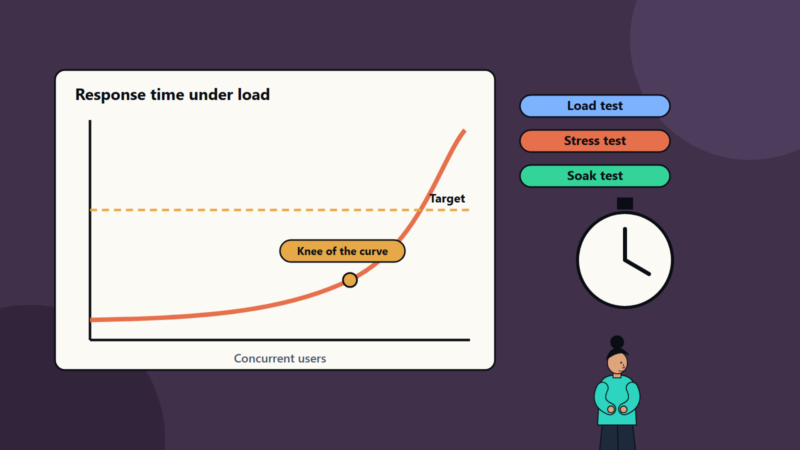
Measure frame time, load times, memory, battery and heat on target hardware, in the worst scenes and over long sessions. Compare with your budgets in every build. See performance testing.
Online and multiplayer testing
Test matchmaking, disconnects, latency, packet loss, large player counts, server load and security. See multiplayer netcode.
Localisation and content
Check translations in context, text fit, fonts, date and number formats, voice lines and cultural appropriateness. Layouts that work in English often break in longer languages.
Accessibility
Check subtitles, remapping, colour options and the other features you promise. See game accessibility.
Compliance and certification
Mobile stores, PC storefronts and console platforms each publish rules. Console certification is the strictest. Prepare a checklist from the official documents and test against it before submission. See console game development.
Regression testing
After every fix and feature, check that old problems did not return. This is where automation helps most.
Plan the QA process
- Start early: involve QA when design starts, so testers understand intent and can raise risks.
- Write a test plan: features, platforms, test types, tools, schedule and exit criteria for each milestone.
- Set up builds: automatic, frequent builds with clear version numbers. See our CI/CD starter pipeline.
- Smoke test each build: a short check that the game launches and core flows work, before deeper testing starts.
- Run test passes by feature and by platform.
- Triage regularly with design, engineering and production.
- Verify fixes and retest.
- Gate releases against agreed criteria.
The bug workflow
A good bug report lets someone else reproduce the problem:
- A clear title and summary.
- Build number, platform and device.
- Steps to reproduce, with expected and actual results.
- Frequency: always, sometimes or once.
- Evidence: video, screenshots and logs.
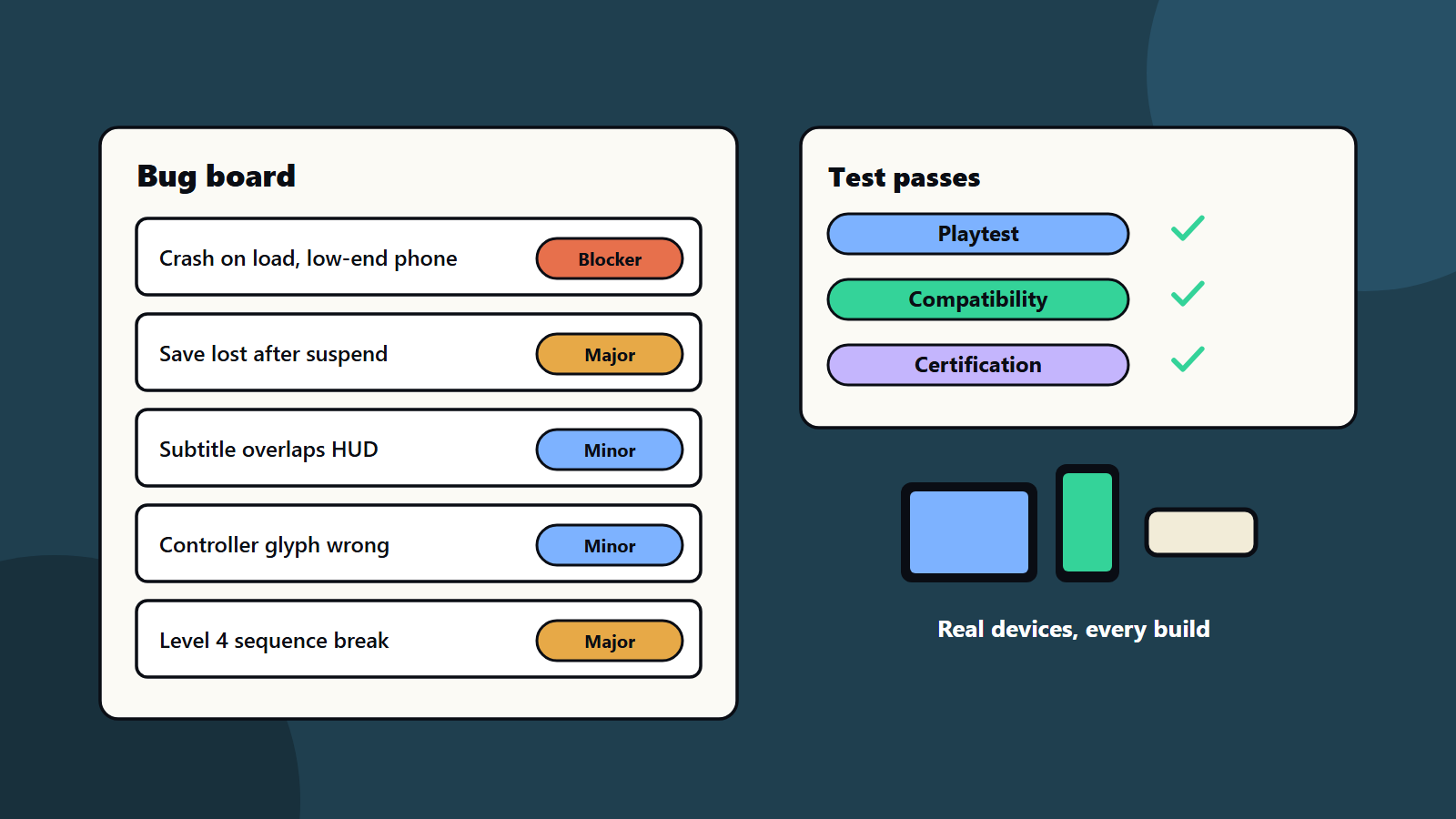
- Severity, which describes impact, and priority, which describes urgency.
Typical severity levels are blocker, major, minor and trivial. Agree the definitions and release rules in advance, for example no known blockers or crashes at launch. Use a tracker that the whole team can see, and review the count of open bugs by severity weekly.
Automation
Automation suits stable, repeated checks:
- Build verification and smoke tests.
- Automated playthroughs and bots for performance capture and crash detection.
- Unit tests for core logic and tools.
- Screenshot comparisons for interface layout.
- Data validation for content, such as missing assets or broken links.
- Network emulation scenarios.
Keep human testers for judgement, feel, exploration and surprising behaviour. See our test automation strategy for what to automate first.
Telemetry and live feedback
Crash reports, logs and analytics show problems that testers miss, especially on unusual devices. Add them from the first build, and respect privacy laws and platform rules. See game analytics. After launch, monitor reviews, support tickets and forums, and prepare a patch process.
Team options
- In-house QA gives deep game knowledge.
- External QA partners add capacity, device labs and specialist skills for peaks such as certification.
- Community and beta tests broaden coverage, with careful management and clear non-disclosure terms where needed.
- Developers testing their own work helps, and it needs independent testing too.
For small teams, a mix works: developers run automated checks, a part-time tester explores, and a partner handles device coverage before launch. Our guide to offshore and nearshore engagement models covers working with external teams. See the game development pipeline for where QA fits in the schedule.
Release readiness
- Zero known blockers and crashes in the release candidate.
- Performance targets met on reference devices.
- Platform checklists complete, with evidence.
- Age ratings and legal text done.
- Day one patch plan agreed.
- Support team briefed with a known issues list.
- Monitoring ready for launch day.
Common mistakes
- Starting QA a few weeks before release.
- Testing only on developer machines.
- Bug reports with no steps or evidence.
- No severity rules, so everything is urgent.
- Skipping regression tests after late changes.
- Treating playtests as a way to confirm what the team already believes.
- No time for certification resubmission.
- No telemetry for crashes.
A starting plan
- Write a one-page test plan with platforms and milestones.
- Set up automated builds and smoke tests.
- Define bug severity and release criteria.
- Run a playtest with five fresh players at the first playable build.
- Build a device matrix, and test on real hardware before each milestone.
- Prepare the compliance checklist and schedule certification early.
How SoftSapien supports game QA
SoftSapien’s QA engineers and game testers plan test strategy, run functional, compatibility and compliance passes on real devices, build automation and support certification and live releases. See our QA and testing and game development services.
To raise your game’s quality, use the contact page to chat with our team, send a message or schedule a free consultation call.
Frequently asked questions
What types of testing do games need?
Functional, playtesting, compatibility, performance, online, localisation, accessibility, compliance and regression testing.
What makes a good bug report?
A clear title, build and device, steps to reproduce, expected and actual results, frequency, evidence and agreed severity and priority.
What should we automate?
Smoke tests, regression checks, automated playthroughs for performance and crashes, content validation and network scenarios, with humans testing feel and exploration.
When should QA start?
In prototype, with every build tested, and time reserved for platform certification and day one fixes.
Can SoftSapien help test our game?
Yes, on real devices. Contact SoftSapien through the contact page to chat with our team, send a message or schedule a free consultation call.