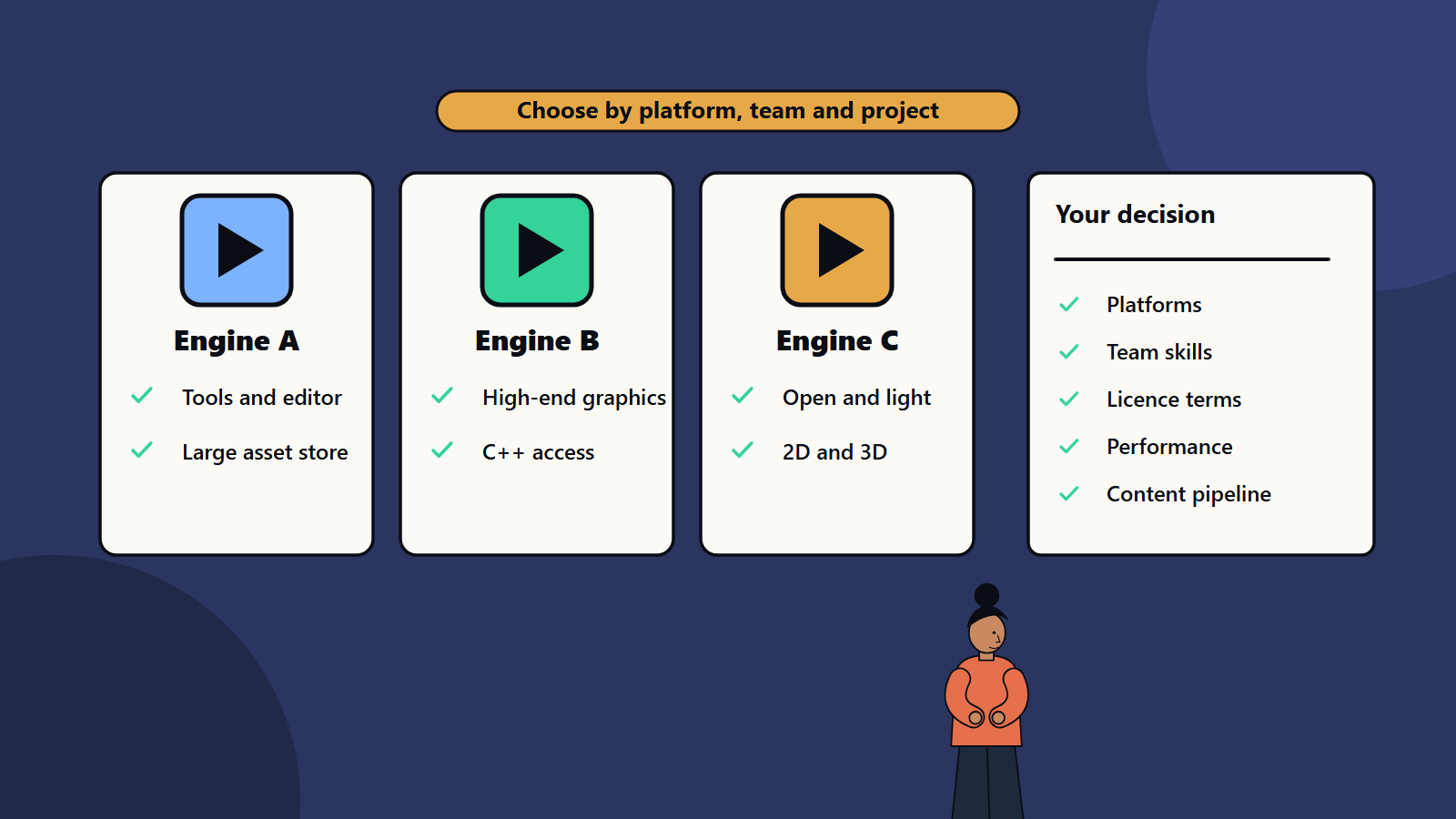
Short on time? Pick a game engine by looking at the project first and the reputation second. Compare the platforms you must ship on, the genre and visual target, your team’s skills, the asset and tool ecosystem, performance headroom, licence and revenue terms, and long-term support. Build a small prototype in your top two choices before committing, and check each vendor’s current terms, since they change.
A game engine is the foundation of a game. It draws the world, runs the physics, plays sound, handles input, manages assets and builds the game for each platform. Choosing one early shapes cost, hiring, performance and how easily you can reach mobile, PC and console players.
The market offers large commercial engines, open source engines, specialist engines for particular genres and the option of building your own. Opinions are strong and often out of date. This guide gives a practical way to compare options without naming a winner, because the right answer depends on the game and the team. It suits a small studio planning a first title and a publisher commissioning games across platforms. The engines mentioned in this field belong to their respective makers, and nothing here claims otherwise.
Key takeaways
- Start from the game: genre, scope, art style, platforms and team, then choose the engine.
- Compare on platform support, tooling, performance, skills, ecosystem, licence terms and support.
- Prototype in two candidates, since real use reveals what feature lists hide.
- Licence and revenue terms differ and can change. Read current terms before committing and ask for them in writing for large projects.
- Plan for platform requirements early, especially for consoles.
What an engine provides
Most engines include:
- Rendering: drawing two-dimensional or three-dimensional scenes, lighting, materials, effects and user interface.
- Physics and collision: movement, collisions and interaction. Our guide to game physics explains the main ideas.
- Animation: skeletal animation, blending and state machines.
- Audio: playback, mixing and spatial sound.
- Input: controllers, keyboards, touch and motion.
- Asset pipeline: importing models, textures, sound and data, with compression for each platform.
- Scripting and code: one or more languages, with an editor and debugger.
- Editor and tools: level editing, visual scripting, profiling and build tools.
- Networking: helpers for multiplayer, though serious online games need careful design.
- Platform support: builds for mobile, desktop, console, web and virtual reality headsets.
Where the engine stops, you add middleware, such as audio tools or networking services, or write your own systems.
The main options
Large general-purpose commercial engines
Mature, widely used and supported by big communities, asset marketplaces and learning material. They suit many genres and platforms. Compare their rendering style, scripting languages, editor workflow and cost models. Some have strengths in high-end three-dimensional graphics, others in broad platform reach and rapid iteration on mobile. Licence models vary, from subscriptions to revenue shares, and they change, so check the latest.
Open source engines
Free to use and modify, with permissive or copyleft licences. The Godot engine, for example, is released under the MIT licence, which permits use for any purpose, study and modification, and distribution including commercially, as long as the copyright and licence notice are included. Open source gives control and no licence fees, and teams own the responsibility for fixes, console support and tooling gaps. Console deployment may require third-party porting services or in-house work, because console makers’ development kits are covered by confidentiality agreements.
Specialist and genre-specific engines
Engines and frameworks built for particular needs: two-dimensional games, visual novels, strategy games, mobile hyper-casual titles or web games. They can speed up work in their niche and limit flexibility outside it.
Proprietary in-house engines
Some studios build their own to fit a franchise or technical goals. This offers control and the cost of building and maintaining everything, including tools, documentation and training. It rarely makes sense for a first project.
Frameworks and libraries
Lightweight collections for graphics, audio and input, often used by experienced programmers who want to assemble their own stack.
Criteria for choosing
1. Platforms
List where you must ship: iOS, Android, Windows, macOS, Linux, web, the consoles and headsets. Check official support for each, quality of the build pipeline, store requirements and known limits. Console support needs access to the platform holders’ programmes, so plan applications and timelines early. Our guide to console game development covers what to expect.
2. Genre and visual target
A fast two-dimensional puzzle game, an open-world three-dimensional adventure and a competitive shooter ask different things of an engine. Review sample projects in your genre and check frame rates on target hardware.
3. Team skills and hiring
Match languages and workflows to what your team knows. Check how easy it is to hire people with experience in the engine in your region and at your budget. Training time is a real cost.
4. Performance and scalability
Test performance on the weakest device you support, with representative content. Check memory use, load times and how well the engine handles many objects. Our guide to PC game optimisation explains common bottlenecks.
5. Tools and pipeline
Look at the level editor, animation tools, profiler, debugging and version control integration. Check how art and design teams will work, and how content moves from creation to build. Strong tools reduce the cost of every future feature.
6. Ecosystem and middleware
Assess asset marketplaces, plug-ins, community forums, documentation and compatibility with audio, networking, analytics and monetisation services.
7. Licence and cost
Compare:
- Upfront and subscription fees.
- Revenue share or royalty above a threshold.
- Per-seat costs for the team.
- Costs for source code access.
- Rules for each platform and for services such as cloud builds.
- What happens if terms change, and how you can protect yourself, for example by locking a version.
Model total cost at several sales scenarios, with the launch price as one input.
8. Source access and control
Can you read and modify engine code when you hit a limit? This matters for unusual features and long-lived projects.
9. Stability and support
Check release history, how often breaking changes occur, upgrade paths and the quality of official support. Long projects suffer from engines that change direction.
10. Security, privacy and compliance
Review how the engine handles data collection, advertising identifiers and children’s data, which affect store approval and law in many regions. Our guide to mobile game monetisation discusses platform rules.
A fair evaluation process
- Define requirements: list must-haves, such as platforms and frame rate targets, and nice-to-haves.
- Shortlist two or three engines that meet the must-haves.
- Build the same vertical prototype in each: a small slice with your core mechanic, representative art and a test on target hardware. Time it.
- Score against the criteria with weights agreed beforehand.
- Check references: talk to studios that shipped games similar to yours.
- Review licences with a lawyer for larger projects.
- Decide, record the reasons and plan for risks.
Our guide to the game development pipeline explains where this choice fits in pre-production.
Mobile, PC and console differences
- Mobile: small download size, battery and heat limits, many device types, touch input and store rules on payments and children. Performance budgets are tight.
- PC: huge hardware variety, high expectations for settings and resolution, mod support and distribution through several stores. Keyboard, mouse and controller support.
- Console: fixed hardware for each generation with strict certification, memory and performance targets, controller-first design and platform features such as achievements and cloud saves.
- Cross-platform projects: choose an engine with proven pipelines for every target, and plan input, user interface and performance scaling from the start. Our guide to cross-platform game development goes deeper.
Common mistakes
- Choosing by fashion or a single demo.
- Ignoring console requirements until late.
- Underestimating team learning time.
- Not testing on low-end hardware.
- Overlooking licence terms and their changes.
- Building a custom engine for a first game.
- Locking into proprietary formats with no exit.
How SoftSapien supports engine decisions
SoftSapien’s game teams evaluate engines against your goals, build prototypes and deliver production across mobile, PC and console, with clear ownership of your code and assets. See our game development and custom software development services.
To discuss your project, use the contact page to chat with our team, send a message or schedule a free consultation call.
Frequently asked questions
How do I choose a game engine?
Start from the game: genre, scope, art style, platforms and team. Compare engines on platform support, tools, performance, skills, ecosystem, licence terms and support, and prototype in two candidates.
Is an open source engine a good choice?
It can be. Open source engines give control and no licence fees, with the cost of owning fixes, tooling gaps and console porting. Check the licence, since terms differ between projects.
Should we build our own engine?
Rarely for a first project. A custom engine offers control and demands tools, documentation, training and long-term maintenance.
What changes between mobile, PC and console?
Mobile has tight battery, heat and size limits, PC has huge hardware variety and console has fixed hardware with strict certification and platform requirements.
Can SoftSapien help evaluate engines?
Yes, with prototypes against your goals. Contact SoftSapien through the contact page to chat with our team, send a message or schedule a free consultation call.