Short on time? Most organisations need both. Let a central team own trusted data, shared definitions and the most critical reports, and let business teams explore within that governed foundation. Decide by data maturity, skills, risk and speed needs, and measure results by the decisions it supports.
Every business has a backlog of questions about its own numbers. Sales wants a new view of the pipeline, finance wants a different cut of costs, and operations wants yesterday’s data this morning. A central team can take weeks to answer, while a spreadsheet takes an hour and produces three different totals for the same figure.
The choice between a central business intelligence team and self-service analytics is really a choice about how to share trust and speed. This guide helps owners of a small business through to heads of data in a large company decide where the line should sit.
Key takeaways
- A central team gives consistency, quality and control, and can become a bottleneck.
- Self-service gives speed and ownership, and can create conflicting numbers and risk.
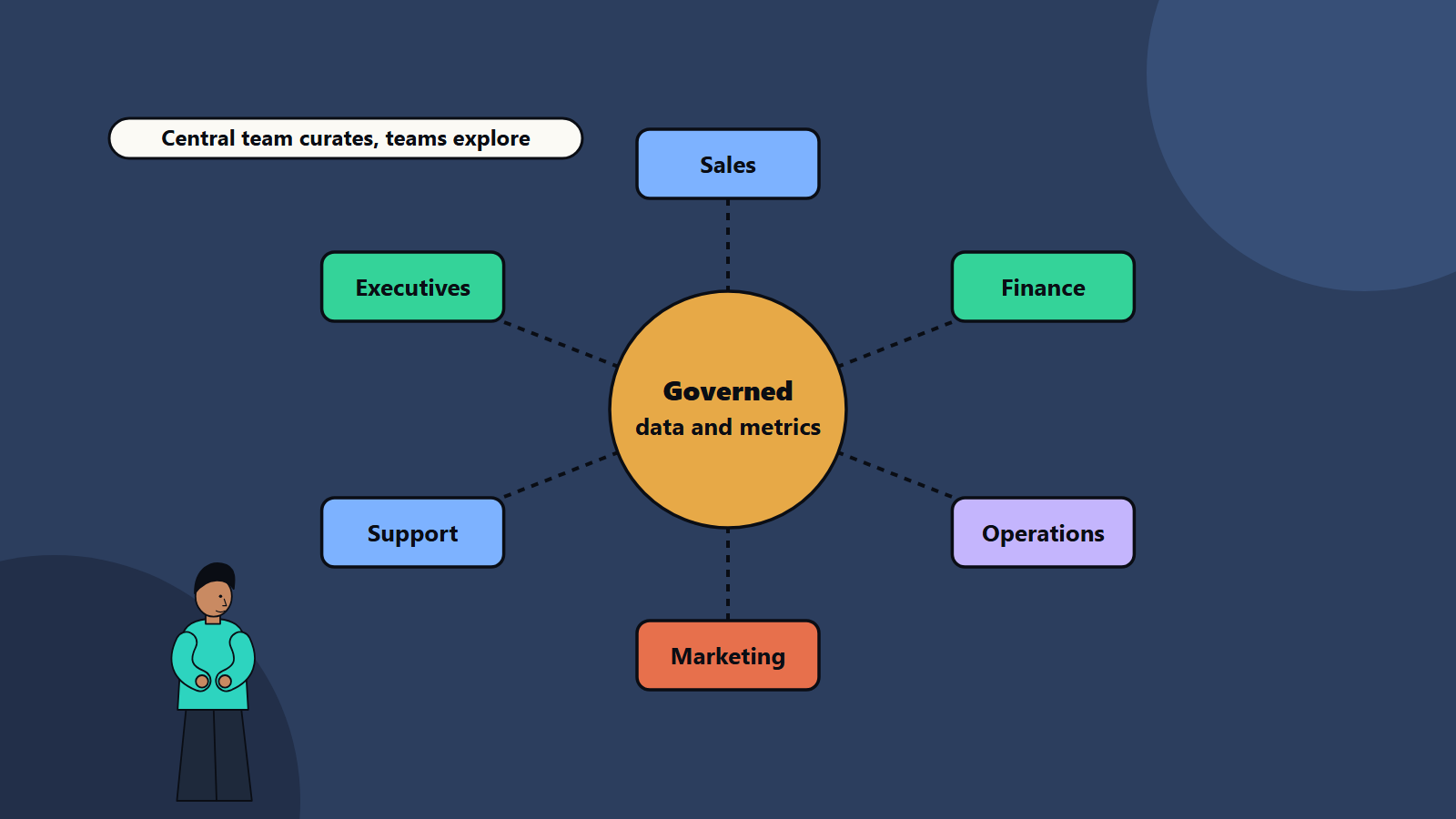
- A hybrid model works best: governed data and shared metrics at the centre, exploration at the edge.
- Shared definitions, access rules, training and certified datasets make self-service safe.
- Review the model as data maturity grows.
What each model means
Central BI team
A specialist group collects requests, builds data models, writes reports and dashboards and maintains them. Business users consume the output.
Strengths:
- One version of each metric.
- Consistent quality, security and documentation.
- Deep technical skill applied to hard problems.
- Easier compliance and auditing.
Weaknesses:
- A queue. Requests wait, and urgency gets argued over.
- Distance from the business, so reports can miss what people need.
- Specialists spend time on routine changes.
Self-service analytics
Business users build their own reports and explore data with tools designed for non-specialists.
Strengths:
- Fast answers, close to the question.
- Business knowledge applied directly to the data.
- Frees specialists for harder work.
- Builds data skills across the organisation.
Weaknesses:
- Different teams calculate the same metric differently.
- Duplicate and abandoned reports multiply.
- Sensitive data may be exposed to people who should not see it.
- Quality depends on each user’s skill.
Why not pick only one
Pure central models frustrate the business, and pure self-service models erode trust in the numbers. A familiar sign of the second problem is a meeting where two leaders present different revenue figures and the hour goes on arguing about whose is right.
The pattern that works for most organisations gives each model its job:
- The centre owns the foundation: data sources, cleaning, a modelled layer, shared metric definitions, security and a catalogue of certified datasets.
- The edge owns the exploration: teams build their own views on top of that foundation, with embedded analysts who understand the business.
- A clear escalation route: when a self-service report becomes widely used, the centre reviews and promotes it.
This is sometimes described as a hub and spoke arrangement, with a central hub and analysts in the business units.
Decide with five questions
- How mature is your data? If sources are messy and undocumented, self-service will spread confusion. Fix the foundation first. Our guide to data analytics maturity helps assess this.
- What skills do business teams have? Some groups love tools, while others need ready-made dashboards.
- How sensitive is the data? Financial, health and personal data need tighter control and clear access rules.
- How fast does the business need answers? Operations teams in a fast-moving market cannot wait for a queue.
- How large is the organisation? A ten-person company may have one person doing everything, and a global group needs structure.
What makes self-service safe
- Shared metric definitions: one agreed meaning for revenue, active customer, churn and margin, stored in a semantic layer or a documented dictionary and reused by every tool.
- Certified datasets: curated, tested and labelled data that users can trust, clearly separated from experimental data.
- Access control: roles, row-level rules where needed and logging of who sees what.
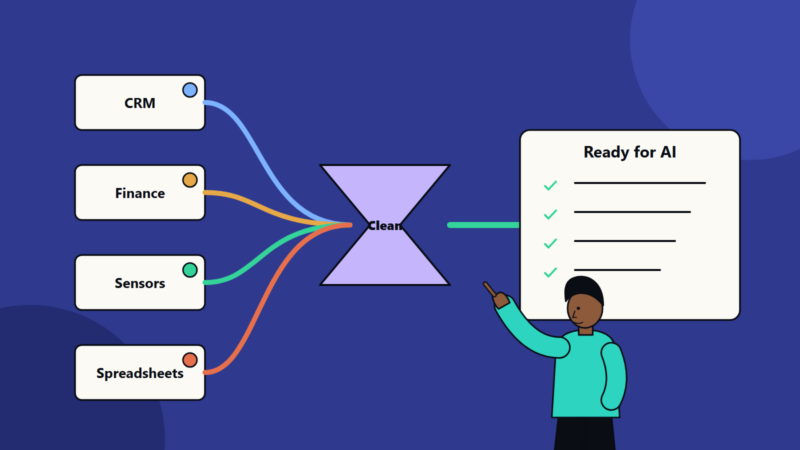
- Data quality checks with visible status. See our guide to data pipeline reliability.
- Training and community: short courses, office hours, templates and a channel where users help each other.
- Naming and lifecycle rules: owners, descriptions and retirement of unused reports.
- Good visual practice: see our guide to data visualization principles and dashboards that work.
Roles to define
- Data owners in the business, accountable for the meaning and quality of their data.
- Data engineers who build pipelines and models.
- Analytics engineers or BI developers who maintain certified datasets and shared metrics.
- Embedded analysts who partner with business teams.
- Power users or champions in each department, who help colleagues.
- A governance lead who sets standards and settles disputes.
In a small business these may be one or two people, and the principles still apply: write definitions down and keep one source of truth.
Tooling considerations
Whichever tools you choose, look for:
- A connection to governed data, with no copies on personal machines.
- Reuse of shared definitions.
- Usage monitoring, so you can see what is used and what is not.
- Support for collaboration, versioning and review.
- Costs that scale sensibly as more people use it.
- Increasing use of natural language questions in tools. Treat their answers with the same checks as any other report, since generated queries can be wrong. Our guide to evaluating model output explains how to test.
Measure success
- Time to answer for common questions.
- Share of decisions where data was used.
- Active users and repeat use.
- Trust: survey whether people believe the numbers.
- Duplicates and conflicts: the count of competing definitions or reports.
- Backlog size and age for the central team.
- Business outcomes: actions taken, savings found and revenue influenced.
Common mistakes
- Buying a self-service tool before cleaning the data.
- No shared definitions, so every team invents its own.
- A central team that only says no.
- Giving broad access to sensitive data.
- No training after the tool launch.
- Counting dashboards when decisions made are what matter.
- Never retiring old reports.
A starting plan
- List the ten metrics leaders argue about most, and agree one definition for each.
- Build certified datasets for those metrics.
- Pilot self-service with one willing team, with training and support.
- Set access rules and a review process for reports that spread widely.
- Review adoption, trust and backlog each quarter, and adjust the line between centre and edge.
How SoftSapien supports business intelligence
SoftSapien’s analytics consultants design data models, shared metric layers, governance and training, build dashboards and run BI operating models that combine central quality with team-level speed. See our business intelligence and data analytics services.
To plan your analytics model, use the contact page to chat with our team, send a message or schedule a free consultation call.
Frequently asked questions
Should we choose self-service or a central BI team?
Most organisations need both. The centre owns trusted data and shared metrics, and business teams explore within that governed foundation.
What makes self-service analytics safe?
Shared metric definitions, certified datasets, access control, quality checks, training and rules for ownership and retirement of reports.
How do we stop teams reporting different numbers?
Agree one definition for each key metric, store it in a shared layer or dictionary and reuse it in every tool.
How do we measure success?
Track time to answer, active users, trust in the numbers, competing definitions, backlog size and decisions influenced.
Can SoftSapien help design our analytics model?
Yes, with governance, data models and training. Contact SoftSapien through the contact page to chat with our team, send a message or schedule a free consultation call.