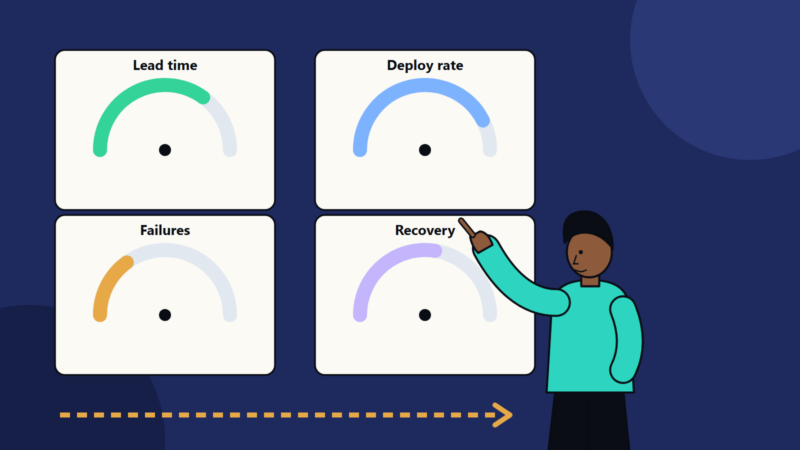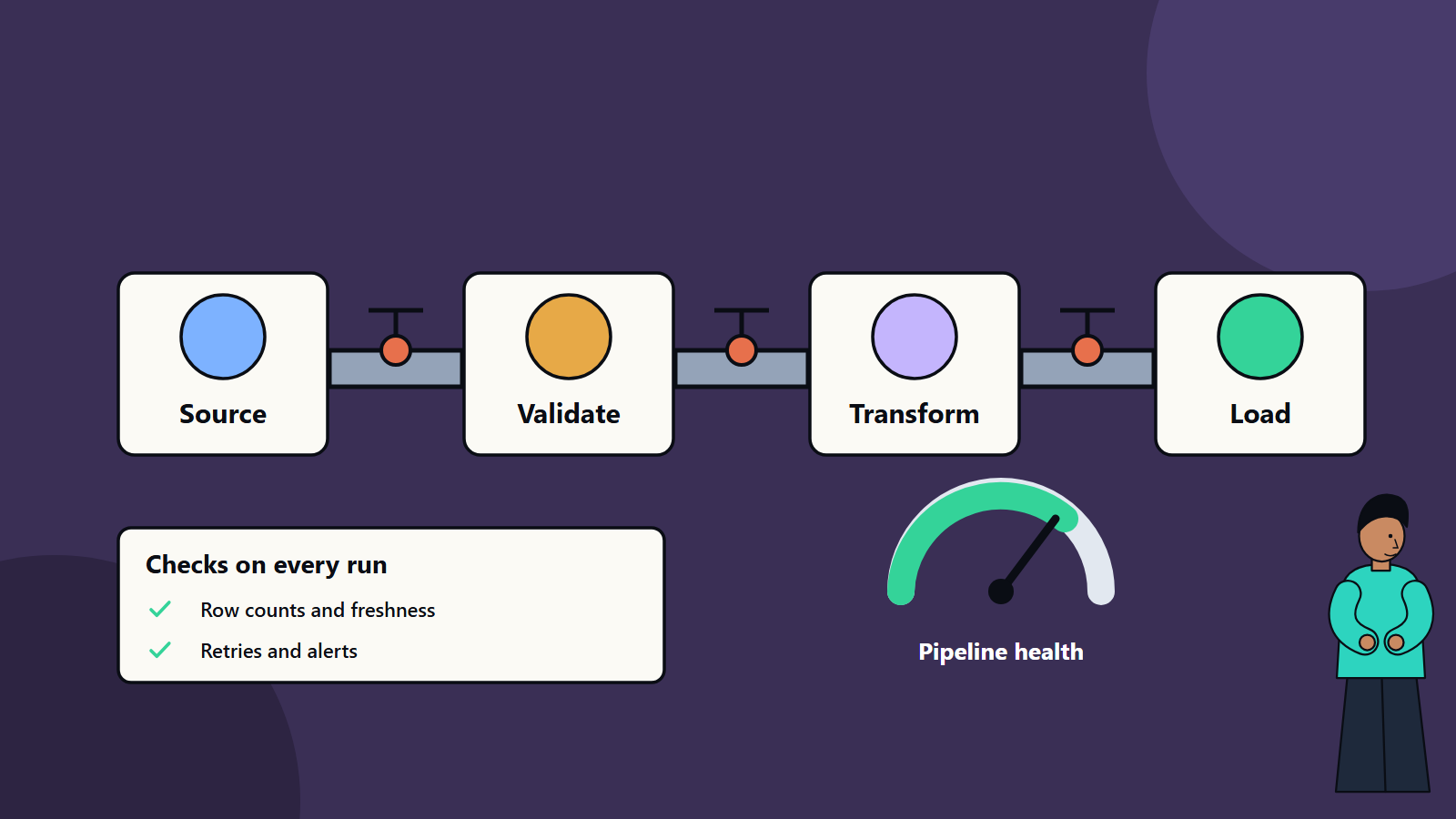
Short on time? A reliable data pipeline moves data from source to destination on time, completely and correctly, and tells you quickly when it does not. Build in validation, idempotent jobs that are safe to re-run, retries with limits, monitoring of freshness and volume, clear ownership and tested recovery. Choose batch or streaming by how fresh the data must be.
Dashboards go blank on Monday morning. A model scores customers on last week’s data. A finance report shows yesterday’s numbers because a nightly job failed silently. These are everyday symptoms of fragile data pipelines, and they cost teams hours and trust.
A pipeline is the set of steps that collect data from sources, transform it and deliver it to where it is used: a warehouse, a dashboard, an application or a machine learning model. This guide explains how to design pipelines that are dependable, whether they run in batches overnight or stream events in near real time. It suits a small team with a handful of jobs and a data platform serving an entire enterprise.
Key takeaways
- Choose batch for scheduled, high-volume work and streaming where minutes or seconds matter.
- Design jobs to be idempotent, so that re-running them gives the same result without duplicates.
- Validate data at each stage, and fail loudly when data looks wrong.
- Monitor freshness, volume, quality and cost, and alert on what users feel.
- Assign owners, write runbooks and practise recovery.
Batch and streaming
Batch processing collects data over a period, such as an hour or a day, and processes it together. It suits reporting, reconciliation, large transformations and workloads where a delay is acceptable. It is simpler to build and test, and efficient for large volumes.
Streaming processes events continuously as they arrive. It suits fraud detection, monitoring, personalisation, operational alerts and any use case where freshness matters in seconds or minutes. It is more complex: ordering, late-arriving data, state management and continuous operation add challenges.
Many organisations use both. A hybrid design streams events into storage, with batch jobs that rebuild and reconcile. Choose by the business need for freshness. Ask the data users how old data can be before it loses value.
Principles of reliable pipelines
1. Idempotency
An idempotent job can run more than once and produce the same end state. This makes retries and recovery safe. Techniques include:
- Writing results by key with upserts, and not blind inserts.
- Overwriting a whole partition for a given date.
- Recording processed batch identifiers and skipping those already done.
- Using unique event identifiers to discard duplicates.
2. Atomic and transactional steps
Avoid half-finished outputs. Write to a temporary location and publish by swapping or committing at the end, so consumers never see partial data.
3. Separation of stages
Keep raw, cleaned and curated layers. Store raw data unchanged, so that you can reprocess when logic changes or bugs are found. Our article on data lakehouse architecture describes layered storage.
4. Explicit contracts
Agree schemas, definitions, update schedules and expectations with producers and consumers. Detect schema changes early, and decide how to handle new, removed or renamed fields. Our guide to API-first strategy describes the value of agreed contracts, which apply to data as well.
5. Observability
You cannot fix what you cannot see. Our guide to observability explains logs, metrics and traces, which apply to pipelines too.
Data quality checks
Build checks into each stage:
- Schema: expected columns and types.
- Completeness: row counts against expectations or the source.
- Freshness: latest timestamp is recent enough.
- Validity: values within ranges and formats.
- Uniqueness: keys are unique where they should be.
- Referential integrity: keys exist in related tables.
- Business rules: totals reconcile with source systems, and balances match.
- Distribution: sudden shifts in averages or category shares may signal a problem.
Decide what happens on failure: stop the pipeline, quarantine bad records, load with a flag or alert only. For critical data, stop and alert. Keep rejected records somewhere reviewable. Our article on data quality for machine learning lists dimensions and automation tips.
Handling failures
- Retries with backoff for temporary faults, such as network errors. Put a limit on attempts, and alert when exhausted.
- Dead-letter queues for records that cannot be processed, so that one bad record does not block the stream.
- Timeouts so stuck jobs do not hold resources forever.
- Dependency management: use orchestration tools that understand dependencies, and run downstream jobs only when upstream steps succeed.
- Backfills: plan how to reprocess history after a fix. Idempotent design makes backfills safe.
- Late and out-of-order data: in streaming, define windows, allowed lateness and how to correct results later.
- Back pressure and scaling: handle bursts without crashing, using queues and autoscaling.
- Failover and recovery: for critical pipelines, design redundancy, and test recovery. Our guide to disaster recovery planning explains recovery objectives.
Monitoring and alerting
Track:
- Job status and duration, compared with normal.
- Freshness: time since the last successful load of each key table.
- Volume: rows processed versus expected.
- Quality check results.
- Lag in streaming systems, which is how far consumers are behind.
- Cost: compute and storage per pipeline.
- Downstream impact: which dashboards, models and teams depend on each dataset.
Alert on user-visible symptoms, such as “customer table is six hours stale”, with an owner and runbook, and avoid flooding teams with low-value alerts. Publish a status page or data catalogue entry that shows freshness for consumers, so that they do not need to ask.
Testing
- Unit tests for transformation logic.
- Integration tests with small sample data through the whole pipeline.
- Data tests in production, as described above.
- Regression tests after changes, comparing outputs against known results.
- Load tests for expected peaks.
- Chaos and recovery drills for critical flows.
Keep pipeline code in version control, review changes and deploy through automated pipelines. Our guide to test automation strategy offers ideas that apply to data work.
Security and governance
- Control access by role, and protect sensitive data with encryption and masking.
- Track lineage: where data came from and where it goes, to assess impact and meet audit needs.
- Record retention rules, and delete data according to policy and law.
- Manage secrets properly, with no credentials in code.
- Document datasets with owners, definitions and quality expectations.
Organisation
- Assign owners for each pipeline and dataset, with on-call or a clear support route.
- Write runbooks: what the pipeline does, how to check it, how to rerun it and who to call.
- Run blameless reviews after incidents.
- Treat data as a product, with consumers’ needs, service levels and feedback.
- Standardise tools and patterns to reduce variety.
Cost control
Pipelines can grow expensive. Partition and compress data, avoid reprocessing everything when only changes arrived, schedule heavy jobs wisely, use appropriate storage tiers and retire unused pipelines. Review cost per pipeline regularly, as part of your cloud cost routine.
Common mistakes
- Silent failures with no monitoring.
- Jobs that duplicate data when rerun.
- No raw layer, so fixes require re-extracting from sources.
- Unplanned schema changes breaking downstream users.
- No owners.
- Over-engineering with streaming where batch would do.
- Skipping documentation.
A first improvement plan
- List your most important datasets and who depends on them.
- Add freshness and volume monitoring with alerts.
- Make the most critical jobs idempotent.
- Add key data quality checks.
- Write runbooks and name owners.
- Practise a recovery.
How SoftSapien builds dependable data platforms
SoftSapien designs and operates batch and streaming pipelines with built-in quality checks, monitoring and cost control, for analytics, AI and operational use. Explore our big data and data analytics services.
To strengthen your pipelines, use the contact page to chat with our team, send a message or schedule a free consultation call.
Frequently asked questions
When should I use streaming instead of batch?
When minutes or seconds of freshness matter, such as fraud detection or operational alerts. Batch suits scheduled, high-volume work where delay is acceptable.
What is an idempotent pipeline job?
A job that can run more than once and produce the same end state, which makes retries, recovery and backfills safe.
What should I monitor in a pipeline?
Job status and duration, freshness of key tables, volume against expectations, quality check results, streaming lag, cost and downstream impact.
What happens when a data quality check fails?
For critical data, stop the pipeline and alert the owner, and quarantine rejected records for review. For less critical data, load with a flag.
Can SoftSapien build and run our pipelines?
Yes, with monitoring and cost control. Contact SoftSapien through the contact page to chat with our team, send a message or schedule a free consultation call.