Short on time? An incident response plan says who does what when a security incident happens. Name roles and backups, define what counts as an incident and its severity, write first-hour steps for containment and evidence, set communication rules, keep contacts offline and practise with a tabletop exercise at least once a year. A short plan that people have rehearsed beats a long one nobody has read.
A staff member clicks a link in a fake invoice email. Within minutes, files on a shared drive begin to be encrypted. Who decides to disconnect the network? Who calls the insurer? Who tells customers? If the answers are being worked out during the incident, hours are lost.
An incident response plan answers those questions in advance. This guide offers a practical template for organisations without a dedicated security department, such as small and mid-sized companies, and shows how larger organisations can build on the same foundations.
The US National Institute of Standards and Technology revised its incident response guidance in 2025. The publication, SP 800-61 Revision 3, frames incident response as part of overall cybersecurity risk management under its Cybersecurity Framework 2.0, aiming at better preparation, fewer and less damaging incidents and more efficient detection, response and recovery. It replaces the 2012 revision. That framing is useful: response planning belongs alongside prevention and recovery.
Key takeaways
- Plan before an incident: roles, decision rights, contacts, tools and playbooks.
- Define severity levels, so people know when to escalate.
- Contain first, preserve evidence, then eradicate and recover.
- Communicate in a planned way, with legal and regulatory duties in view.
- Practise, review after every incident and update the plan.
What counts as an incident
A security incident is an event that threatens the confidentiality, integrity or availability of information or systems. Examples:
- Ransomware or malware infection.
- Phishing that led to stolen credentials.
- Unauthorised access to systems or data.
- Data exposure through misconfiguration or loss of a device.
- Business email compromise and payment fraud.
- Denial-of-service attacks.
- Insider misuse.
- Compromise of a supplier that affects you.
Not every event is an incident. Define thresholds and a process for triage.
The lifecycle
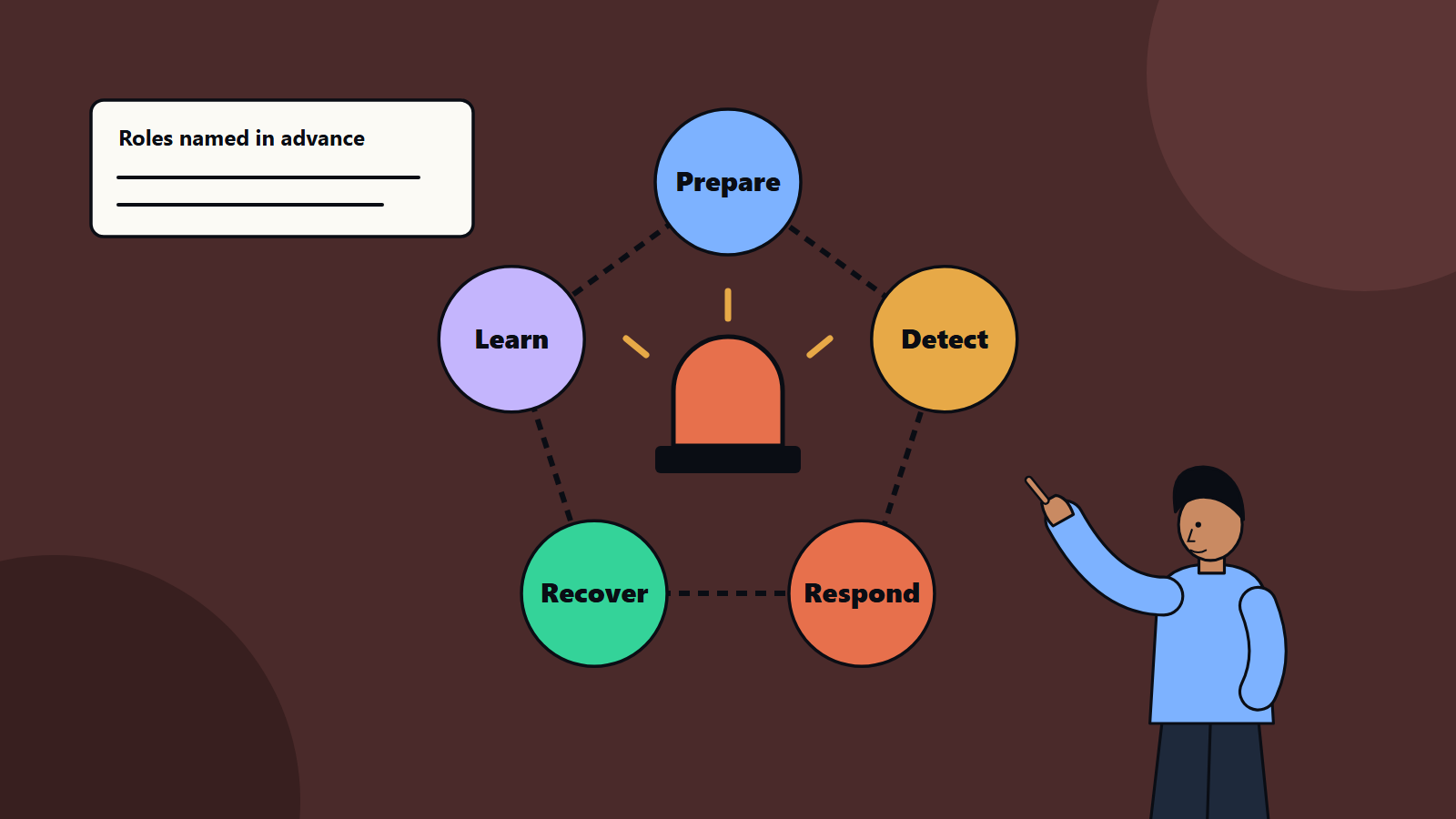
A common model has stages that repeat:
- Prepare: plan, train, equip and set up monitoring.
- Detect and analyse: spot signs, confirm an incident and assess scope and severity.
- Contain: stop the spread and limit damage.
- Eradicate: remove the cause, such as malware or compromised accounts.
- Recover: restore systems and data, and return to normal operation.
- Learn: review what happened, and improve.
Recent guidance integrates these activities into wider risk management, with learning feeding back into preparation.
Build the plan
1. Purpose, scope and authority
State what the plan covers and who approves it. Give the incident lead authority to take urgent actions, such as isolating systems, without waiting for committee approval.
2. Roles and responsibilities
Name people, with deputies, for:
- Incident lead: coordinates the response and decisions.
- Technical lead: investigates and carries out containment and recovery.
- Communications lead: manages messages to staff, customers, media and partners.
- Legal and compliance: advises on obligations, privilege and notifications.
- Executive sponsor: makes business decisions and approves major actions.
- People and operations contacts for staff matters and continuity.
- Scribe: records the timeline of facts, decisions and actions.
Small firms may combine roles. If you use an outside IT provider, include their contacts and agreed response times.
3. Severity levels
Define levels with examples and actions:
- Low: a single contained malware alert on one device. Handle through normal channels.
- Medium: a compromised account or a limited data exposure. Involve the incident lead.
- High: ransomware spreading, a confirmed breach of sensitive data or a critical service down. Activate the full team and the executive sponsor.
- Critical: a major incident with widespread impact, legal exposure or safety risk. Activate crisis management.
4. Detection and reporting
- Tell staff how to report suspicious activity, with one easy route such as a dedicated email address or phone number, and promise no blame for early reports.
- Collect logs and alerts from key systems. Our article on observability describes useful signals, and many apply to security monitoring.
- Define who watches alerts and how quickly they respond.
5. First-hour playbook
Write a short checklist:
- Confirm the incident, and note the time and source.
- Notify the incident lead and start the log.
- Contain: disconnect affected devices from the network, disable compromised accounts, block malicious addresses and isolate affected systems. Avoid powering off devices unless advised, since memory may hold evidence.
- Preserve evidence: keep logs, take images where feasible and record actions.
- Assess scope: which systems, accounts and data are affected?
- Decide whether to call outside help, such as a forensic specialist, the insurer or law enforcement.
- Brief leadership.
6. Playbooks for common incidents
Create one-page guides for the most likely scenarios, such as ransomware, phishing and credential theft, lost device, data exposure and business email compromise. Each includes detection signs, containment steps, who to call and recovery notes.
7. Communication plan
- Internal: what staff should and should not say, and how to avoid spreading rumours.
- Customers and partners: who tells them, when and in what words.
- Regulators: many laws require notification of certain breaches within set times, which differ by country and sector. Identify the duties that apply, the deadlines and who files.
- Insurers: policies often require prompt notice, and may require use of approved providers.
- Law enforcement.
- Media and social channels.
Our guide to corporate communications during a technology incident describes how to write clear updates.
8. Recovery
- Restore from clean backups, tested in advance. See our guide to backup strategy and the 3-2-1 rule.
- Rebuild affected systems from known-good images where compromise is suspected.
- Reset credentials, including service accounts and keys.
- Verify systems before reconnecting, and watch closely afterwards.
- Link to your disaster recovery plan for recovery objectives.
9. Post-incident review
Within a couple of weeks, hold a blameless review:
- What happened, and what was the timeline?
- How was it detected, and how fast?
- What worked, and what slowed us down?
- What was the root cause?
- What will we change: controls, training, tools, the plan?
Track actions to completion, and update the plan.
Tools and information to have ready
- An up-to-date contact list, kept offline and printed, with phone numbers for the team, IT provider, insurer, legal counsel, forensic specialists, bank and key suppliers.
- Network diagrams and an asset inventory.
- Access to logs, backups and administrative credentials stored securely and available in an emergency.
- A secure out-of-band communication channel, such as a separate messaging account, for use if email is compromised.
- Templates: incident log, customer notice, internal notice and regulator notification.
- Forensic and recovery retainers if you can afford them.
Preventive foundations
Good response starts with good hygiene: multi-factor authentication, patching, least privilege, tested backups and staff awareness. Our guides to cybersecurity for small business and zero trust security cover these.
Practise
- Walkthroughs: read the plan aloud, and check it makes sense.
- Tabletop exercises: a facilitator describes a scenario, such as ransomware on a Friday evening, and the team talks through each decision. Include leaders, communications, legal and IT. Record gaps.
- Technical drills: restore a system from backup, rotate credentials or isolate a device.
- Frequency: at least once a year, and after major changes.
Common mistakes
- A long plan nobody reads.
- No named backups for key roles.
- Contacts stored only on systems that may be down.
- Wiping systems before preserving evidence.
- Waiting for certainty before acting.
- Forgetting legal and regulatory deadlines.
- Never testing restores.
- No review after incidents.
A one-page plan skeleton
- Purpose and scope
- Roles with deputies and phone numbers
- Severity levels
- Reporting route
- First-hour checklist
- Playbook list
- Communication rules and notification duties
- Recovery references
- Review and exercise schedule
How SoftSapien supports incident readiness
SoftSapien helps organisations write practical plans, run exercises, improve monitoring and provide response support and recovery, for small firms and large enterprises. See our cybersecurity consulting and managed services.
To build or test your plan, use the contact page to chat with our team, send a message or schedule a free consultation call.
Frequently asked questions
What should an incident response plan include?
Purpose and authority, named roles with deputies, severity levels, a reporting route, a first-hour checklist, playbooks for likely incidents, communication and notification rules, recovery steps and a review schedule.
What should we do in the first hour?
Confirm the incident, notify the lead and start a log, contain by isolating devices and disabling compromised accounts, preserve evidence, assess scope and decide whether to call outside help.
How often should we practise?
At least once a year with a tabletop exercise, and after major changes, plus technical drills such as restoring from backup.
Do we have to notify regulators?
Many laws require notification of certain breaches within set times, which differ by country and sector, so identify your duties in advance and take legal advice.
Can SoftSapien help with response planning?
Yes, including exercises and response support. Contact SoftSapien through the contact page to chat with our team, send a message or schedule a free consultation call.