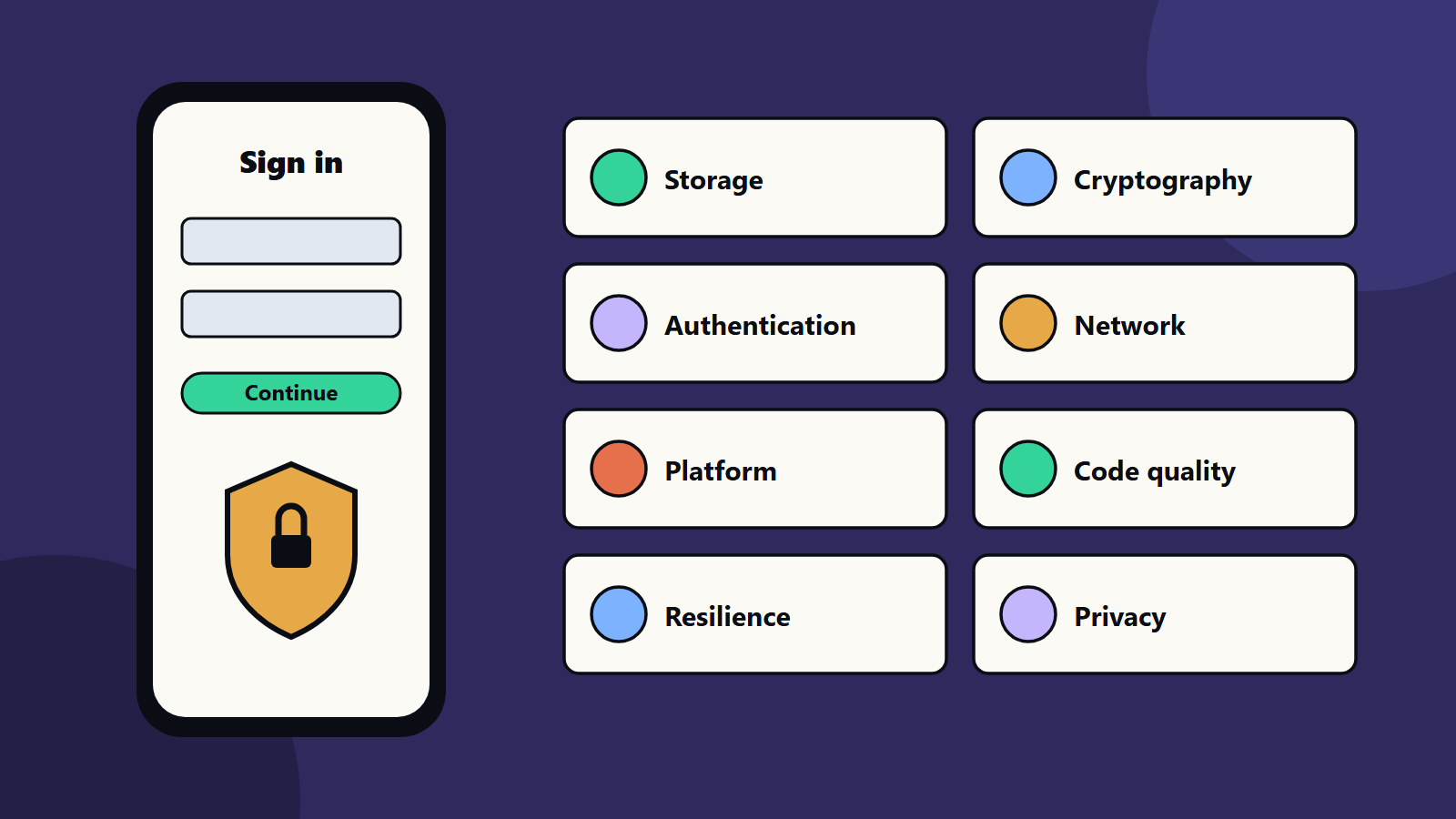
Short on time? Use the OWASP Mobile Application Security Verification Standard as your checklist. It groups requirements into storage, cryptography, authentication, network, platform interaction, code quality, resilience and privacy. Decide how deep to go for your risk level, build controls into design, test with the companion testing guide and repeat on every major release.
A phone holds a person’s messages, money, photos and location, and the apps on it reach into all of that. Mobile apps also run on devices that you do not control, which can be lost, rooted or infected. Security cannot be left to the end of a project.
This guide turns the OWASP Mobile Application Security Verification Standard, known as MASVS, into a practical checklist. It suits a small team shipping its first app and an enterprise managing a portfolio of apps for customers and employees.
Key takeaways
- MASVS is an open standard that groups mobile security requirements into control groups such as storage, cryptography, authentication, network, platform, code quality, resilience and privacy.
- Pick a depth that matches the risk of your app: a game and a banking app need different levels of assurance.
- Build controls into design and code, and verify them with the OWASP testing guide and your own tests.
- Server-side security matters as much as the app itself.
- Repeat checks with every major release and when libraries change.
What MASVS is
The OWASP Mobile Application Security project publishes MASVS as a standard of security requirements for mobile apps. Its control groups are:
- Storage: protecting data on the device.
- Cryptography: using cryptography correctly.
- Authentication and authorisation: proving who the user is and what they may do.
- Network communication: protecting data in transit.
- Platform interaction: using operating system features safely.
- Code quality: avoiding weaknesses in the code and its dependencies.
- Resilience: resistance to reverse engineering and tampering.
- Privacy: respecting user data and consent.
The same project also publishes a mobile application security testing guide, with Android and iOS tests organised by these categories, and a list of weaknesses. Use the standard to decide what to build and the testing guide to check that you built it.
Decide how deep to go
Not every app needs every control at the highest level. Ask:
- What data does the app handle: personal, financial, health or none?
- What could an attacker gain, and what would a breach cost users and the business?
- Which laws and standards apply in your markets?
- Is the app used in hostile settings, such as on shared or unmanaged devices?
Write down the decision. Apps handling payments or health data usually warrant the resilience controls, and a simple game or reference app may focus on the basics. Our guide to small business cybersecurity helps scale the effort.
A practical checklist
Storage
- Store the minimum data on the device.
- Use the platform’s secure storage for secrets and tokens, such as the Keychain on iOS and the Keystore on Android.
- Keep sensitive data out of logs, screenshots, backups, clipboards and analytics.
- Clear data on logout and when the app is removed where possible.
Cryptography
- Use well-established libraries and current algorithms, and never design your own.
- Generate keys securely, and keep them in hardware-backed stores where available.
- Do not hard-code keys or secrets in the app. Anyone can unpack a mobile app.
- Plan for algorithm change. See post-quantum cryptography.
Authentication and authorisation
- Authenticate on the server, and never trust the app to enforce access.
- Use proven flows such as OAuth with short-lived tokens and secure refresh.
- Support multi-factor authentication and biometrics through the platform.
- Re-check permissions for sensitive actions, and protect against brute force.
- Handle sessions safely, including expiry and revocation.
Network communication
- Use current transport encryption for every connection, and validate certificates.
- Consider certificate pinning for high-risk apps, and plan how to rotate pins.
- Avoid sending sensitive data in URLs.
- Treat all network input as untrusted, on both sides.
Platform interaction
- Request the minimum permissions, and explain why.
- Validate data received from other apps, links, deep links and intents.
- Be careful with web views: disable what you do not need and restrict content sources.
- Protect inter-app communication, and avoid exposing components unnecessarily.
- Mask sensitive screens in app switchers.
Code quality
- Keep the build tools, libraries and operating system targets current.
- Scan dependencies for known vulnerabilities, and keep a software bill of materials. See software supply chain security.
- Handle errors and exceptions without leaking details.
- Validate all input, and review code with security in mind.
- Build with debugging features turned off for release.
Resilience
For higher-risk apps, add layers that make tampering harder: detecting rooted or jailbroken devices, integrity checks, code obfuscation and anti-debugging measures. Treat them as speed bumps and never as the foundation. Determined attackers can bypass them, so keep critical logic and secrets on the server.
Privacy
- Collect only what you need, and explain it in plain language.
- Ask for consent where required, and honour choices.
- Follow platform store rules for data disclosure.
- Provide deletion and export routes where laws require them.
- Review third-party software kits, since they can collect data on your behalf.
Do not forget the back end
The app is one part of the system. Most serious breaches involve the servers and interfaces it talks to:
- Secure and test the APIs. See API-first strategy.
- Apply rate limits, input validation and monitoring.
- Segment and protect the cloud environment. See cloud security and the shared responsibility model.
- Apply zero trust principles to administrator access.
Test the app
- Threat model early: who attacks, what they want and how.
- Automated checks in the build pipeline: static analysis, dependency scanning and secrets detection. See our CI/CD starter pipeline.
- Manual testing with the OWASP testing guide, on real devices and with proxy tools.
- Independent penetration test before major releases or for high-risk apps.
- Bug reports channel so researchers can contact you.
- Monitoring after launch for abuse and unusual patterns.
Include security cases in your wider test automation strategy.
Native or cross-platform
The checklist applies to both. Cross-platform frameworks add their own libraries and bridges to review. See cross-platform versus native apps and progressive web apps versus native.
Common mistakes
- Secrets hard-coded in the app.
- Trusting the app to enforce permissions.
- Storing tokens in plain preferences.
- Disabling certificate checks during testing and shipping that way.
- Excess permissions.
- Old libraries with known flaws.
- Relying on obfuscation for security.
- No security testing before release.
A starting plan
- Classify the app’s risk, and pick the MASVS depth.
- Turn the control groups into a checklist for your team.
- Add dependency and secret scanning to the build.
- Test the highest-risk flows manually, and test the API.
- Review before each major release.
How SoftSapien supports mobile app security
SoftSapien’s mobile engineers and security consultants threat-model apps, build to the standard, test on real devices and APIs and support remediation and release reviews. See our mobile app development and cybersecurity consulting services.
To secure your app, use the contact page to chat with our team, send a message or schedule a free consultation call.
Frequently asked questions
What is OWASP MASVS?
It is an open standard from the OWASP Mobile Application Security project that groups mobile security requirements into control groups such as storage, cryptography, authentication, network, platform, code quality, resilience and privacy.
Do all apps need every control?
No. Choose the depth by risk. Apps handling payments or health data usually need the resilience controls, and simpler apps can focus on the basics.
Is obfuscation enough to protect an app?
No. It slows attackers and never replaces secure design. Keep critical logic and secrets on the server.
How should we test mobile security?
Threat model early, automate dependency and secret scans, test manually with the OWASP testing guide on real devices and run a penetration test before major releases.
Can SoftSapien help secure our app?
Yes, from design to testing. Contact SoftSapien through the contact page to chat with our team, send a message or schedule a free consultation call.