Short on time? Set a paid search budget from the other end: start with the number of qualified leads or sales you need, work back through conversion rates and cost per click, split spend across brand, high-intent and test campaigns, and review weekly. Daily budgets are averages that can vary, so watch monthly totals. Pause what does not convert, and scale what does.
Paid search can put a technology firm in front of buyers at the exact moment they look for a solution. It can also burn through a budget quickly on clicks that never turn into conversations. The difference is mostly planning and discipline.
This guide explains how to set, split and review a paid search budget for a B2B technology business. It suits a start-up spending a few hundred a month and a global provider running campaigns in many countries. It focuses on Google Ads concepts and applies to other search platforms too.
Key takeaways
- Work backwards from target leads and sales to a budget, using your own conversion rates and costs.
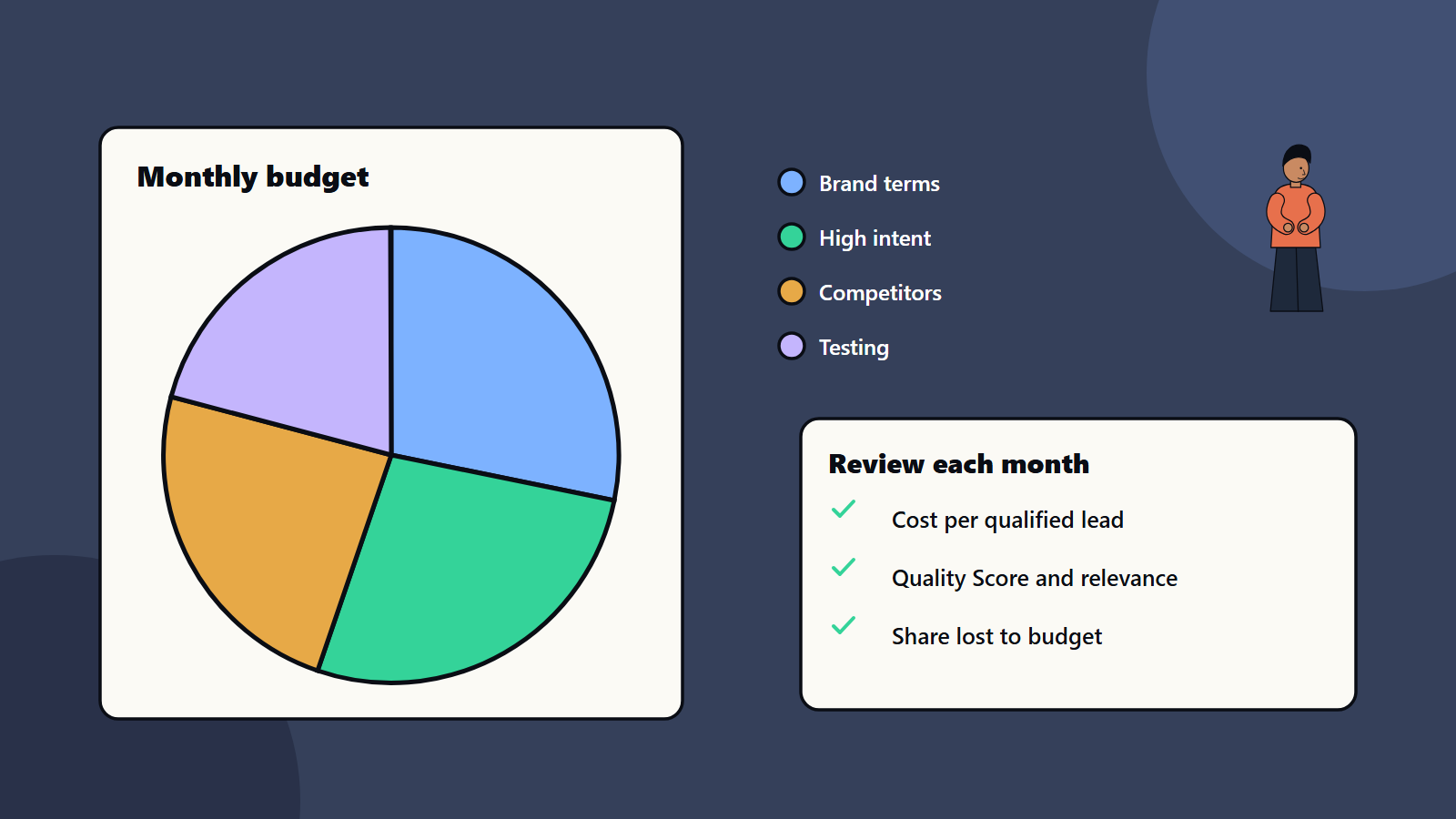
- Split spend by intent: protect brand terms, invest in high-intent terms and keep a small test budget.
- Google Ads daily budgets are averages, and spend can vary day by day within monthly limits.
- Quality, relevance and landing pages lower costs as much as bidding does.
- Measure cost per qualified lead and pipeline, since clicks alone mislead.
Work backwards from the goal
A simple model:
- Target: say you want ten qualified sales conversations a month.
- Lead to conversation rate: if one in four leads becomes a qualified conversation, you need forty leads.
- Visit to lead rate: if two in a hundred visitors submit a contact form, you need two thousand visits.
- Cost per click: if the average click costs three units, the clicks cost six thousand.
- Result: the budget required, and the cost per qualified conversation.
Use your own data where you have it, and cautious estimates where you do not. Compare the result with the value of a customer. If acquiring a customer costs more than they are worth over time, change the plan before spending. Our guide to the technology investment business case offers a method for this comparison.
How budgets work in Google Ads
Google’s help documentation explains that an average daily budget is the amount you set per campaign for each day, reflecting roughly what you are comfortable spending in a month. Key points from Google’s budget guidance:
- Google may spend less on some days and more on others, shifting spend toward days more likely to produce clicks and conversions.
- For most campaigns, daily spend will not exceed about twice the average daily budget.
- Monthly spend is capped at about 30.4 times the average daily budget for most campaigns.
- To convert a monthly budget, divide by 30.4.
So set the daily figure from your monthly plan, and watch the monthly total, since single days vary. Check the current rules in the help centre, as details can change.
Split the budget by intent
Dividing spend into groups keeps priorities clear:
- Brand terms: searches for your company name. They are cheap and convert well, and they defend against competitors bidding on your name. Keep them funded.
- High-intent terms: searches that show a buying need, such as a service plus an industry or a comparison query. This is usually the largest share.
- Mid-funnel and research terms: broader searches that build awareness, often with higher cost per lead. Fund them once the high-intent campaigns are working.
- Competitor terms: bidding on competitors’ names is allowed on many platforms but can be costly and has legal and ethical considerations, so check the rules and your own policy.
- Test budget: about ten to twenty percent for new keywords, ads and markets.
- Remarketing: reminders for people who visited and did not convert, with sensible frequency limits.
Keep separate campaigns, so that budgets and performance do not blur. Use keyword research to choose themes. See keyword research for B2B technology services.
Get more from every click
Costs fall when relevance rises. Google’s documentation describes Quality Score as a diagnostic score from one to ten at keyword level, made up of expected click-through rate, ad relevance and landing page experience. It is a guide to improve and never a goal in itself. To raise relevance:
- Match ads to searches: group tightly related keywords, and write ad text that mirrors the search.
- Use negative keywords: exclude irrelevant searches, such as jobs or free downloads, reviewing the search terms report weekly.
- Choose match types carefully: broader matching reaches more people and needs more monitoring.
- Landing pages: fast, clear, matched to the ad and with one obvious action. See Core Web Vitals and conversion rate optimisation.
- Ad extensions and assets: use them to give more information.
- Schedule and location: show ads when and where buyers are.
- Device checks: see how mobile and desktop convert.
Pick a bidding approach
- Manual or simple automated bidding while you have little conversion data.
- Conversion-based strategies once you have steady conversions, with a target cost per action, but give them time to learn and avoid frequent changes.
- Watch for automation that spends to the cap on poor-quality leads, and feed it better conversion signals, such as qualified leads as the signal, since many form fills are poor.
Track what matters
Without good tracking, budgets are guesswork.
- Set up conversions for form submissions, calls, demo requests and downloads. See GA4 setup and governance.
- Connect the customer relationship system, so that you can see which campaigns create qualified opportunities and revenue. See performance marketing attribution.
- Respect privacy law and consent rules for tracking in each market.
- Track lead quality: ask sales to mark leads as qualified or not.
Review rhythm
- Weekly: spend against plan, search terms, negative keywords and any disapproved ads.
- Monthly: cost per qualified lead, conversion rates by campaign, budget moves and test results.
- Quarterly: strategy, market and channel mix, and whether paid search still deserves its share.
Move budget from campaigns with weak results to those with strong ones, and stop tests that reach their sample without improvement. Look at lost impression share due to budget, which shows where more money would reach more buyers.
International campaigns
Costs and competition differ by country, as do languages, currencies, buying seasons and rules. Start with a few markets, set separate budgets and landing pages with local language and proof, and measure each on its own. See international SEO and hreflang for related site setup.
Common mistakes
- Setting a budget with no link to goals.
- One campaign for everything.
- Ignoring search terms reports.
- Sending traffic to the home page.
- Measuring clicks and form fills while qualified pipeline goes unchecked.
- Changing bids and budgets daily, so automation never settles.
- Running ads with no tracking.
- Forgetting brand protection.
A starting plan
- Work backwards from a sales goal to a monthly budget.
- Split it: brand, high intent and a test share.
- Build tight campaigns with matching landing pages.
- Set up conversion tracking tied to lead quality.
- Review weekly, adjust monthly and report cost per qualified lead.
How SoftSapien supports performance marketing
SoftSapien’s marketers plan budgets, build and optimise search campaigns, set up tracking and reporting and connect results to pipeline for technology businesses. See our performance marketing and search engine and AI services.
To plan your paid search, use the contact page to chat with our team, send a message or schedule a free consultation call.
Frequently asked questions
How do we set a paid search budget?
Work back from target sales conversations through lead and visit conversion rates and cost per click to the budget, then compare with customer value.
How do Google Ads daily budgets work?
The average daily budget is a campaign average. For most campaigns daily spend can reach about twice that figure, and monthly spend is capped at about 30.4 times the daily budget.
How should we split spend?
Protect brand terms, put most spend on high-intent terms, add mid-funnel terms once those work and keep ten to twenty percent for tests.
What should we measure?
Cost per qualified lead, conversion rates by campaign, lost impression share and pipeline as well as clicks.
Can SoftSapien help manage paid search?
Yes, from planning to reporting. Contact SoftSapien through the contact page to chat with our team, send a message or schedule a free consultation call.