Short on time? Plan server refresh from an inventory and a calm schedule. Track age, warranty, support dates, failure rates, performance, power use and software compatibility, then decide for each workload whether to replace, extend, virtualise or move to the cloud. Stagger purchases, budget for several years and test migrations before the old hardware fails.
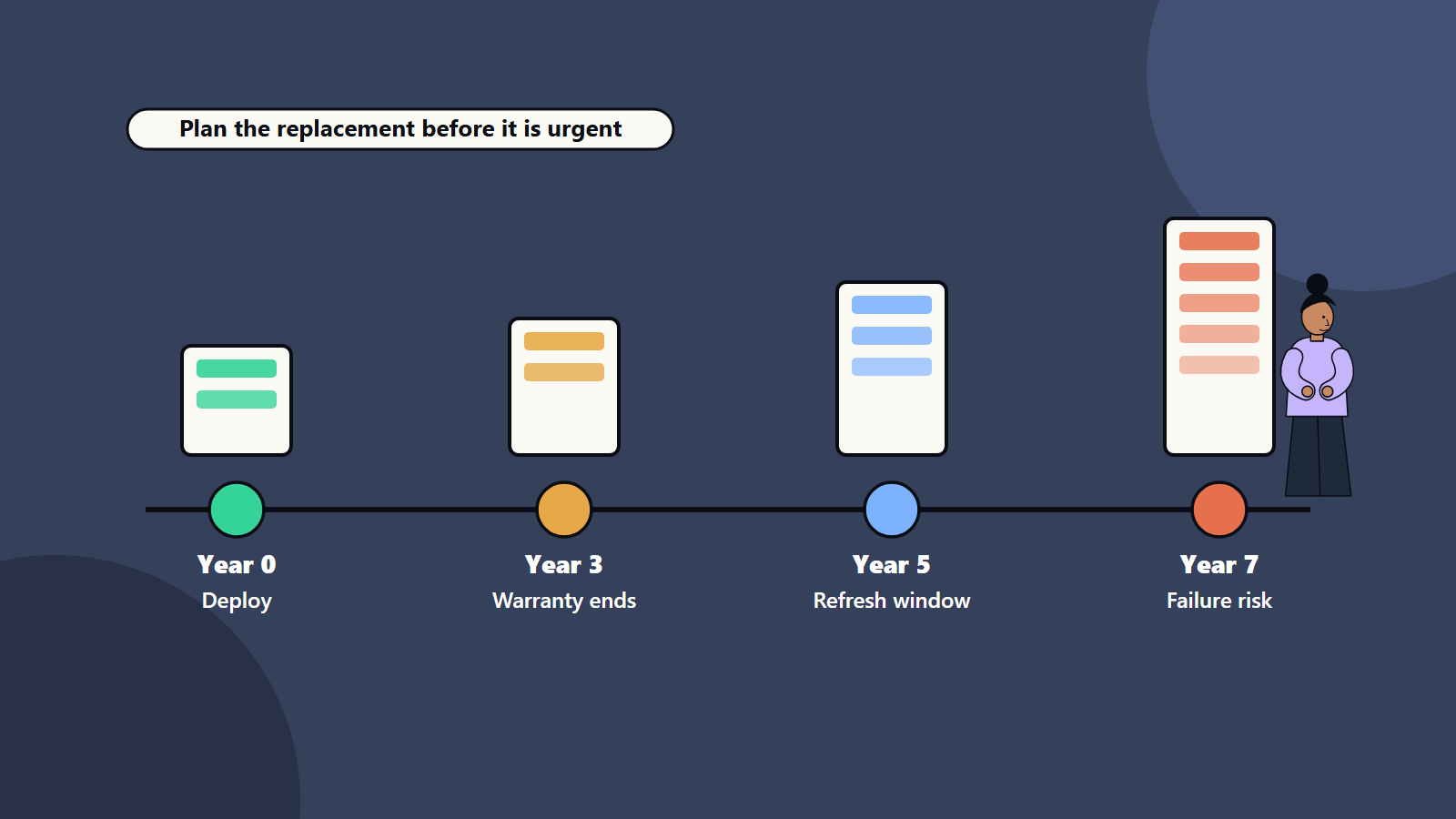
Servers do not announce their retirement. They run quietly for years, then a warranty lapses, a disk fails and the finance team receives an urgent request. Emergency purchases cost more, take longer to plan and carry more risk than a refresh that was scheduled.
This guide shows how to plan hardware replacement in plain terms. It suits a small office with one server cupboard, and an enterprise with several data centres.
Key takeaways
- Start with an accurate inventory: model, age, warranty, role, owner and criticality.
- Age is a guide. Failure rates, support end dates, performance and energy use decide the real timing.
- For each workload, choose among replace, extend, consolidate, virtualise or move to cloud.
- Stagger replacements to smooth cost and risk, and budget over several years.
- Test migrations, keep backups current and plan downtime with the business.
Why refresh matters
- Reliability: failure rates tend to rise as hardware ages, and parts become hard to find.
- Support: vendors set end-of-support and end-of-sale dates. After them, firmware fixes and replacement parts may stop.
- Security: old firmware and operating systems stop receiving patches. See our guide to small business cybersecurity.
- Performance: newer processors do more work per server, which can allow fewer machines.
- Energy and space: older hardware often uses more power per unit of work. See our guide to green IT.
- Compatibility: modern software may need newer processor features or drivers.
Build the inventory
Record for every server:
- Make, model, serial number and location.
- Purchase date, warranty and support contract end.
- Role and the applications it runs, with an owner for each.
- Business criticality and recovery requirements.
- Operating system and firmware versions.
- Utilisation: processor, memory, storage and network.
- Failure and incident history.
- Power draw and rack space.
- Software licences tied to the hardware.
Discovery tools can find unknown devices. Many organisations are surprised by machines nobody remembers.
Decide the right time
Use several signals together:
- Vendor lifecycle: check published end-of-support dates for each model.
- Warranty: extended warranty is often costly on old hardware.
- Failure trend: rising disk, memory and power supply replacements.
- Performance headroom: peak use close to capacity, or users complaining.
- Cost per workload: maintenance plus power plus space compared with a new system.
- Business change: growth, a new application or a planned migration.
A common rule of thumb is to review at three to five years of age. Treat it as a prompt for review, since workloads differ and some servers serve well for longer.
Options for each workload
- Replace like for like: simple, and often the right answer for specialised systems.
- Right-size and consolidate: virtualise several old servers onto fewer new ones.
- Extend: keep the hardware for a limited time with spares and extended support, when retirement is near.
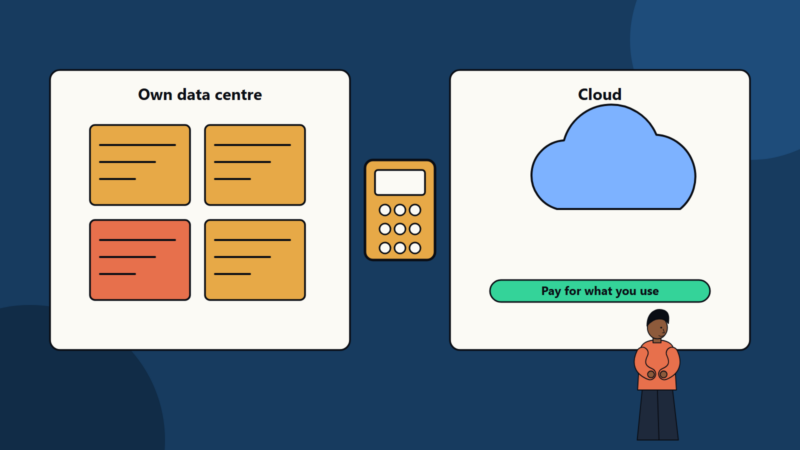
- Move to cloud: suits variable demand and workloads without special hardware needs. See our data centre versus cloud comparison and hybrid cloud architecture guide.
- Retire: switch off applications nobody uses.
- Modernise the application: when the software is the real problem. See legacy application modernization.
Build the budget
Include:
- Hardware, storage, networking and licences.
- Installation, migration and testing work.
- Decommissioning, data wiping and responsible disposal.
- Power, cooling and rack changes.
- Support contracts.
- Contingency for delays and surprises.
- Training for your teams on new platforms.
Spread replacements over several years, so the cost is steady and not a spike. Compare options on total cost over the system’s life. Our guides on technology investment business cases and cloud cost optimisation help build the case.
Run the migration
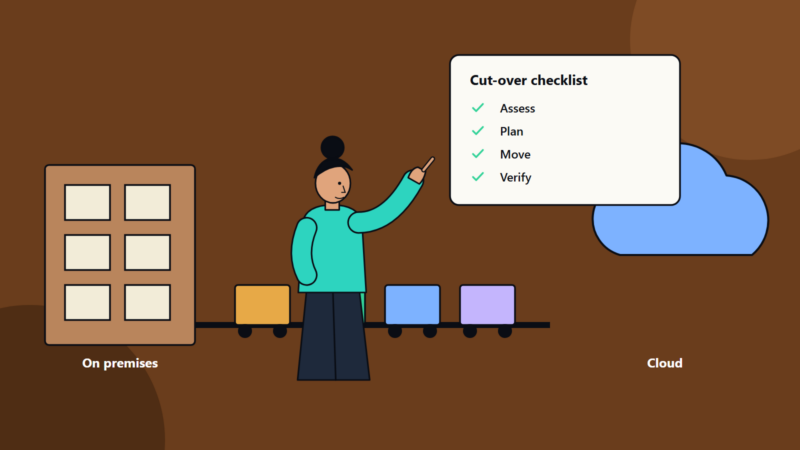
- Confirm backups, and test a restore. See backup strategy.
- Document dependencies: which systems talk to which.
- Choose a method: rebuild and move data, replicate the virtual machine or migrate the application. See our data migration checklist.
- Rehearse in a test environment.
- Agree downtime with the business, and pick a quiet window.
- Plan rollback, and keep the old system until the new one is proven.
- Cut over, verify and monitor.
- Decommission: wipe drives securely, update inventories and remove devices from monitoring and licences.
Resilience matters during the move. Our guides to high availability design and disaster recovery planning show how to avoid single points of failure.
Common mistakes
- Waiting for failure.
- No inventory, so critical machines are missed.
- Replacing by age alone.
- Buying the same sizes as before, with no review of real use.
- Ignoring licence terms tied to hardware.
- Skipping test migrations.
- Forgetting secure data wiping.
- No budget for the work around the hardware.
A starting plan
- Build or refresh the inventory this quarter.
- Rank servers by risk: age, support dates, criticality and failures.
- Choose an option for the top ten risks.
- Build a three-year schedule with budgets.
- Rehearse the first migration, and review lessons.
How SoftSapien supports server refresh
SoftSapien’s infrastructure engineers audit estates, plan refresh and consolidation, design cloud and hybrid targets and run migrations with testing and secure decommissioning. See our server and storage solutions and cloud and datacenter solutions services.
To plan your refresh, use the contact page to chat with our team, send a message or schedule a free consultation call.
Frequently asked questions
How often should servers be replaced?
Many organisations review at three to five years, but age is only a prompt. Support dates, failure trends, performance and energy use decide the real timing.
What are the options besides like for like replacement?
Consolidate and virtualise, extend with spares, move to cloud, retire unused applications or modernise the software.
What should a refresh budget include?
Hardware, licences, migration and testing, decommissioning and disposal, power and cooling changes, support contracts, training and contingency.
How do we migrate safely?
Confirm backups, document dependencies, rehearse, agree downtime, keep a rollback plan and decommission with secure data wiping.
Can SoftSapien help plan a refresh?
Yes, from audit to migration. Contact SoftSapien through the contact page to chat with our team, send a message or schedule a free consultation call.