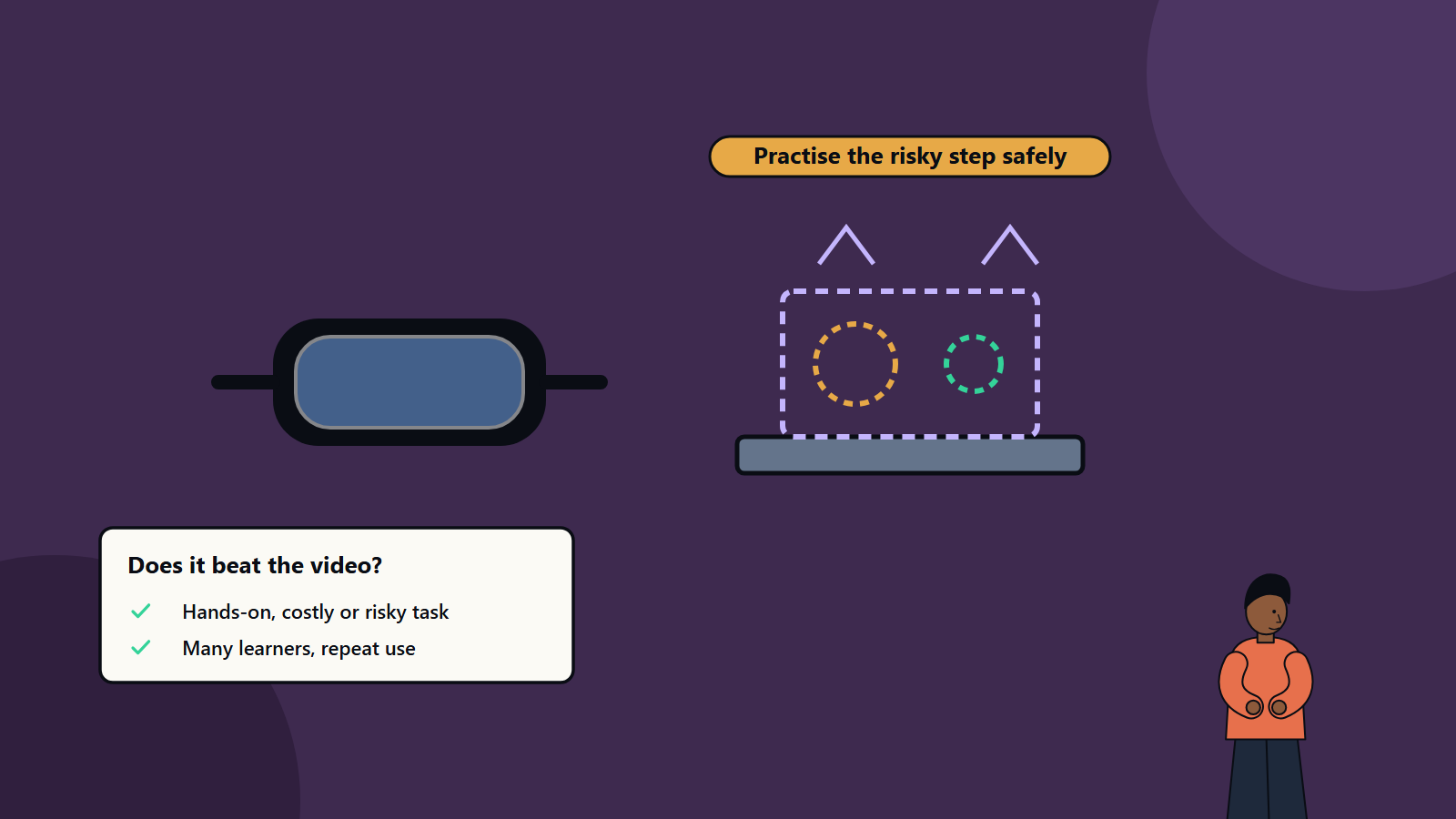
Short on time? Extended reality, covering virtual reality, augmented reality and mixed reality, earns its cost in training when the task is hands-on, risky, expensive to practise for real, rare or needs many learners to repeat it. For knowledge-only topics, video or e-learning is usually cheaper. Pilot with one scenario, measure learning and performance and plan content updates and device management.
A trainee electrician rehearses isolating a live panel without a spark. A new surgeon-assistant walks through a procedure room before ever entering one. A field engineer sees repair steps overlaid on the machine in front of them. Extended reality, or XR, makes such experiences possible.
It also makes it easy to spend heavily on a headset programme that nobody uses twice. This guide helps training and technology leaders judge where XR is worth the cost, how to build a programme that lasts and how to measure it. It suits a manufacturer, a healthcare provider, a utility, a retailer or a university.
Key takeaways
- XR includes virtual reality, which replaces the real world, augmented reality, which overlays information on it, and mixed reality, which blends the two.
- It suits training that is hands-on, dangerous, costly, rare or hard to coordinate in the real world, and where many people need practice.
- Content design, integration with existing learning systems and device management decide success. The headsets matter least.
- Measure learning outcomes and on-the-job performance, and compare with cheaper alternatives.
- Plan for safety, accessibility, privacy and content maintenance.
The terms
- Virtual reality (VR): a fully immersive digital environment, usually through a headset that blocks out the real world.
- Augmented reality (AR): digital content overlaid on the real world, through a phone, tablet or smart glasses.
- Mixed reality (MR): digital objects that interact with the real world, anchored to surfaces and responding to the environment.
- Extended reality (XR): the umbrella term.
Standards help avoid lock-in. OpenXR, from the Khronos Group, is a free, open specification that offers shared programming interfaces, so one XR application can run on many AR and VR hardware platforms. Before such standards, developers maintained separate proprietary code for each headset. Ask suppliers about support for open standards.
Where XR earns its cost
High-risk or hazardous tasks
Working at height, electrical isolation, confined spaces, chemical handling, firefighting and emergency response. Learners can fail safely and repeat as often as needed.
Expensive or scarce equipment
Aircraft, heavy machinery, medical devices and laboratory equipment cost a lot to take out of service for training. A virtual copy allows many people to practise without tying up the real asset.
Rare or hard-to-recreate situations
Emergency scenarios, equipment failures, crisis communications and unusual customer situations. XR can create them on demand.
Procedural and spatial skills
Assembly, maintenance, inspection and surgical steps, where learners benefit from seeing and doing in three dimensions.
Soft skills
Difficult conversations, public speaking, de-escalation and customer service practice with virtual characters. Evidence is growing, and quality of design matters a lot.
Onboarding and orientation
Virtual tours of facilities, safety walk-throughs and a first look at equipment before day one.
Field guidance
AR overlays that guide technicians through steps, show hidden components or connect them to a remote expert who sees what they see. This blurs training and performance support.
Design and review
Teams review products and plants in a shared virtual space, which also helps train people on new layouts. Our article on digital twins explains how virtual models of real assets are built and used.
Where XR does not pay
- Knowledge transfer: facts, policies and concepts are usually learned more cheaply through reading, video and e-learning.
- Tasks that are simple, cheap and safe to practise for real.
- Small numbers of learners and one-off sessions, where development cost cannot be spread.
- Rapidly changing content that would need constant rework.
- Environments with many learners prone to motion sickness or unable to wear headsets, without alternatives.
- Programmes without support: if nobody owns scheduling, devices and content, headsets gather dust.
A practical test: would the learner benefit from physically moving, seeing in three dimensions and acting on objects? If not, simpler media may do.
Build the business case
Consider both sides.
Costs:
- Content design and development, which is often the largest cost, either custom or bought as off-the-shelf modules.
- Hardware: headsets, controllers, computers, tablets or smart glasses, plus spares and accessories.
- Software licences, platforms and learning system integration.
- Space for training, and cleaning and hygiene supplies for shared headsets.
- Facilitators and technical support.
- Updates to content and software, and device refresh.
Benefits:
- Reduced travel, equipment downtime and trainer time.
- Fewer accidents, errors and rework.
- Faster time to competence.
- Higher retention and confidence.
- Consistency across sites.
- Ability to train for rare events.
- Better data on learner performance.
Compare against the current approach and against cheaper digital alternatives. Our guide to building a technology business case offers a structure.
Design good XR training
- Start with learning objectives and the real task. The technology serves the outcome.
- Involve subject experts and learners in design and testing.
- Keep sessions short, often ten to twenty minutes, with breaks.
- Support learners: clear instructions, guidance and feedback, with hints that fade as skill grows.
- Include assessment: record actions, errors and time, and give structured debriefs.
- Match fidelity to need: high-quality visuals and physics where they matter, simpler elsewhere.
- Use comfortable movement and design to reduce motion sickness.
- Support groups and instructors: shared sessions, observer views and the ability to pause and replay.
- Blend with other learning: briefing before, practice in XR, reflection and real-world follow-up after.
- Plan accessibility: seated options, subtitles, adjustable text, alternatives for those who cannot use headsets and support for different physical abilities.
Technology choices
- Standalone headsets are easy to deploy and manage in numbers. PC-tethered headsets offer higher fidelity for demanding simulations.
- Mobile AR on phones and tablets lowers the entry cost for guidance and visualisation.
- Smart glasses suit hands-free field work.
- Platforms and engines: common game engines and specialist authoring tools. Consider open standards and portability.
- Learning system integration: connect to your learning management system for enrolment, tracking and certification, using standard formats.
- Device management: enrol devices in a management system, control apps, push updates and set locks, especially for shared fleets.
- Networking and security: reliable wireless coverage, controlled access and protection of learner data.
Safety, privacy and ethics
- Physical safety: clear space, supervision and limits on session time.
- Health: screen for conditions where appropriate, and allow learners to stop at any time.
- Data privacy: headsets and sensors can capture movement, eye tracking and voice. Be transparent, limit collection, secure data and follow privacy laws.
- Hygiene: cleaning procedures for shared equipment.
- Fairness: do not use XR performance data in ways that mislead or disadvantage staff without clear policy.
Measure results
- Learning: knowledge and skill assessments before and after.
- Performance: error rates, time to complete tasks and safety incidents in the job.
- Engagement: completion, repeat use and learner satisfaction.
- Efficiency: cost per trained person, trainer time and equipment downtime saved.
- Business outcomes: quality, safety and productivity indicators.
Use a control group where practical, and report honestly.
Start small
- Pick one training need with clear business value and a suitable profile.
- Set learning and business measures.
- Choose between buying existing content and building custom modules.
- Pilot with a small group, and gather feedback.
- Integrate with your learning system and support processes.
- Review results, and decide whether to extend, adjust or stop.
Common mistakes
- Buying headsets before choosing the training problem.
- Building spectacular demos with no learning design.
- Ignoring content maintenance.
- No ownership for device management and scheduling.
- Overlooking accessibility and motion comfort.
- Measuring novelty and satisfaction only.
- Expecting XR to replace all other training.
How SoftSapien supports XR projects
SoftSapien designs and builds XR training and guidance applications, integrates them with learning and enterprise systems and supports device fleets, with a focus on measurable outcomes. See our XR development services.
To assess a training need, visit the contact page and chat with our team, send a message or schedule a free consultation call.
Frequently asked questions
When is XR training worth the cost?
When the task is hands-on, risky, expensive to practise for real or rare, and many learners need repeat practice. Knowledge-only topics are usually cheaper through video or e-learning.
What is the difference between VR, AR and MR?
VR replaces the real world with a digital one, AR overlays digital content on the real world and MR lets digital objects interact with real surroundings.
What is OpenXR?
An open specification from the Khronos Group offering shared interfaces so one XR application can run on many AR and VR hardware platforms.
How do I measure XR training results?
Compare learning assessments, on-the-job error and safety rates, time to competence and cost per trained person against the current approach, ideally with a control group.
Can SoftSapien build XR training?
Yes, with measurable outcomes. Contact SoftSapien through the contact page to chat with our team, send a message or schedule a free consultation call.