Short on time? A cloud exit strategy is a plan for how you would move away from a provider, on your terms. Know your dependencies, keep data in open formats, agree exit terms in the contract, test a restore elsewhere and decide which services need portability. You may never leave, and having the plan lowers risk and improves your bargaining position.
Moving to the cloud feels like a one-way trip. Over time teams adopt special services, store large volumes of data and build skills around one platform. Then a price rises, a rule changes or a better option appears, and leaving looks impossibly hard.
A cloud exit strategy keeps that choice open. This article explains how to plan for change without giving up the benefits of the cloud you use. It suits a small business with one cloud account and an enterprise with many.
Key takeaways
- A cloud exit strategy is a documented, tested plan for moving workloads or data away from a provider.
- Lock-in comes from data volume, special services, skills and contracts.
- Not every workload needs full portability, so rank them by risk and value.
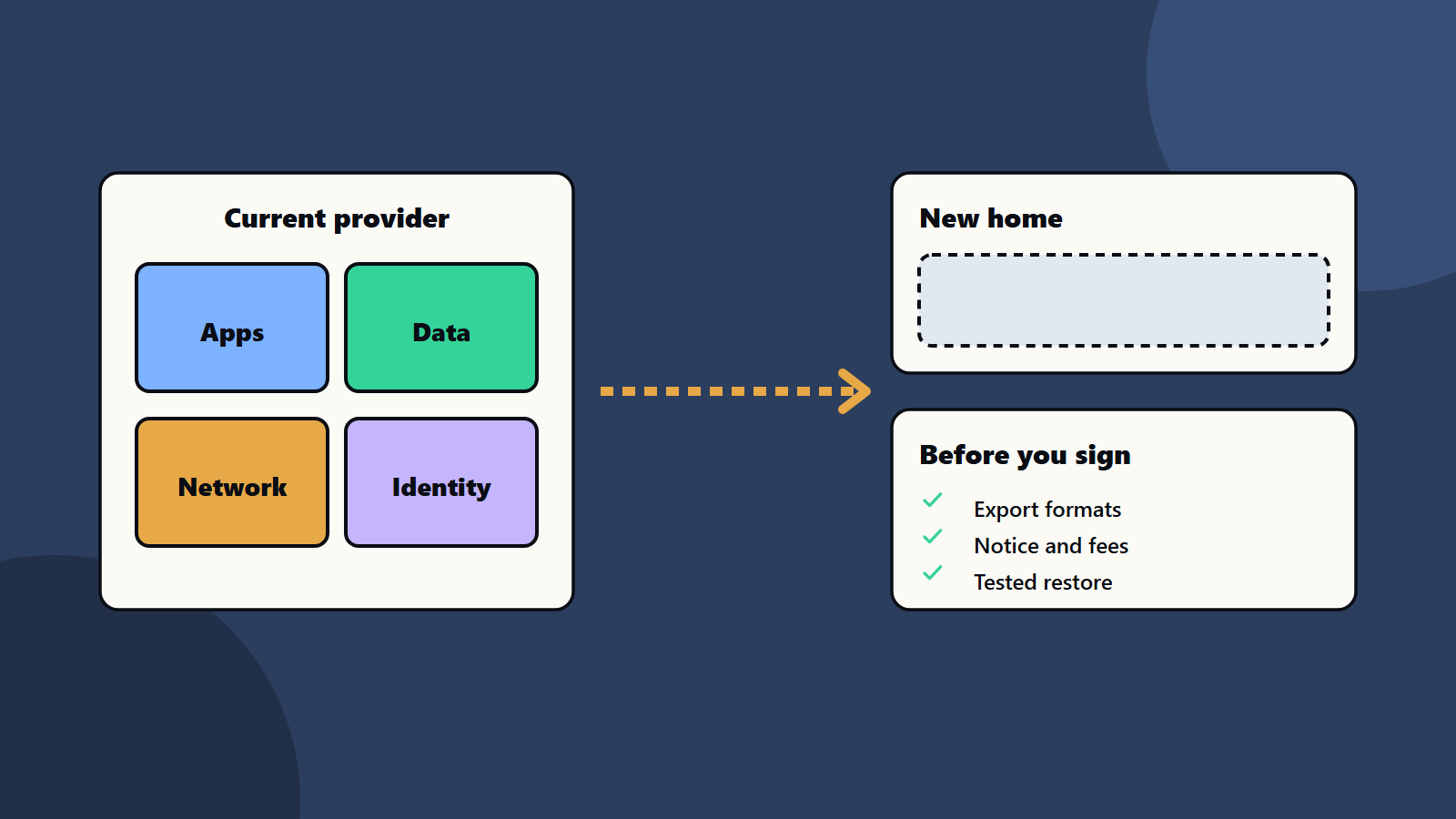
- Contracts should cover data return, notice, fees and help with transition.
- Test the plan, since an untested plan is a guess.
Why plan an exit
- Commercial: price changes or poor service.
- Regulatory: rules on data location, outsourcing and concentration risk, especially in finance and public sectors.
- Strategic: mergers, new markets or a better fit elsewhere.
- Resilience: a major outage, or a provider that fails or leaves a market.
- Negotiation: a credible alternative improves your terms.
In the European Union, the Data Act aims to help customers switch between cloud and data processing providers. The European Commission’s page on the Data Act says it entered into force on 11 January 2024 and applies from 12 September 2025. Rules in other regions differ, so check what applies to you and take legal advice.
Where lock-in comes from
- Data gravity: large volumes are slow and costly to move out.
- Special services: databases, queues and AI tools that exist only on one platform.
- Identity and networking: accounts, policies and network designs built around one provider.
- Skills: teams trained on one set of tools.
- Contracts: long commitments, discounts tied to spend and fees for data transfer.
- Integration: other systems wired to specific interfaces.
Some lock-in is a fair price for speed and value. The aim is to know it and choose it.
Build your cloud exit strategy
1. Map what you run
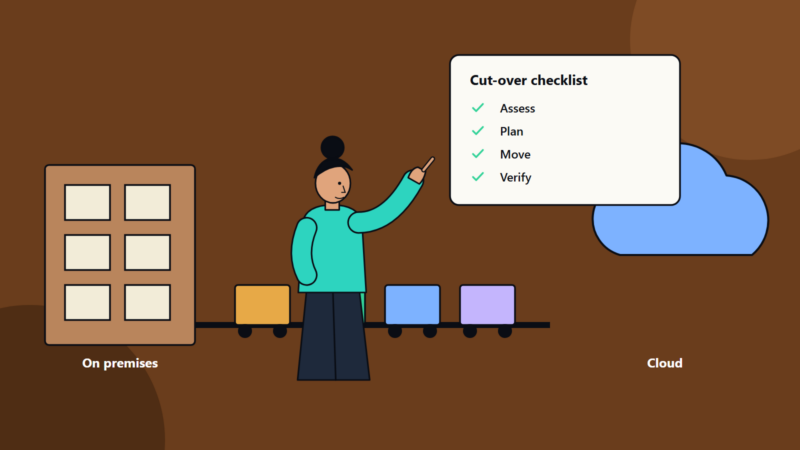
List workloads, data stores, services used, owners, data volumes, dependencies and recovery needs. Our guides to cloud landing zones and cloud cost optimisation show how good records help.
2. Rank by exit need
Score each workload on business criticality, regulatory pressure, difficulty of moving and cost of lock-in. Plan full portability only for the highest scores. For others, a documented, slower exit may be enough.
3. Choose your portability level
- Level one: data portability. Keep regular exports in open formats, and prove you can read them.
- Level two: workload portability. Use containers, standard databases and infrastructure as code, so workloads can run elsewhere. See infrastructure as code and Kubernetes for decision makers.
- Level three: active multi-cloud. Run across providers. This is costly, so use it where the risk justifies it. See multi-cloud strategy and hybrid cloud architecture.
4. Design to limit lock-in
- Prefer open standards and widely supported tools.
- Wrap special services behind your own interfaces.
- Keep data models and business logic separate from platform features.
- Keep configuration and infrastructure in code.
- Record the reason for each special service you choose.
5. Fix the contract
Ask for, or negotiate:
- Data return in open formats within a stated time.
- Notice periods and the right to leave without penalty in set cases.
- Clear fees for data transfer out, and for any help.
- Support during transition and continued service while you move.
- Audit and certification rights.
- Subcontractor and location rules.
See managed services contracts and vendor management.
6. Test it
- Restore a backup in a different environment.
- Run one workload on another platform for a day.
- Time the data export, and check it is complete.
- Check access, keys and identity.
- Record what broke, and fix it.
Use disaster recovery drills as a base. See disaster recovery planning.
Count the cost
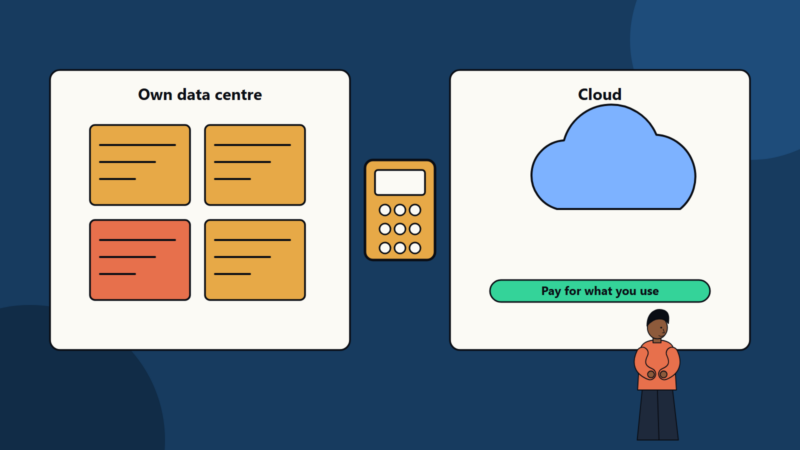
Compare staying with leaving: transfer fees, duplicate running costs during the move, engineering time, retraining, new licences and the risk of downtime. Our data centre versus cloud comparison explains total cost thinking.
Governance
- Name an owner for the exit plan.
- Review it every year, and after large changes.
- Report to the board on concentration risk where relevant.
- Keep a list of key dates: renewals, notice deadlines and commitment ends.
<!– expanded –>
What the big cloud and regulatory sources say
Several large sources shape good practice here.
The Google Cloud Well-Architected Framework lists six pillars: operational excellence, security, privacy and compliance, reliability, cost optimisation, performance optimisation and sustainability. An exit plan touches almost all of them. It proves you can operate the workload, protect data, recover it and understand its cost.
The Kubernetes documentation explains how a Deployment replaces old copies of an application with new ones at a controlled pace and can roll back to an earlier revision. Container platforms of this kind are one reason many teams can move workloads between providers with less effort, as long as they avoid provider-specific extras.
The European Commission’s page on the Data Act says the rules aim to let customers switch between cloud and data processing providers. It entered into force on 11 January 2024 and applies from 12 September 2025. Check the current text and your own situation with legal advice.
Finance regulators in many regions also expect firms to plan for the failure or exit of critical suppliers, so the topic is increasingly a governance matter as well as a technical one.
A worked example: an online retailer
This example is illustrative.
A retailer runs its shop on one cloud provider. The provider will raise prices next year, and the board asks: “Could we move?”
Step 1: inventory. The team lists fifteen workloads. Six are critical: shop, payments, stock, search, reporting and identity.
Step 2: score. They rate each on criticality, difficulty to move and lock-in. The search service uses a provider-specific database, and reporting uses a provider-specific warehouse. The shop runs in containers.
Step 3: choose levels.
- Shop and payments: level two, workload portability.
- Stock and identity: level one, data portability with tested restore.
- Search and reporting: documented exit plans with rough effort, and a decision to replace the special services over two years.
Step 4: act.
- Weekly exports of the main databases in open formats to a second storage account.
- Infrastructure in code, tested in a second region.
- A contract review that adds data return terms and a transfer fee cap.
Step 5: test. In a quarterly exercise, they restore the shop in a different environment and time it. The first test takes three days, and fixes bring it to one.
Outcome: the board gets a clear answer, with cost, time and risk for each workload, and the team gains a stronger negotiating position.
Three kinds of exit
- Planned exit: you choose the time. Plenty of time lets you move in stages and run both sides for a while.
- Forced exit: a contract ends, a rule changes or a provider changes terms. You have weeks or months.
- Emergency exit: the provider has a major failure or an account is blocked. You have days. Backups and restores are the main tool.
Write a short plan for each. The emergency plan is the one you hope never to use, and the one that matters most.
A staged timeline for a planned move
- Months one to two: inventory, scoring and a target design.
- Months three to four: build the landing zone in the new place, with identity, network and monitoring. See cloud landing zones.
- Months four to six: copy data and run test workloads.
- Months six to nine: move workloads in waves, lowest risk first. Keep the old environment ready for rollback.
- Month ten: retire the old environment, delete data securely and close accounts and contracts.
Use a migration checklist for each wave. See cloud migration checklist and data migration checklist.
Questions to ask your provider
- In what formats can we export our data, and how fast?
- What are the fees for moving data out?
- How long do you keep data after we leave, and how do you delete it?
- Which of your services have open equivalents?
- Can we have a written exit plan as part of the contract?
- How do you support customers who move to another provider?
- What happens to our access and logs after termination?
Small business and enterprise views
- Sole trader or small business: keep copies of your data outside the main provider, use common formats and know where your domain, email and backups live. A full multi-cloud set-up is rarely worth it.
- Mid-size company: use containers and infrastructure as code for the key workloads, review contracts at renewal and run one restore test a year.
- Enterprise: keep an exit plan per critical service, review concentration risk, report to the board and test regularly.
Costs and trade-offs
An exit-ready design can cost more up front, since you avoid some convenient services and spend time on tests. Weigh it against the cost of being stuck. See multi-cloud strategy, hybrid cloud architecture and data centre versus cloud for the larger design choices.
Regional and regulatory notes
Look at rules on outsourcing, operational resilience and data location in each country where you operate. Public bodies and regulated industries often have extra duties. Keep documents that show your plan and your tests, since auditors may ask for them.
Common mistakes
- Treating exit as a sign of disloyalty to the provider.
- Planning for full portability everywhere.
- Never testing a restore.
- Ignoring transfer fees.
- Signing long commitments with no exit terms.
- Letting skills sit with one person.
A starting plan
- List your top ten workloads and their dependencies.
- Set exit levels for each.
- Start regular exports of key data in open formats.
- Review the main contract for exit terms.
- Run one test and refresh your cloud exit strategy yearly.
How SoftSapien supports cloud exit planning
SoftSapien’s cloud engineers and consultants build a cloud exit strategy, review contracts, design portable workloads and run migration tests across single, hybrid and multi-cloud setups. See our cloud and datacenter solutions and multi-cloud solutions services.
To keep your options open, use the contact page to chat with our team, send a message or schedule a free consultation call.
Frequently asked questions
What is a cloud exit strategy?
A documented, tested plan for how you would move workloads or data away from a provider on your terms, whether the exit is planned, forced or an emergency.
Do we need to be multi-cloud?
Usually not. Rank workloads, and plan full portability only where the risk justifies the cost.
What should the contract say?
Data return in open formats, notice periods, clear transfer fees, transition support, continued service during the move and audit rights.
How do we know the plan works?
Test it. Restore a backup in a different environment, time a data export and fix what breaks.
Can SoftSapien help plan an exit?
Yes, from inventory to tests. Contact SoftSapien through the contact page to chat with our team, send a message or schedule a free consultation call.