Short on time? A cloud landing zone is the prepared, governed foundation that every workload lands in: account structure, identity, networking, logging, security baselines, policies, tagging and cost controls. Build the guardrails first, automate the creation of new accounts, keep workload teams free to deploy inside them and review the design as you grow. It prevents sprawl, reduces risk and speeds up every later project.
Many organisations start in the cloud informally. One team opens an account with a credit card, another follows and a third puts customer data in a storage bucket with default settings. A year later there are dozens of accounts, inconsistent security, no clear owner for costs and a lot of cleaning up to do.
A landing zone prevents this by preparing the ground before workloads arrive. It sets standards once, and every new project inherits them. This guide explains what a landing zone contains, how to design and build one and how to run it, for a small company with a single cloud and an enterprise spanning providers and regions.
Key takeaways
- A landing zone is a governed, secure, multi-account or multi-subscription foundation, built before or alongside the first workloads.
- It separates platform capabilities, managed centrally, from workload environments, owned by teams within guardrails.
- Core areas: identity and access, account structure, networking, security, logging and monitoring, policy, cost management and automation.
- Use infrastructure as code and provider accelerators to build it quickly and consistently.
- Start with the essentials, and evolve with a platform team and clear ownership.
What it is
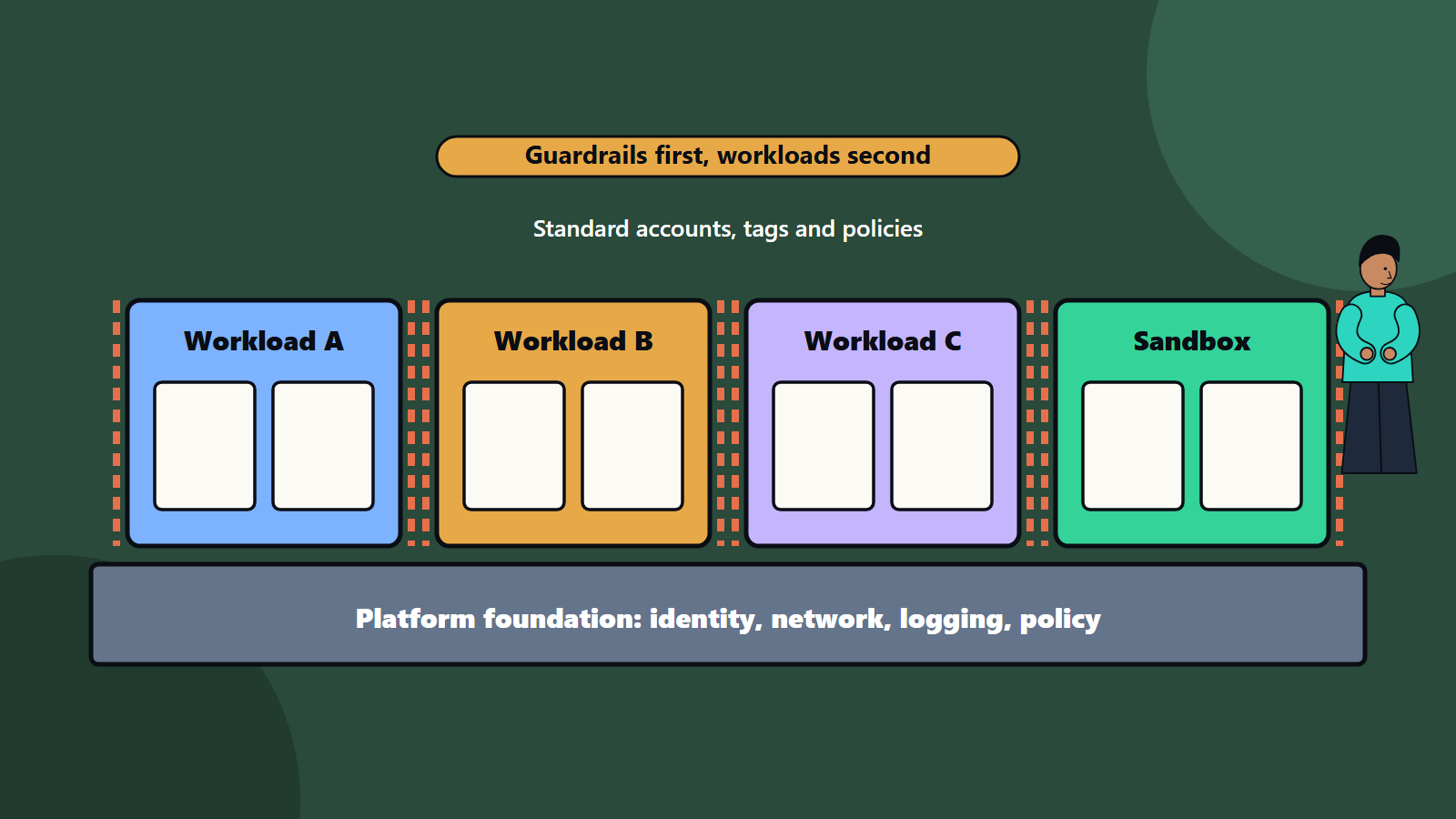
Microsoft’s Cloud Adoption Framework describes an Azure landing zone as a proven and flexible architecture for governing, securing and scaling a multi-subscription environment. It has two components: a platform landing zone, the centralised foundation that establishes governance, security and shared resources for all workloads, and workload landing zones, the environments where workload teams deploy and operate their resources within the guardrails of the platform. The guidance notes that a platform landing zone organises resources through a management group hierarchy, provides centralised resources only where there is clear governance, operational or economic benefit, and needs a repeatable process for requesting, creating and distributing workload landing zones to teams. Each workload landing zone holds all the environments a workload needs, such as development, test and production, and inherits policies from the hierarchy above it.
Other providers describe comparable foundations using their own names for accounts, organisations, folders and projects. The concept is the same on every major platform: standard structure, standard controls and a repeatable way to create new environments.
Why you need one
- Consistent security: every account starts with required controls, such as logging, encryption defaults and restricted public access.
- Governance at scale: policies apply automatically across many accounts.
- Speed: teams get compliant environments in minutes, with no weeks of negotiation.
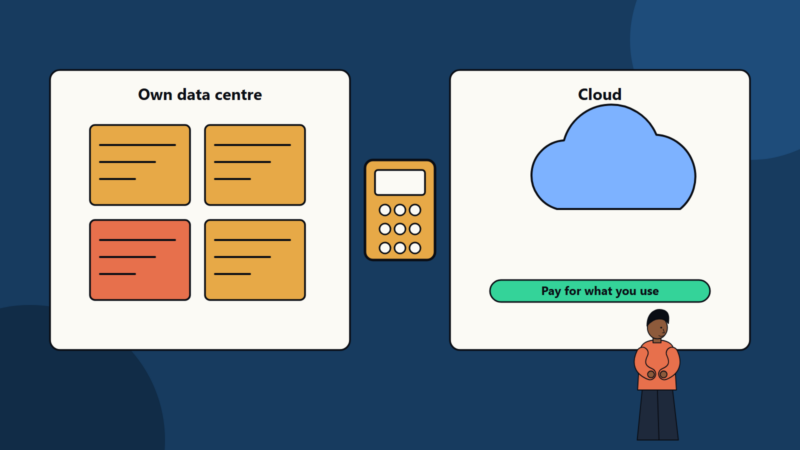
- Cost visibility: tagging, budgets and cost allocation from the start. See our cloud cost optimization checklist.
- Isolation: separate accounts limit the blast radius of mistakes and attacks.
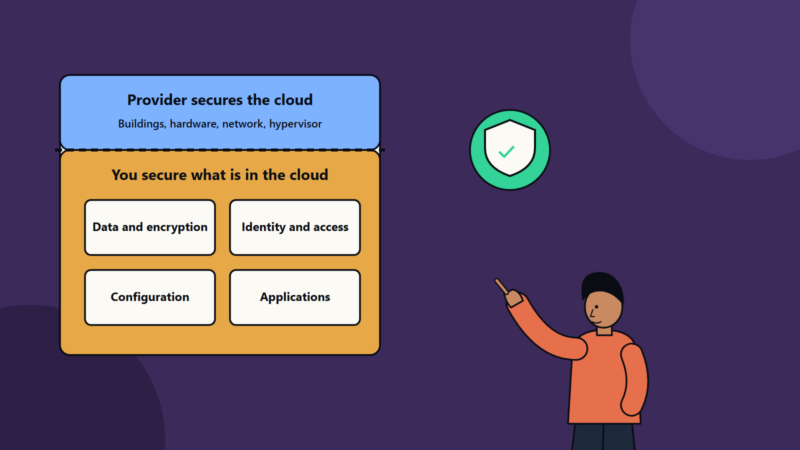
- Compliance: evidence and controls are easier to show. See our guide to the shared responsibility model.
- Scalability: new teams and workloads fit the same pattern.
- Reduced rework: it is far cheaper to build the foundation first than to retrofit it.
Design areas
1. Organisation and account structure
Decide how to group environments:
- A hierarchy of groups that mirrors how the organisation governs: platform and security, shared services, production workloads, non-production, sandbox and decommissioned.
- Separate accounts or subscriptions for each workload and environment, so that development cannot touch production.
- A plan for naming, ownership and lifecycle.
- A process for requesting a new account, often called account or subscription vending, ideally automated.
2. Identity and access management
- Connect the cloud to your central identity provider, with single sign-on.
- Require multi-factor authentication, and stronger methods for administrators.
- Use role-based access with least privilege, and separate duties for platform administrators, security reviewers and workload teams.
- Avoid long-lived keys. Use temporary credentials and workload identities.
- Protect the root or owner accounts with strong controls, and keep them for emergencies.
- Review access regularly.
3. Network design
- Choose a topology: hub-and-spoke, with shared services in a central hub, or a managed global network service.
- Plan address ranges across clouds and on-premises sites to avoid overlap.
- Provide connectivity to on-premises through private links or encrypted tunnels, with redundancy. See our guide to hybrid cloud architecture.
- Control internet ingress and egress through central inspection points where needed.
- Segment workloads and environments, with default-deny rules.
- Set up private access to platform services, and design DNS.
- Consider resilience across zones and regions. See our guide to high availability design.
4. Security baseline and guardrails
- Mandatory controls applied through policy, such as encryption on storage, blocked public storage, allowed regions and approved services.
- Central security monitoring and threat detection, with alerts to a security team.
- Vulnerability scanning and posture management.
- Secrets and key management, with clear key ownership.
- Standard security groups and firewall rules.
- Logging of administrative activity to a protected, central location.
- Incident response procedures for the cloud. See our guide to incident response planning.
5. Governance and policy
- Policy as code that defines what is allowed, audited or denied, applied at the top of the hierarchy and inherited.
- Standards for tagging: owner, cost centre, environment, application and data classification.
- Approval routes for exceptions.
- Resource quotas and limits.
- Compliance mappings for regulations that apply, with evidence collection.
- Data residency rules about permitted regions. See our guide to data residency and sovereignty.
6. Operations and monitoring
- Central logging, metrics and alerting, with agreed formats.
- Backup standards and retention.
- Patch and update management for virtual machines.
- Monitoring of service health and quotas.
- Defined support model: what the platform team handles and what workload teams own.
7. Cost management
- Budgets and alerts per account and team.
- Required tags, and reports by owner.
- Policies that prevent very expensive resource types without approval.
- Regular reviews and optimisation routines.
8. Automation and delivery
- Define the landing zone as infrastructure as code, in version control, with review and testing. See our guide to infrastructure as code.
- Provide pipeline templates and golden paths for workload teams. See our guide to platform engineering.
- Automate account creation with baseline configuration applied.
- Test changes to the foundation in a separate environment before rollout.
Build versus accelerator
Providers offer ready-made accelerators and reference implementations that deploy a recommended landing zone using infrastructure as code. For most organisations they give the quickest start, and they can be customised. A fully custom build offers more control and takes longer. A common route is to start from an accelerator, adapt it to your policies and then own it.
Multi-cloud and hybrid
If you use more than one provider, define common principles, such as identity, tagging, logging and policy standards, and implement them per cloud with consistent tooling where possible. Avoid forcing identical designs that ignore each platform’s strengths. Our guide to multi-cloud strategy covers when it is worth the complexity.
Rolling it out
- Gather requirements: security, compliance, networking, operating model, cost and growth plans.
- Decide the design: structure, identity, network, security and policy, with architecture review.
- Build the platform landing zone through code, starting with essentials.
- Pilot with one or two workloads, and gather feedback.
- Add account vending and templates, so teams can self-serve.
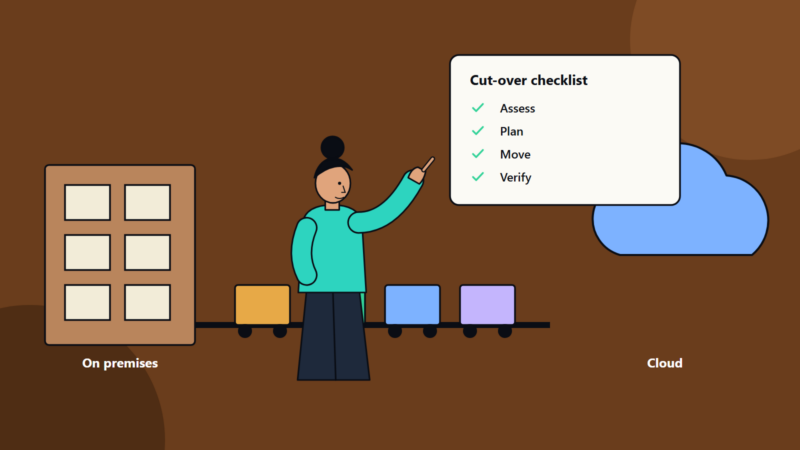
- Migrate or onboard workloads, following the migration plan. See our cloud migration checklist.
- Operate and improve: a platform team owns the roadmap, handles support and reviews controls.
Governance and ownership
- A platform team with a product mindset, serving workload teams.
- A cloud governance board or forum for policy decisions, kept light.
- Clear decision rights: who can change guardrails, who approves exceptions.
- Documentation and training so teams understand the rules and why they exist.
- Metrics: time to provision an account, policy compliance, incidents, cost variance and team satisfaction.
Common mistakes
- Starting with workloads and promising to add governance later.
- A single account for everything.
- Too many manual steps for new accounts, so teams bypass the process.
- Over-restrictive guardrails that block legitimate work.
- No tagging standard, so costs cannot be allocated.
- Weak identity setup and shared administrator accounts.
- No ownership of the platform after launch.
- Copying a reference design without adapting it.
A minimal viable landing zone
For a small company, a sensible start is: a separate account for production and non-production, central identity with multi-factor authentication, central logging, a few key policies, a network design that can grow, budgets and tags, and everything defined in code. Add layers as you grow.
How SoftSapien supports landing zones
SoftSapien designs and builds landing zones on major cloud platforms, sets up the automation and governance around them and supports teams through migration and operation. See our cloud and datacenter solutions and multi-cloud solutions.
To plan your foundation, visit the contact page to chat with our team, send a message or schedule a free consultation call.
Frequently asked questions
What is a cloud landing zone?
A governed, multi-account foundation for the cloud, with a central platform layer for governance, security and shared services and workload environments that inherit its policies.
Why build one before workloads?
It gives consistent security, automatic policy, faster provisioning, cost visibility and isolation, and it is far cheaper than retrofitting a foundation later.
Should we build or use an accelerator?
Provider accelerators give the quickest start and can be customised. A fully custom build offers more control and takes longer.
What is a minimal landing zone for a small company?
Separate production and non-production accounts, central identity with multi-factor authentication, central logging, a few key policies, budgets and tags, all defined in code.
Can SoftSapien build our landing zone?
Yes, on major clouds. Contact SoftSapien through the contact page to chat with our team, send a message or schedule a free consultation call.