Short on time? Game audio responds to play. Plan sound early, choose between the engine’s built-in audio and audio middleware, organise sounds into buses with a mix hierarchy, set loudness targets for each platform, build adaptive music from layers and transitions and test on real speakers and headphones. Budget memory and processor time for audio like any other system.
A film soundtrack is fixed. A game soundtrack is a performance that changes with every player, every fight and every quiet moment. Footsteps depend on the surface, music rises when danger appears and a voice line must be heard over an explosion without hurting anyone’s ears.
This guide explains the main parts of game audio for producers, designers and developers: tools, mixing, music, memory and testing. It applies to a small mobile game and a large console release.
Key takeaways
- Sound design starts with a list of what the game needs to communicate, from feedback to atmosphere.
- Audio middleware gives sound designers tools to build behaviour without code, and the built-in engine audio can be enough for simple games.
- Organise sounds into groups with a mix hierarchy and rules, so important sounds are heard and levels stay consistent.
- Adaptive music uses layers, stems and transitions to follow the action.
- Memory, streaming, processor use and platform differences need budgets and testing.
Plan the sound
Begin with purpose. Audio does several jobs:
- Feedback: confirms actions, such as a hit, a pickup or a menu click.
- Information: warns of an unseen enemy, shows health state or points to a direction.
- Atmosphere: builds a place, a time and a mood.
- Emotion: music and voice give the story weight.
- Identity: distinctive sounds make a game memorable.
Write an audio design document that lists the sound categories, the style references, the technical limits and the platforms. Involve audio early, since late additions are rushed and hard to mix.
Engine audio or middleware
Most engines include basic playback, mixing and effects, and that may suit a small project. Audio middleware is specialist software that sits between the game and the sound hardware. It gives sound designers a dedicated tool to:
- Build sound events with randomisation, layering and variation.
- Control parameters, such as speed, health or surface type, that change sounds in real time.
- Design mixes with buses, effects, ducking and snapshots.
- Create adaptive music systems.
- Profile memory and processor use.
- Test and tune without a full game build, and without programmer help for each change.
Several middleware products exist, and many offer licences that scale with budget, so check each vendor’s current terms. Programmers integrate the middleware once, and designers then iterate on their own, which speeds up production. Weigh the cost, the learning curve, platform support and your team’s experience. Our guide to game engines covers how engine choice affects the tool chain.
Sound design practices
- Use variation: a footstep that repeats exactly sounds mechanical. Combine several recordings with small random changes in pitch and volume.
- Layer: build an explosion from a sharp impact, a low rumble and a tail, so you can balance each part.
- Respond to context: change reverb by room, filter sounds behind walls and alter footsteps by surface.
- Use distance and positioning: volume, filtering and panning help players locate sources, especially in 3D games.
- Keep sounds clear: a few important sounds should stand out, and constant loudness erases contrast.
- Own the source material: record your own sound, use licensed libraries or commission work. Check licences for commercial use, and keep records.
Mixing
A mix is the balance between all sounds. Without planning, the loudest effect wins and dialogue gets lost.
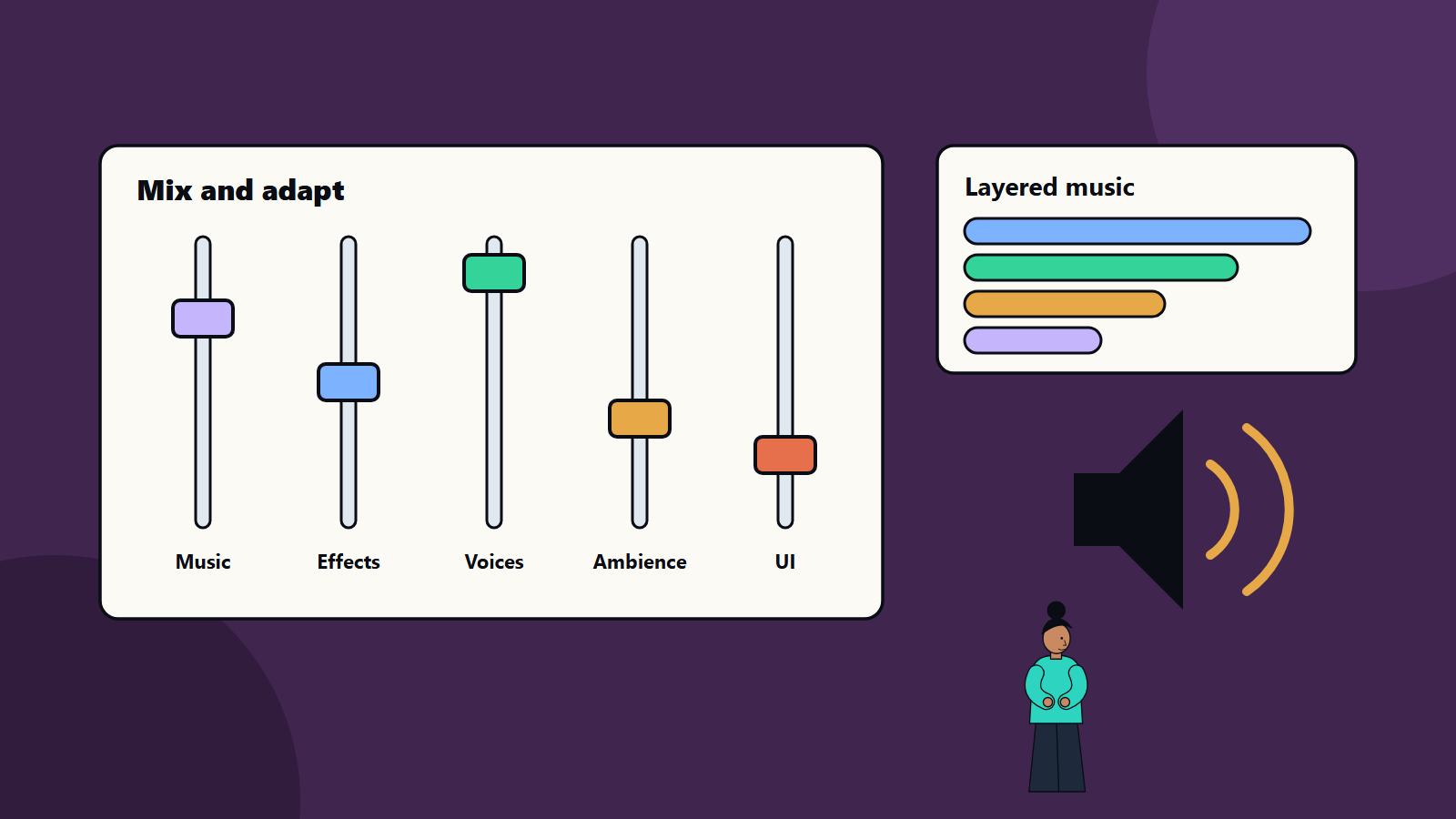
- Buses: group sounds into categories, such as music, effects, dialogue, ambience and interface, and route them through buses with their own volume and effects.
- Priority and ducking: when dialogue plays, lower music and ambience briefly. Limit how many similar sounds play at once, and drop the least important.
- Dynamic range: loud moments feel loud only if quiet moments exist. Players using small speakers or night-time headphones need a mode with a narrower range.
- Loudness targets: pick a target level for each platform and listening mode, and measure with a loudness meter. Platform holders and stores may publish recommendations, so check their documentation.
- Snapshots: saved mix states for situations like menus, pause, combat or underwater.
- Mix in context: listen during real play as well as in the editor.
Adaptive music
Adaptive music changes with the game. Common techniques:
- Vertical layering: several stems play together, and layers fade in and out as tension changes. A calm exploration track gains percussion when enemies appear.
- Horizontal sequencing: short sections are joined in different orders, with transitions on musical boundaries such as bar lines.
- Stingers: short musical hits for events like a discovery or a defeat.
- Parameter-driven music: variables such as danger, health or speed control volume, filters and tempo.
- Silence: space between pieces is part of the design.
Composers need to write with adaptation in mind: matching keys and tempos across layers, creating loopable sections and planning transitions. A good brief lists the game states, the emotional goals and the technical constraints, and the team tests transitions during play.
Voice and dialogue
- Write for the ear, and keep lines short and varied.
- Plan recording, direction and editing, with consistent levels and quality.
- Prepare for localisation: leave time and memory for more languages, and plan for lines that run longer in other languages.
- Add subtitles and options that help players with hearing loss. See our guide to game accessibility.
- Give players separate volume controls for dialogue, music and effects.
Technical budgets
- Memory: uncompressed audio is large. Use compression, choose sample rates sensibly and stream long files such as music from disk, and avoid loading them whole.
- Voices: set a maximum number of simultaneous sounds per platform.
- Processor: effects such as reverb and complex filters cost time. Budget them in the frame and check on the weakest platform. See our guide to PC game optimisation.
- Loading and latency: keep the delay between action and sound short, especially for rhythm and shooting games.
- Platform differences: mobile devices have small speakers, interruptions from calls and silent switches, and consoles have specific audio and output requirements. See our guide to console game development.
Testing
- Listen on laptop speakers, a television, a cheap phone and good headphones.
- Play at low volume and at high volume.
- Test the mix at the loudest moments, with many sounds at once.
- Test interruptions: phone calls, the game going to the background and headphones being unplugged.
- Test long sessions for audio glitches and memory growth.
- Include audio in the QA plan, with a checklist per build. See game testing and QA.
Common mistakes
- Treating audio as a final polish step.
- No mix hierarchy, so important sounds get buried.
- Repeating the same sound with no variation.
- Music that cannot change smoothly with play.
- Unchecked loudness differences between menus and gameplay.
- Ignoring memory and voice budgets.
- Unclear licences for sound libraries and music.
- No volume options for players.
A starting plan
- Write a one-page audio design that lists sound categories and platforms.
- Choose engine audio or middleware, and integrate it early.
- Build a bus structure and loudness target before adding many sounds.
- Prototype adaptive music for one level with two or three layers.
- Add audio checks to each build and each QA pass.
How SoftSapien supports game audio
SoftSapien’s game developers and audio specialists plan sound systems, integrate middleware, build mixes and adaptive music behaviour and test across devices for mobile, PC and console titles. See our game development and QA and testing services.
To plan your game’s sound, use the contact page to chat with our team, send a message or schedule a free consultation call.
Frequently asked questions
Do we need audio middleware?
Not always. Built-in engine audio can suit a simple game. Middleware gives designers tools for events, parameters, mixing and adaptive music without code changes for each tweak.
What is adaptive music?
Music that changes with the game, using layered stems, sections joined on musical boundaries, stingers and parameters such as danger or speed.
How do we keep dialogue clear?
Use buses, priority and ducking so music and effects lower when dialogue plays, and offer separate volume controls.
How should we test game audio?
Listen on laptop speakers, a television, a phone and headphones, at low and high volume, and test interruptions and long sessions.
Can SoftSapien help with game audio?
Yes, with planning, integration and testing. Contact SoftSapien through the contact page to chat with our team, send a message or schedule a free consultation call.