Short on time? Zero downtime deployments let you release new software while users keep working. The main methods are rolling updates, blue-green switches and canary releases. Pair them with health checks, safe database changes, feature flags and a fast rollback. Start with one service, and practise rollback before you need it.
Few customers accept “the site is down for maintenance” any more. Shops, banks and games run all day, and so do their users. Yet teams still need to ship fixes and features often.
Zero downtime deployments solve this. This guide explains the main methods in plain words. It suits a small team with one application and a large firm with hundreds of services.
Key takeaways
- Zero downtime deployments replace old versions gradually or switch traffic in one step.
- Rolling, blue-green and canary releases each suit different needs.
- Health checks, monitoring and fast rollback make them safe.
- Database changes need extra care, so make them in small, compatible steps.
- Practise the whole process in a test environment first.
Why it matters
- Users never see an outage.
- Teams can ship small changes often, which lowers risk.
- Releases move out of late-night windows.
- Problems are found early, with fewer users affected.
Our guide to DORA delivery metrics shows how frequent, safe releases link to better performance.
Method one: rolling update
A rolling update replaces old copies of an application one by one with new ones. Kubernetes describes this for its Deployments: a new set of pods is scaled up while the old set is scaled down, so pods are replaced at a controlled rate. You can check progress, and you can roll back to an earlier revision if the new one is unstable. See the Kubernetes Deployment documentation.
Good for: most web services with several copies running.
Watch for: old and new versions running together for a while, so they must work with the same data and interfaces.
Method two: blue-green
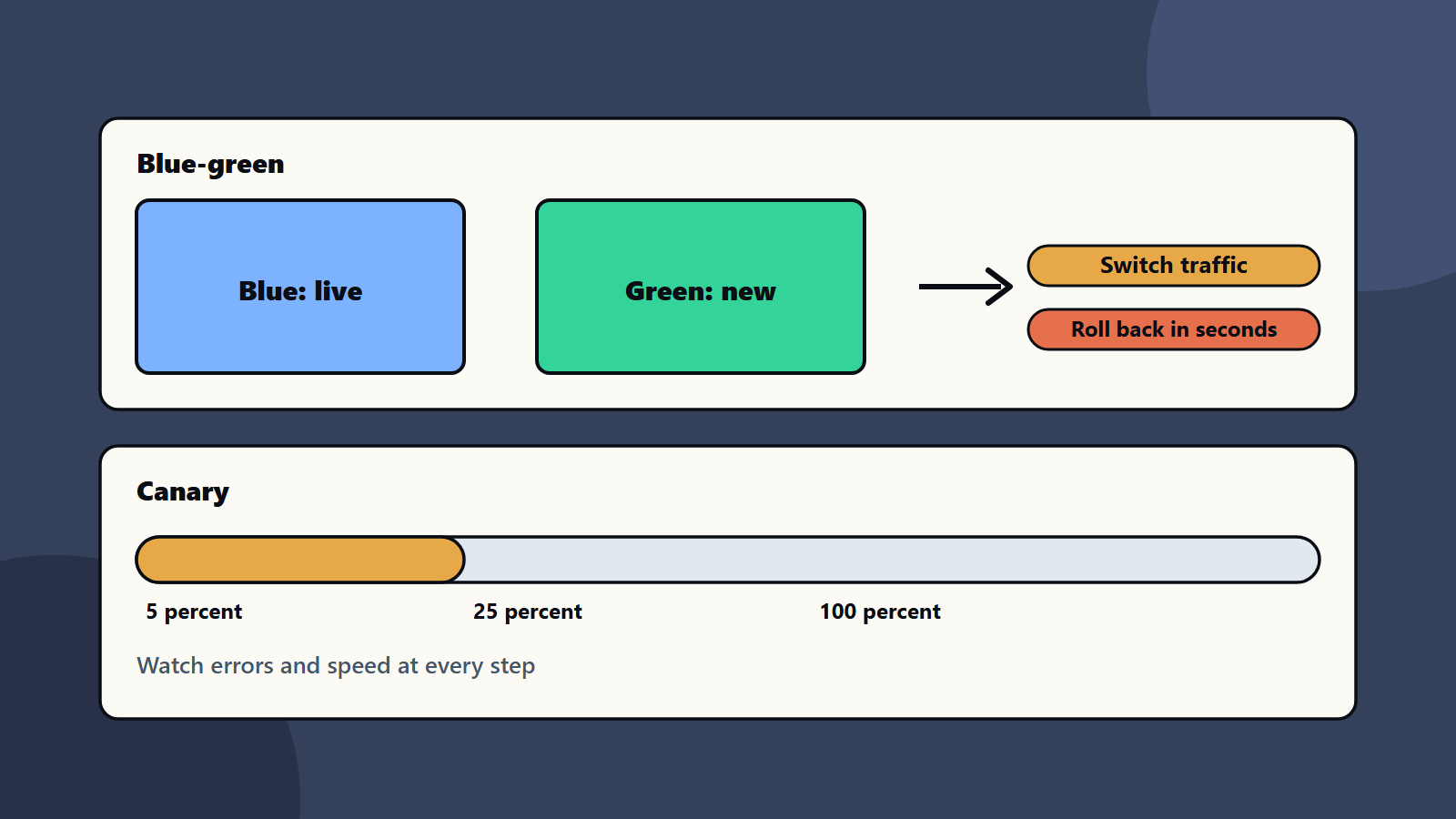
You keep two identical environments. Blue is live. You deploy the new version to green, test it, and then switch traffic from blue to green. If something goes wrong, you switch back.
Good for: big changes, and cases where fast rollback matters.
Watch for: the cost of running two environments, and shared data that both must handle.
Method three: canary
You send a small share of users to the new version, such as five percent. You watch errors and speed. If all is well, you raise the share to twenty-five percent, then all. If not, you send everyone back.
Good for: risky changes and large user bases.
Watch for: you need good monitoring to judge the canary, and routing that can split traffic.
Feature flags
A feature flag turns a feature on or off without a new deployment. You can ship code switched off, then enable it for your own team, then for a few users, then for all. If it fails, you turn it off. Flags separate “deploy” from “release”, which lowers stress.
Remove old flags to keep code clean.
Make the app ready
- Health checks: tell the platform when an instance is ready and when it is healthy.
- Graceful shutdown: let running requests finish before a copy stops.
- Stateless design: keep user sessions outside the app copy. See serverless or containers and Kubernetes for decision makers.
- Backward-compatible interfaces: new versions must work with old clients for a while. See API-first strategy.
- Infrastructure as code: repeatable environments. See infrastructure as code.
Handle the database
Databases are the hard part. Use the expand and contract pattern:
- Expand: add new columns or tables without removing old ones.
- Migrate: write to both, and copy old data.
- Switch: move reads to the new structure.
- Contract: remove the old structure after the old version is gone.
Never ship a change that breaks the old version while it is still running. Test migrations on a copy of real data. See our data migration checklist.
Watch and roll back
- Track error rate, latency, traffic and business measures such as checkouts.
- Set automatic checks that stop a rollout when numbers go wrong.
- Keep the old version ready.
- Practise rollback in a test environment.
- Hold a short review after every failed release.
Set targets with SLOs and error budgets, and use observability to see what is happening.
Add it to your pipeline
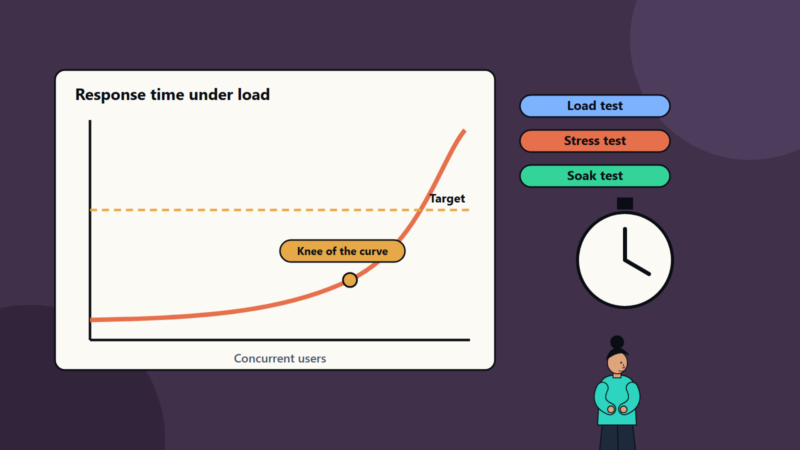
Automate build, test, deploy and checks. See our CI/CD starter pipeline. Add automated tests and performance checks before traffic moves. See performance testing.
Common mistakes
- Database changes that break the old version.
- No health checks, so traffic hits unready copies.
- Never practising rollback.
- A canary with no monitoring.
- Long-lived feature flags.
- Releasing on Friday with nobody watching.
A starting plan
- Pick one service with several copies.
- Add health checks and graceful shutdown.
- Set up a rolling update and test rollback.
- Add a canary step with automatic checks.
- Make zero downtime deployments the default for every release.
How SoftSapien supports zero downtime deployments
SoftSapien’s DevOps engineers design release pipelines, set up rolling, blue-green and canary methods, plan safe database changes and run monitoring for zero downtime deployments. See our DevOps and managed services offerings.
To release without outages, use the contact page to chat with our team, send a message or schedule a free consultation call.
Frequently asked questions
What are zero downtime deployments?
Release methods that update software while users keep working, such as rolling updates, blue-green switches and canary releases.
What is a canary release?
You send a small share of users to the new version, watch errors and speed, and raise the share step by step or send everyone back.
Why are database changes hard?
Old and new versions may run together, so changes must stay compatible. Use expand and contract steps and test migrations on real data copies.
Do we need feature flags?
They help a lot, since you can ship code switched off and release it to more users gradually, then turn it off fast if needed.
Can SoftSapien help set up release pipelines?
Yes, with DevOps engineering. Contact SoftSapien through the contact page to chat with our team, send a message or schedule a free consultation call.