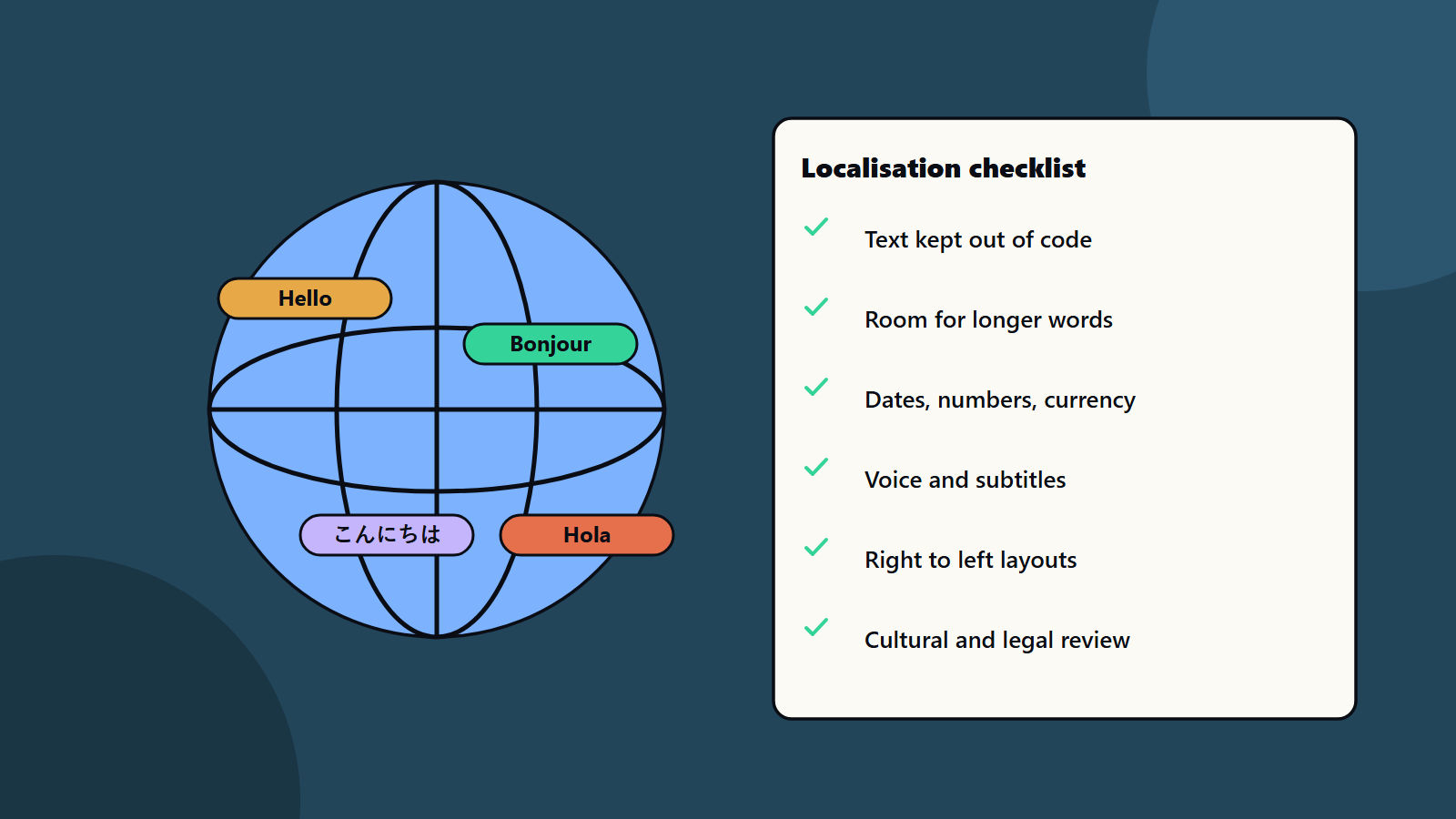
Short on time? Game localisation adapts your game for players in other regions. It covers text, voice, images, formats, rules and culture. Build the game so text lives outside code, leave room for longer words, give translators context, test in the real game and plan updates for every language. Choose markets by audience and cost.
A game can reach players in dozens of countries. Many of them prefer to play in their own language. Good localisation can open large new audiences. Poor localisation brings bad reviews and refunds.
This guide explains game localisation in plain words for developers, producers and founders. It suits a small team adding a second language and a studio shipping in many.
Key takeaways
- Game localisation goes beyond translation: it adapts text, audio, art, formats, laws and culture.
- Build for localisation from the start by keeping text out of code.
- Give translators context, glossaries and screenshots.
- Test every language in the real game.
- Pick languages using audience data and cost, and plan for updates.
Internationalisation first
The W3C explains that internationalization is designing a product so it can be adapted to different languages and regions, and localisation is the adaptation for a specific market. Good practice includes:
- Separate text from code, so translators never touch the game logic.
- Use Unicode to support many scripts.
- Avoid joining sentence fragments, since word order differs by language.
- Support text direction, including right to left languages.
- Handle local formats for dates, times, numbers, currency and sorting.
Doing this early saves large costs later. See our guide to international SEO and hreflang for related ideas on the web.
Choose languages and markets
Look at:
- Where your players already are.
- Store data on popular languages by region.
- Competitor choices.
- Rating and legal rules in each market.
- Cost and update effort.
- Platform rules. See console game development.
Start with a few languages and grow. Full voice work costs far more than text, so choose the level per language: text only, text plus subtitles or full voice.
What to localise
- Interface and story text.
- Voice and subtitles.
- Images and signs that contain words.
- Store pages, trailers and marketing.
- Currencies, prices and payment methods.
- Dates, numbers and units.
- Names, jokes and references that may not travel.
- Colours, symbols and gestures with different meanings.
- Age ratings and legal text.
Plan the interface
Text length changes between languages, and some need more space than English. Leave room in buttons and menus. Use fonts that cover all scripts. Test long words and wrapping. Check right to left layouts, and mirror the interface where needed. See UI and UX design process and game accessibility for readable text options.
Work well with translators
Words without context get mistranslated. Give translators:
- A glossary of key terms and names.
- A style guide with tone and voice. See brand voice guidelines.
- Screenshots or short clips for each string.
- Notes on who speaks, to whom and why.
- A way to ask questions.
- Character limits where space is tight.
Use native speakers with gaming knowledge. Have a second person review.
Voice and audio
Plan casting, recording and editing for each language. Lines may run longer, so leave room in timing. Keep audio files organised, and test lip sync where it matters. See game audio.
Test localised builds
Language testing needs real play:
- Check for missing, overflowing or cut-off text.
- Check fonts and special characters.
- Check that voice matches subtitles.
- Check formats and sorting.
- Check cultural fit and legal text.
- Retest after every content update.
Include language checks in your test plan and automate string checks where possible. See test automation strategy.
Keep it up to date
Live games change often. Set up a pipeline that sends new text to translators and returns it fast. Track which strings are new, changed or approved. Tools that connect your engine and translation systems reduce errors. See game live operations.
Common mistakes
- Hard-coded text.
- Translating without context.
- No room for longer text.
- Skipping in-game testing.
- Ignoring culture and law.
- Forgetting store pages and support content.
- No plan for updates.
A starting plan
- Move all text out of code.
- Pick two or three languages by audience data.
- Prepare a glossary, style guide and screenshots.
- Translate, review and test in the game.
- Measure sales and reviews by language, and grow game localisation step by step.
How SoftSapien supports game localisation
SoftSapien’s game engineers and QA specialists prepare games for game localisation, build string pipelines, run language and culture testing and support releases on mobile, PC and console. See our game development and QA and testing services.
To reach players worldwide, use the contact page to chat with our team, send a message or schedule a free consultation call.
Frequently asked questions
What is the difference between internationalisation and localisation?
Internationalisation designs the product so it can be adapted. Localisation adapts it for a specific market, including language, formats, laws and culture.
How do we choose languages?
Use audience data, store data, competitors, legal rules and cost, start with a few and grow.
Why give translators context?
Words alone get mistranslated. Glossaries, style guides, screenshots and notes about who speaks improve quality.
How do we test a localised game?
Check text fit, fonts, voice and subtitle match, formats, cultural fit and legal text in the real game, and retest after updates.
Can SoftSapien help localise our game?
Yes, from pipeline to testing. Contact SoftSapien through the contact page to chat with our team, send a message or schedule a free consultation call.