Short on time? AI model monitoring keeps a live model healthy after launch. Track answer quality, drift in inputs and outputs, speed, cost, safety events and user feedback. Sample real cases for review, set alert thresholds and a response plan, retest on a fixed set after each change and keep the option to roll back. Models decay, so monitoring is not optional.
Launching an AI feature is the start of the work. Data changes, users ask new things, and models and prompts get updated. A system that passed every test in March can give worse answers in June, and nobody notices until a customer complains.
AI model monitoring finds problems early. This article explains what to watch and how to respond, in plain terms. It suits a small team with one chatbot and a large firm with many models.
Key takeaways
- AI model monitoring covers quality, drift, latency, cost, safety and user feedback.
- Drift means the data or the world has changed, so past results no longer hold.
- Sample and review real cases, since numbers alone miss poor answers.
- Set thresholds, owners and a response plan before problems appear.
- Re-run your test set after every change, and keep rollback ready.
Why models decay
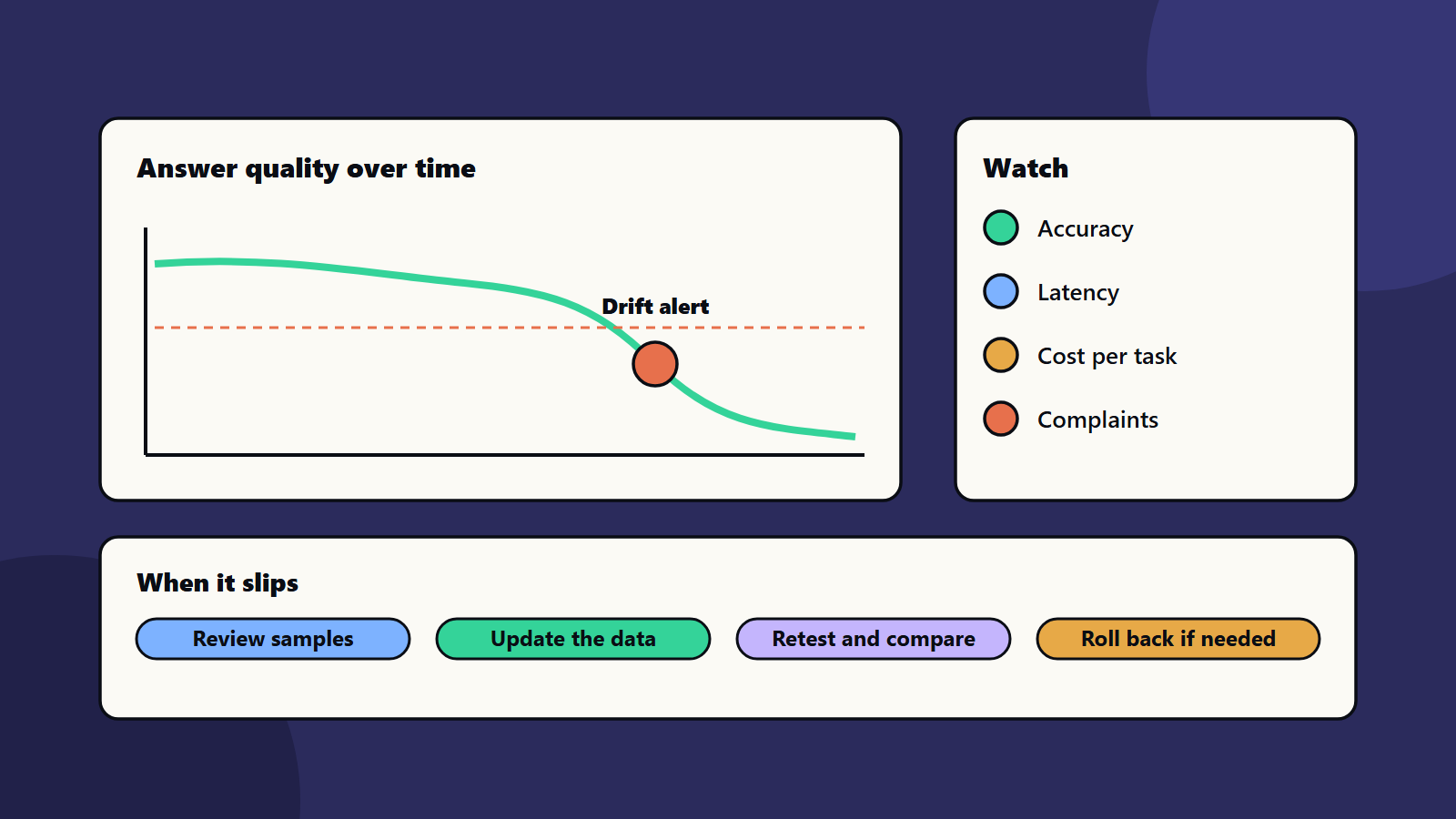
- Data drift: the inputs change. New products, slang or customer types appear.
- Concept drift: the right answer changes. Prices, rules and policies move.
- Upstream changes: a provider updates a hosted model, or a data feed changes format.
- Your own changes: new prompts, tools and documents.
- Usage shifts: users find new ways to use or misuse the system.
Our guide to testing AI features covers checks before launch. Monitoring continues them after launch.
What to monitor
Quality
- Accuracy on a fixed test set, run on a schedule.
- Review scores from a weekly sample of real conversations.
- Thumbs up and down, complaints and corrections.
- Hand-over rate to a person.
- For retrieval systems, whether the right sources are found. See retrieval-augmented generation.
Drift
- Changes in the topics, length and language of inputs.
- Changes in the mix of outputs.
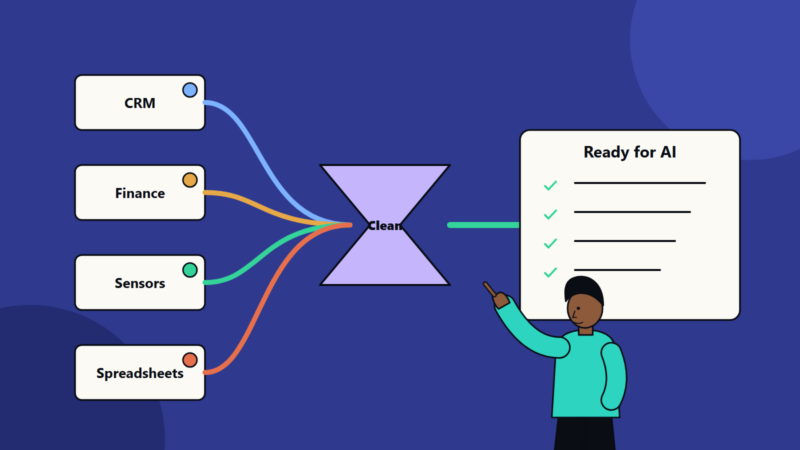
- Changes in the data that feeds the model.
Compare this week with a baseline period, and flag large shifts.
Speed and reliability
- Response time, including slow cases.
- Errors, time-outs and failed tool calls.
- Availability. See site reliability engineering.
Cost
- Cost per request and per task.
- Token use and compute use.
- Cost by team or feature. See measuring AI cost.
Safety and fairness
- Attempts to break rules. See prompt injection explained.
- Refusal and unsafe-answer rates.
- Personal data in inputs and outputs.
- Differences in quality by language or group.
A framework for risk
The NIST AI Risk Management Framework is a voluntary guide for managing AI risk through design, use and evaluation. It also has a profile for generative AI. Use such guides to build your list of risks, and to show regulators and customers how you manage them. Check laws that apply in each of your markets.
Set up the process
- Pick measures that match the main risks of this system.
- Set baselines from the launch tests.
- Set thresholds for warnings and alarms.
- Name owners for each alert, with an on-call route.
- Log safely: record inputs, outputs, versions and decisions, with privacy controls.
- Review samples each week with a domain expert.
- Build dashboards for leaders and for engineers.
- Write a response plan: who decides, how to switch off a feature, how to tell users.
Our guide to observability explains the logs, metrics and traces behind this work. For automated checks, see MLOps basics.
When something goes wrong
- Contain: turn off the feature, or limit it, if harm is possible.
- Diagnose: compare recent changes in data, prompts, models and tools.
- Fix: update data, prompts or settings, or retrain.
- Retest on the full test set and on the new failure cases.
- Release carefully, with a staged rollout.
- Learn: add the failure to the test set, and share the review. See incident response planning.
Change control
Treat prompts, models, data sources and tools as versioned parts. Record what changed and why. Run tests before each change, and keep the previous version ready. When a provider updates a hosted model, retest straight away.
Governance and people
- Give each AI system a named owner.
- Report results to a governance group. See AI agent governance and responsible AI policy.
- Train reviewers.
- Review the monitoring plan every quarter.
<!– expanded –>
What the big platforms say
Microsoft’s documentation on model monitoring in Azure Machine Learning calls monitoring the last step of the machine learning lifecycle. It notes that, unlike traditional software, model behaviour comes from data, so shifts in data, training-serving skew, data quality problems and changing consumer behaviour can all make a model stale. A stale model can lose business value or create compliance problems.
The same page lists built-in signals: data drift, prediction drift, data quality, feature attribution drift and model performance, plus quality metrics for generative AI such as groundedness, relevance, fluency, similarity and coherence. It offers practical advice that applies anywhere:
- Start monitoring straight after deployment.
- Work with the data scientists who know the model to pick signals and thresholds, so you avoid alert fatigue.
- Use several signals, for a broad and a detailed view.
- Compare production with a suitable reference, such as training data for drift.
- Set the frequency to match how fast production data grows.
- Use the model performance signal when you have ground truth data.
The NIST AI Risk Management Framework is voluntary and covers risks through design, development, use and evaluation. NIST also published a generative AI profile in 2024 to help organisations identify risks specific to generative AI.
Google’s SRE book chapter on service level objectives offers a way to turn reliability and speed into targets with error budgets. The same thinking helps you set quality and latency objectives for AI features.
A worked example: a customer support assistant
This example is illustrative.
A company runs a chat assistant that answers questions from its help centre.
Signals and targets:
- Answer accuracy on a fixed set of 200 questions: at least 92 percent.
- Grounded answers, meaning every claim can be traced to a source: at least 95 percent in the weekly sample.
- Safety: zero leaks of personal data in the weekly sample.
- Hand-over rate to a person: between 15 and 25 percent. A big rise or fall needs a look.
- Response time: ninety-five percent of answers within four seconds.
- Cost per resolved conversation: within a set budget.
Routine:
- Daily: automatic checks for errors, time-outs and cost spikes.
- Weekly: run the fixed question set, and review fifty real conversations with an agent lead.
- Monthly: check drift in topics and language, and update the question set with new product features.
- After every change: run the full set before release.
Example finding: in week eight, accuracy on billing questions falls from 94 to 85 percent. The team finds that a new pricing page was not indexed, so answers used old prices. They fix the data feed, re-run the test set and add a check that new pages are indexed within a day.
The story shows why monitoring covers the whole chain: content, retrieval, prompt, model and interface.
Sampling reviews well
Numbers cannot judge every answer. A review sample can.
- Sample at random, and add extra cases from low confidence, thumbs down and long conversations.
- Use a short form: correct, grounded, safe, helpful, on tone.
- Have two reviewers check a few cases, so you can see how often they agree.
- Record reasons for failures, and group them into causes.
- Feed each failure into the test set.
Designing alerts that people act on
- Alert on the user experience and quality first, then on technical causes.
- Use two levels: a warning to review within a day, and an alarm for action now.
- Name an owner and a runbook for each alert.
- Review alerts monthly, and remove noisy ones.
- Avoid too many metrics. Five to eight well-chosen signals beat fifty.
Roles
- Product owner: accountable for quality and user impact.
- AI or data lead: designs measures, tests and fixes.
- Reviewers from the business: judge answers in context.
- Platform or operations team: keeps the system running and the alerts working.
- Risk, legal and privacy contacts: advise on incidents and rules.
- Governance group: receives monthly reports. See AI agent governance.
Small business and enterprise views
- Sole trader or small team: keep a spreadsheet of fifty test questions, run it monthly and read twenty real conversations. That alone beats no monitoring.
- Mid-size company: automate the weekly test run and cost tracking, and keep a simple dashboard.
- Enterprise: use shared tooling, standard measures, a central register of AI systems and regular reports to risk committees.
Audit trail and records
Keep records of versions, test results, changes, incidents and decisions. Regulators and customers may ask how you manage AI risk, and records make answers easy. Check which laws apply to your sector and region.
Cost monitoring
Track cost per request, per task and per team. Look for sudden rises, long prompts and repeated calls. Set budgets and alerts. See measuring AI cost and open-weight versus hosted AI models for options that change the bill.
Common mistakes
- Monitoring only uptime, and ignoring quality.
- No baseline, so drift cannot be seen.
- Alerts with no owner.
- Logging that exposes personal data.
- Updating prompts without retesting.
- No way to roll back.
- Stopping reviews after the first month.
A starting plan
- List five measures for your most important AI system.
- Build a fixed test set, and schedule a weekly run.
- Sample fifty real cases each week for review.
- Set alerts and a response plan.
- Review AI model monitoring results monthly with the owner.
How SoftSapien supports AI model monitoring
SoftSapien’s AI and data engineers set up AI model monitoring: metrics, test sets, dashboards, review routines and response plans for chatbots, agents and prediction models. See our AI development and data science services.
To keep your AI healthy, use the contact page to chat with our team, send a message or schedule a free consultation call.
Frequently asked questions
What is model drift?
A change in input data or in the world, so past results no longer hold. Data drift means inputs change, and concept drift means the right answer changes.
What should we monitor?
Answer quality, drift, speed, errors, cost, safety events and user feedback, with a fixed test set run on a schedule and a weekly sample of real cases.
Why review real cases?
Numbers miss poor answers. Expert review of a sample finds problems that metrics cannot see.
What if quality drops?
Contain it, find the change in data, prompts, models or tools, fix it, retest on the full test set and release in stages.
Can SoftSapien help monitor our AI?
Yes, with metrics and reviews. Contact SoftSapien through the contact page to chat with our team, send a message or schedule a free consultation call.