Short on time? Game server hosting decides how fast, fair and affordable your online game feels. Choose between player-hosted, dedicated and managed servers, place servers near your players, scale with demand using warm spares, watch cost per player and plan for launch spikes. Use open tools such as Kubernetes-based orchestration if you run your own fleet.
An online game lives or dies by its servers. Players feel lag, queues and crashes more than any graphics flaw. At the same time, servers cost money every hour, whether players are online or not.
This article explains game server hosting in plain terms for producers, founders and engineers. It suits a small co-op game with a few hundred players and a large online title with millions.
Key takeaways
- Game server hosting options range from player-hosted games to dedicated servers run by you or a provider.
- Place servers in regions near players, and measure real latency.
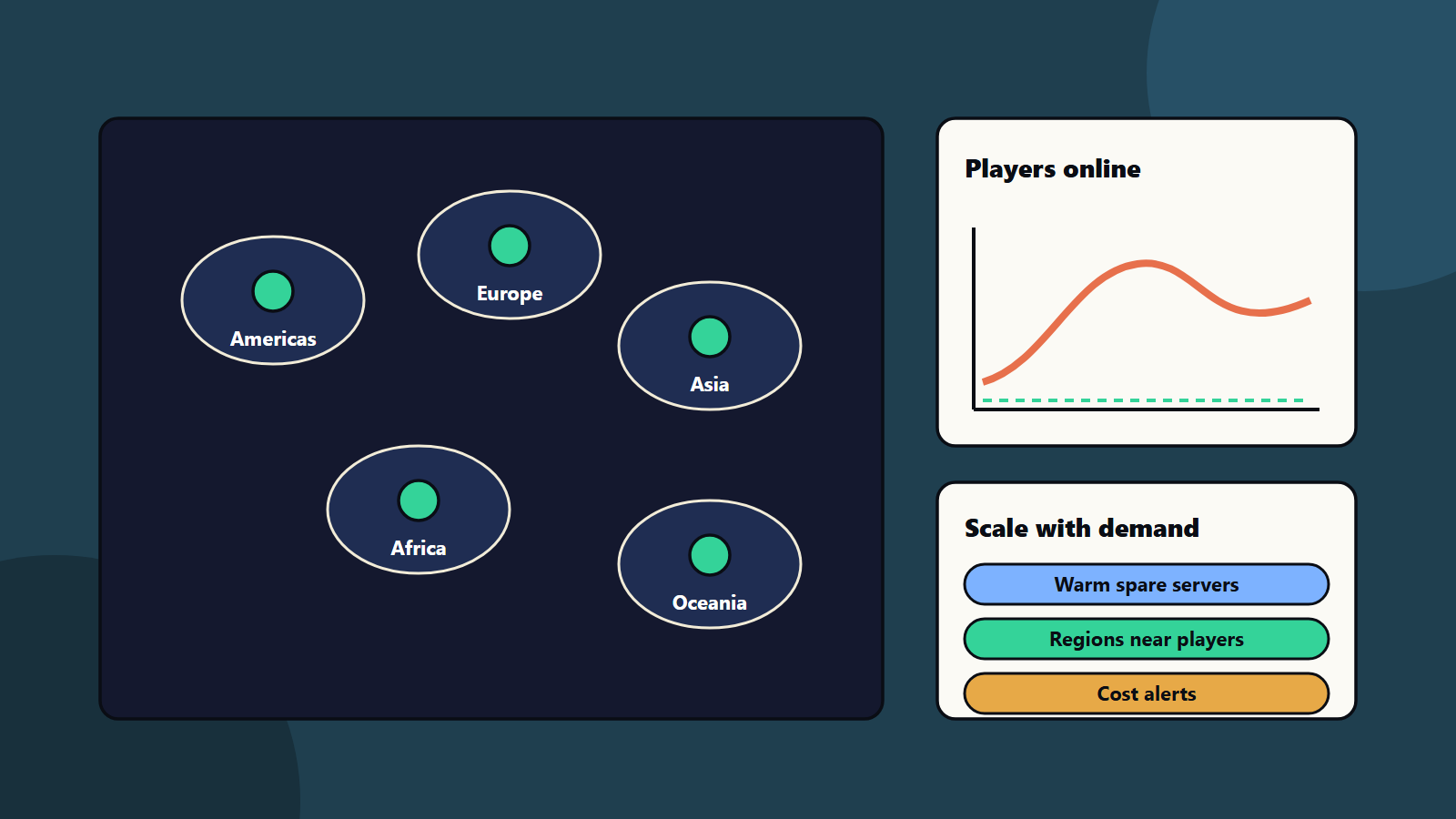
- Scale with demand, using warm spare capacity to avoid long waits.
- Track cost per player hour, and set alerts for surprise spend.
- Plan for launch spikes, outages and security from the start.
Hosting models
Player-hosted or peer to peer
One player’s machine acts as the host, or players connect directly. It costs you almost nothing. Quality depends on the host’s connection, and cheating and privacy risks are higher. It can suit small co-operative games. See multiplayer netcode.
Dedicated game servers
Your game runs on servers in a data centre or cloud, and players connect to them. This gives better fairness, control and security, and it costs money. Most competitive games use this model.
Managed services
Cloud and game service providers offer hosting tools that start servers on demand, match players and handle regions. They cut set-up work and can cost more per hour. Compare features, regions and pricing before you commit. See our guide to cloud exit strategy before you tie yourself to one provider.
Run your own fleet
Teams with engineering skills can run their own fleet on virtual machines or Kubernetes. Agones is an open source platform for hosting, running and scaling multiplayer dedicated game servers on Kubernetes. It can run anywhere Kubernetes can, and it includes an SDK that manages each server’s lifecycle, health and configuration. See the Agones site for details. For background on Kubernetes, read our guide for decision makers.
Choose regions near players
Latency rises with distance. Use your player data to pick regions. Start with the places where most players live, then add regions as demand grows.
- Measure round-trip time from real players, since guesses mislead.
- Offer region choice, with a sensible default.
- Keep matchmaking pools large enough, since too many small regions mean long queues.
- Think about local rules on data and privacy. See data residency and sovereignty.
Scale with demand
Player numbers rise and fall through the day and week, and spike at launches and events.
- Autoscaling: add servers when load rises, and remove them when it drops.
- Warm spares: keep ready servers waiting, since starting a fresh one takes time and players hate queues.
- Match packing: put several matches on one machine where the game allows it.
- Reserved and spot capacity: commit to a base level at a lower price, and use cheaper short-term capacity for bursts, with care for interruptions.
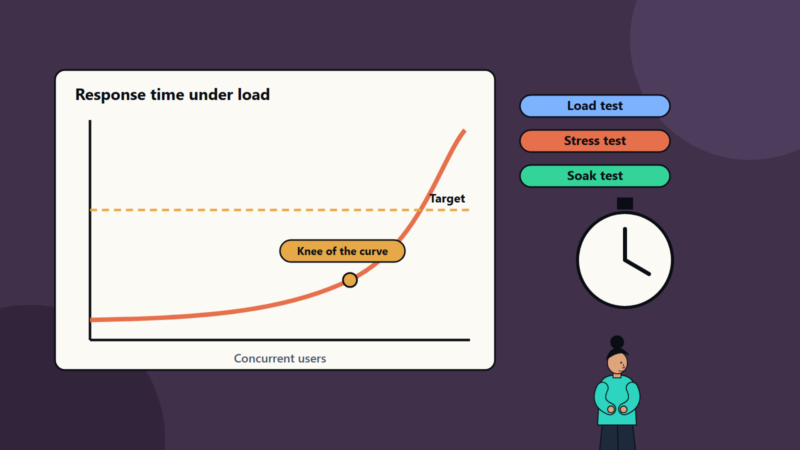
- Load tests: simulate launch day before launch day. See performance testing.
Control costs
Track these numbers:
- Cost per player hour and per match.
- Server utilisation.
- Idle capacity.
- Data transfer, which can be a large hidden cost.
- Cost by region.
Set budgets and alerts. Review them weekly during launch. Apply the habits in cloud cost optimisation and cloud cost allocation.
Back-end services
Servers are one part. Most games also need:
- Accounts and sign-in.
- Matchmaking and lobbies.
- Saves and inventory.
- Leaderboards and chat.
- Telemetry and analytics. See game analytics.
Decide which to build and which to buy. Keep them separate from game servers so each can scale on its own.
Reliability and operations
- Run servers in more than one zone where you can.
- Monitor latency, tick rate, crashes and player numbers. See observability.
- Use safe releases for server updates, so matches do not end mid-game. See zero-downtime deployments.
- Keep an on-call plan and clear incident steps.
- Communicate with players during problems. See game live operations.
Security
- Make servers authoritative, and validate every client action.
- Protect against denial of service attacks.
- Encrypt traffic and secure accounts.
- Keep servers patched, and limit access for your own team.
- Plan anti-cheat measures.
See our zero trust security guide. <!– expanded –>
What the big platforms offer
Three public sources show the range of options.
Agones is an open source platform for hosting, running and scaling dedicated game servers on Kubernetes, and it can run anywhere Kubernetes can. Its site describes orchestration through configuration or an API, an SDK that manages each server’s lifecycle and health, and metrics for monitoring. It suits teams that want control and can run Kubernetes.
Microsoft’s PlayFab Multiplayer Servers is a hosting service for games, built on Azure Compute. Its documentation lists dynamic scaling, the ability to schedule or program the number of standby servers, containerised game servers for consistent test and production environments, Windows and Linux servers and steps to measure player latency to regions.
Amazon’s FlexMatch matchmaking documentation explains matchmaking configurations, rule sets that define team structure and acceptable matches, and a recommendation that a back-end service, and not the game client, talks to the matchmaking service. It also notes that FlexMatch can be used with other hosting solutions.
The lesson: servers, matchmaking and player data are separate parts. You can buy some and build others.
A worked example: launching a 4 against 4 game
This example is illustrative.
A small studio is launching a 4 against 4 team game on PC and console. The team expects a first-week peak of 20,000 players online and a long-term average of 3,000.
Hosting model: dedicated servers, because the game needs fair, authoritative matches.
Regions: launch in North America east, Europe west and Asia Pacific, which match the wish-list data. Add more after launch as telemetry shows demand.
Capacity:
- Each server process hosts one match of eight players.
- A machine can run a set number of processes. The team measures this in load tests.
- For 20,000 players at peak, they need about 2,500 matches running. They plan machine counts from the measured density, with a buffer.
Scaling rules:
- A base level of reserved capacity for the long-term average.
- Autoscaling for the evening peaks.
- A pool of warm spare servers in each region so match start is fast.
- A cap on spend with alerts at 50, 80 and 100 percent of budget.
Back-end parts:
- Accounts and sign-in from a managed service.
- Matchmaking from a managed service or an open tool, run behind their own back-end service.
- Telemetry sent to an analytics pipeline. See game analytics.
Launch week: the team sets an on-call rota, watches queue times, server crash rates and cost, and keeps a status page for players.
After launch: they review cost per player hour, move idle capacity to the busiest regions and renegotiate reserved capacity.
Capacity planning in plain steps
- Estimate demand: use wish-lists, beta numbers and similar games. Plan a low, expected and high case.
- Measure one server: how many matches per machine at your target tick rate before quality drops.
- Add a buffer: commonly twenty to fifty percent, for failures and surprises.
- Plan the ramp: how fast will demand rise at launch, and how fast can you add machines?
- Test it: run a load test with simulated players. See performance testing.
- Plan the drop: when demand falls, reduce capacity to save money.
Build or buy: questions to ask
- Do we have people who can run a server fleet at night and at weekends?
- How important is control over the server build and update timing?
- What does the managed option cost at our expected size, and at ten times that size?
- Which regions do we need, and which does each option cover?
- Can we move away later? See cloud exit strategy.
- How are matchmaking, accounts and data kept apart from hosting?
A monitoring dashboard worth building
- Players online and matches running by region.
- Match queue time and match start time.
- Server crash and restart rate.
- Tick rate and frame time on servers.
- Player ping and packet loss by region.
- Cost per hour and cost per player hour.
- Capacity headroom and warm spare count.
Set alerts on the player experience, and keep machine metrics as supporting detail. See site reliability engineering.
Incident scenarios to rehearse
- A region goes down: can players be sent to the next nearest region, and what does it do to ping?
- A bad update crashes servers: can you roll back in minutes? See zero-downtime deployments.
- A denial of service attack: who contacts the provider, and what protections exist?
- Costs spike overnight: which alert fires, and who can cap spend?
- Matchmaking fails: do players see an honest message?
Small studio and large publisher views
- Small studio: use a managed service, start in one or two regions and automate scaling early, since you have no spare people at night.
- Mid-size studio: combine managed matchmaking with your own server fleet in a few regions, and review costs weekly.
- Large publisher: build a shared platform for many titles, with standards for regions, security, monitoring and cost allocation. See cloud cost allocation.
Regional and regulatory notes
Rules for player data and children differ by region. Servers in a region may be needed for data law, for latency or for platform rules. Check requirements for each market you serve. See game data privacy and children.
Common mistakes
- Choosing regions by guesswork.
- No warm capacity, so players queue.
- Ignoring data transfer cost.
- Testing with a few players only.
- Server updates that kick players out.
- Tying the whole game to one provider with no exit plan.
- Skipping monitoring until launch day.
A starting plan
- Pick the hosting model that fits your game and budget.
- Choose two launch regions from player data.
- Build autoscaling with warm spares.
- Load test at three times expected peak.
- Review game server hosting cost and latency every week.
How SoftSapien supports game server hosting
SoftSapien’s game engineers and DevOps specialists design and run game server hosting: architecture, regions, autoscaling, monitoring and cost control for mobile, PC and console titles. See our game development and DevOps services.
To plan your servers, use the contact page to chat with our team, send a message or schedule a free consultation call.
Frequently asked questions
What are the main hosting models?
Player-hosted or peer to peer, dedicated servers run by you, and managed services from cloud and game platform providers.
How do we pick regions?
Use real player data and measured latency, start with the regions where most players live and add more as telemetry shows demand.
Why keep warm spare servers?
Starting a fresh server takes time, and players dislike queues. Warm spares make match start fast.
How do we control cost?
Track cost per player hour, utilisation, idle capacity and data transfer, set budget alerts and review weekly during launch.
Can SoftSapien help host our game?
Yes, with design and operations. Contact SoftSapien through the contact page to chat with our team, send a message or schedule a free consultation call.