Short on time? Document AI for contracts reads agreements, pulls out key fields such as parties, dates, renewal terms and liability caps, flags unusual clauses and routes uncertain items to a lawyer. It speeds up first-pass review and tracking. It does not replace legal judgement. Test it on your own contracts, keep a human in the loop and protect the data.
Contracts hold the facts that businesses depend on: who is bound, for how long, at what price, with what notice and with what limits on liability. Finding those facts across hundreds or thousands of PDFs is slow, and missed renewals and odd clauses are costly.
Document AI for contracts uses machine learning to read documents and pull out structured data. This article works through the idea with a worked example. It suits a small firm with a folder of supplier agreements and a legal team handling thousands. It is general information and not legal advice.
Key takeaways
- Document AI turns unstructured documents into structured fields, using text recognition, layout analysis and extraction models.
- Major platforms offer services for this, and you still need to test accuracy on your own contracts.
- Confidence scores let you send uncertain fields to a lawyer for review.
- Keep humans responsible for legal conclusions, and keep an audit trail.
- Contracts are sensitive, so check security, data location and provider terms.
What the platforms offer
Three large platform descriptions show the common building blocks.
Microsoft describes Azure Document Intelligence as a machine-learning based OCR and intelligent document processing service that automates extraction of key data from forms and documents.
Google’s Document AI turns unstructured document content into structured data, such as fields you can store in a database. Its processors fall into three categories: digitise, extract and classify. Enterprise Document OCR gets text and layout, a form parser extracts tables and key-value pairs, and custom extractors pull specific entities from custom documents.
Amazon’s Textract detects typed and handwritten text and extracts text, forms and tables, with a queries feature to ask for specific information from a document and options for specific document types such as invoices and identity documents.
For contracts, these services help with the first steps: reading scanned pages, finding structure and extracting fields. Many teams add a language model or a rules layer on top to find clauses and compare them with a standard.
What document AI for contracts can extract
- Parties and signatories.
- Dates: start, end and signature dates.
- Term and renewal: length, automatic renewal and notice periods.
- Money: fees, payment terms, price changes and penalties.
- Obligations and service levels.
- Liability and indemnity: caps and carve-outs.
- Termination rights.
- Governing law and dispute method.
- Data protection and security terms.
- Unusual or missing clauses compared with your standard.
A worked example: a supplier contract review
This example is illustrative.
A company wants to review 600 supplier agreements to find auto-renewals and liability caps.
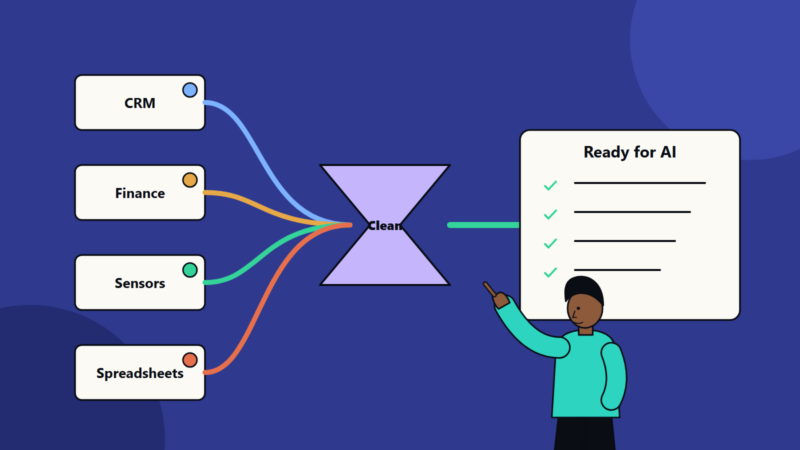
Step 1: collect and prepare. Gather files, remove duplicates, note language and quality. Scanned pages go through text recognition.
Step 2: define the fields. With the legal team, list the twelve fields that matter: parties, start date, end date, renewal type, notice period, fees, payment terms, liability cap, termination for convenience, governing law, data protection clause and assignment.
Step 3: build a test set. A lawyer labels 60 contracts by hand. These become the answer key.
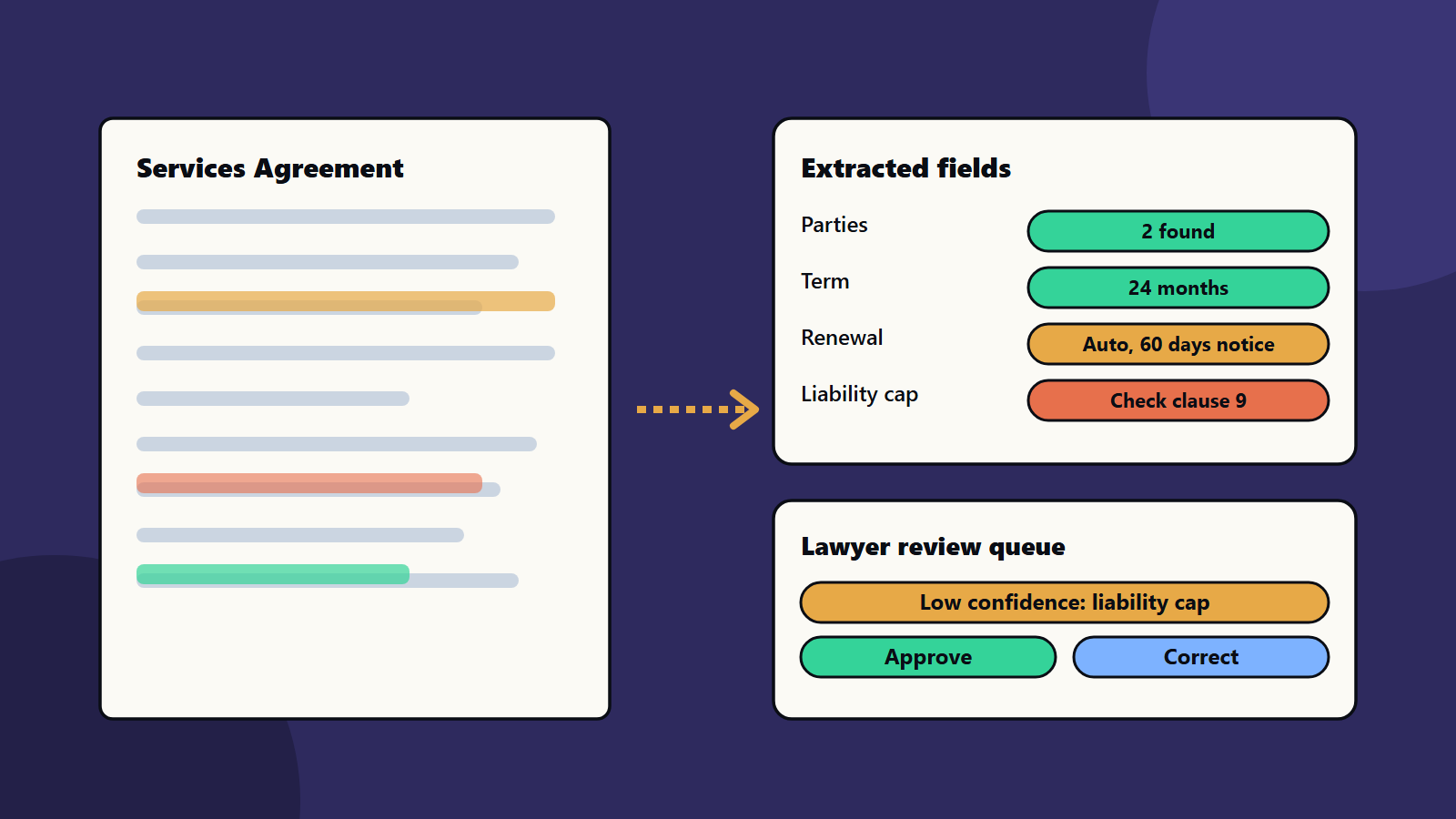
Step 4: run and measure. The tool extracts fields from the test set. The team compares each field with the answer key and records accuracy per field. Dates and parties score high. Liability caps, which are written in many ways, score lower.
Step 5: set rules for review.
- High confidence and a field that matches the pattern: accept, with spot checks.
- Low confidence, missing or odd: send to a lawyer.
- Any liability cap, termination right or data clause above a risk level: a lawyer confirms.
Step 6: use the results. A dashboard shows renewals in the next 120 days and contracts with no liability cap. Reminders go to owners.
Step 7: improve. Corrections feed back into the test set and into the rules. The team reruns the test after every change.
The legal team spends its time on judgement and negotiation, and not on hunting for dates.
Quality and risk
- Accuracy varies by field and document. Report accuracy per field, since one overall figure hides weak spots.
- Scans and layouts matter. Poor scans, stamps and handwriting reduce quality.
- Language models can invent. If you use them to summarise clauses, require quotes from the text and check them. See testing AI features and evaluating model output.
- Do not give legal conclusions to the tool. Let it surface facts and flag clauses. A qualified person decides what they mean.
- Monitor over time. New templates and suppliers change results. See AI model monitoring.
Security, privacy and rules
- Contracts hold commercial secrets and personal data. Control access, and log who sees what.
- Check where documents are processed and stored, and whether the provider keeps or learns from your data. See data residency and sovereignty and open-weight versus hosted AI models.
- Guard against hidden instructions in documents. See prompt injection explained.
- Keep an audit trail of extractions, edits and approvals.
- Follow professional and legal rules for your sector and region.
Build, buy or combine
- Packaged contract tools: quick to start, with built-in clause libraries. Compare accuracy, cost, security and exit options.
- Platform services plus your own logic: more control, more engineering. See custom software versus SaaS.
- Hybrid: use a service for text and layout, and your own rules and reviewers for decisions.
Measure results against a test set, as well as against demonstrations.
Small business and enterprise views
- Sole trader or small business: a simple spreadsheet and calendar for dates may beat any tool. If you use one, start with renewal dates and notice periods.
- Mid-size company: pilot on one contract type, such as suppliers, with a lawyer reviewing low-confidence fields.
- Enterprise: a contract data platform with standard fields, clause libraries, access controls, links to procurement and finance systems and regular quality reports. See enterprise software integration patterns.
Regional and language notes
Contracts come in many languages and legal systems. Test each language you need, since accuracy can differ. Terms such as governing law and notice rules vary by country, so keep local legal review in the loop.
Common mistakes
- Judging by a demo on clean documents.
- One accuracy number for all fields.
- No human review for risky fields.
- Letting a language model summarise without quotes.
- No plan for new templates.
- Ignoring data security and provider terms.
A starting plan
- Pick one contract type and twelve fields.
- Label 50 to 100 contracts as an answer key.
- Test two or three tools, and measure accuracy per field.
- Set confidence rules and a review queue.
- Roll out, track results monthly and improve document AI for contracts step by step.
How SoftSapien supports contract document AI
SoftSapien’s AI engineers and process consultants design extraction pipelines, build test sets, set up review queues, connect results to business systems and add monitoring and security controls. See our AI development and enterprise software integration services.
To speed up contract review safely, use the contact page to chat with our team, send a message or schedule a free consultation call.
Frequently asked questions
What can document AI extract from contracts?
Parties, dates, term, renewal and notice, fees, payment terms, liability and indemnity, termination rights, governing law and data clauses, plus unusual or missing clauses.
Can document AI replace a lawyer?
No. It surfaces facts and flags clauses so lawyers spend time on judgement. A qualified person decides what the terms mean.
How do we test accuracy?
Label a set of contracts by hand, run the tool and report accuracy per field, since dates may score high and liability clauses lower.
Is contract data safe in AI services?
Check security, data location and whether the provider keeps or learns from your data, and control access with an audit trail.
Can SoftSapien help build a pipeline?
Yes, from test set to review queue. Contact SoftSapien through the contact page to chat with our team, send a message or schedule a free consultation call.